


BIG WIN Baseball
在電腦上使用BlueStacks –受到5億以上的遊戲玩家所信任的Android遊戲平台。

Play BIG WIN Baseball on PC or Mac
Step into the World of BIG WIN Baseball, a thrilling Sports game from the house of Hothead Games. Play this Android game on BlueStacks App Player and experience immersive gaming on PC or Mac.
BIG WIN Baseball is all about building your own baseball team, giving them a custom look, and then sending them out against other players’ squads from all over. It’s not one of those complicated sims either — it’s simple to get the hang of, and the fun is mostly about collecting players through different card packs and deciding who’s on the field. Games themselves play out with cool animations, so you mostly watch your team go at it, but it’s surprisingly satisfying to see the lineups you picked scoring runs or pulling off catches.
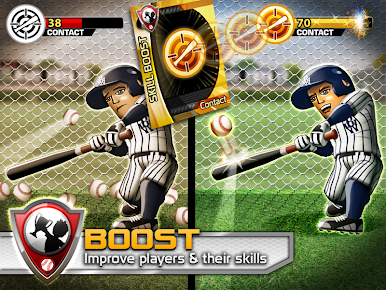
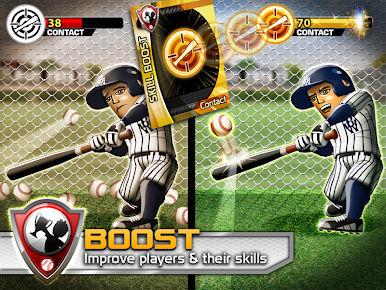
One thing that stands out is these power-up cards that can totally flip the script, like ones for stronger batting or sharper fielding — things like Wheelhouse or Quick Glove. Watching how those play out can get a bit tense because sometimes they can really make or break a game. There’s also this constant pull to open more packs, hoping for those rarer upgrades or star players. On PC through BlueStacks, it’s just nice to have the bigger screen for the animations and stats, and swapping between menus feels snappier. It mixes a bit of team management with luck and some fun surprises, so if someone likes seeing their choices pay off (or blow up), this game scratches that itch pretty well. Plus, chasing daily rewards and trying to stay on top of the standings ends up being kind of addictive if you like those daily little challenges.
Get ready for a buttery smooth, high-performance gaming action only on BlueStacks.














在電腦上遊玩BIG WIN Baseball . 輕易上手.
-
在您的電腦上下載並安裝BlueStacks
-
完成Google登入後即可訪問Play商店,或等你需要訪問Play商店十再登入
-
在右上角的搜索欄中尋找 BIG WIN Baseball
-
點擊以從搜索結果中安裝 BIG WIN Baseball
-
完成Google登入(如果您跳過了步驟2),以安裝 BIG WIN Baseball
-
在首頁畫面中點擊 BIG WIN Baseball 圖標來啟動遊戲

