


午睡闹钟(耳机闹钟)
生活时尚 | henny8650
在電腦上使用BlueStacks –受到5億以上的遊戲玩家所信任的Android遊戲平台。

總覽
厌倦了必须设置闹钟,每次你想睡午觉吗?
你想要能够点击一个简单的按钮,并设置一个闹钟5,10,15或20分钟,只是去睡觉?
你可以醒来,不会打扰图书馆和地铁的其他人。
您可以听到对耳机,耳机或扬声器的报警声。
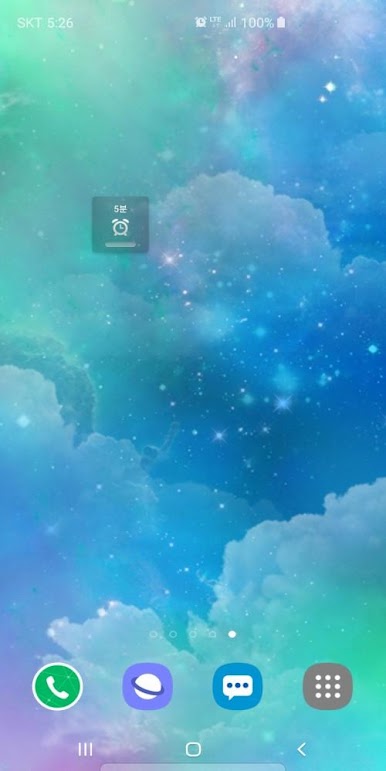
使用小部件,您可以单击运行报警。
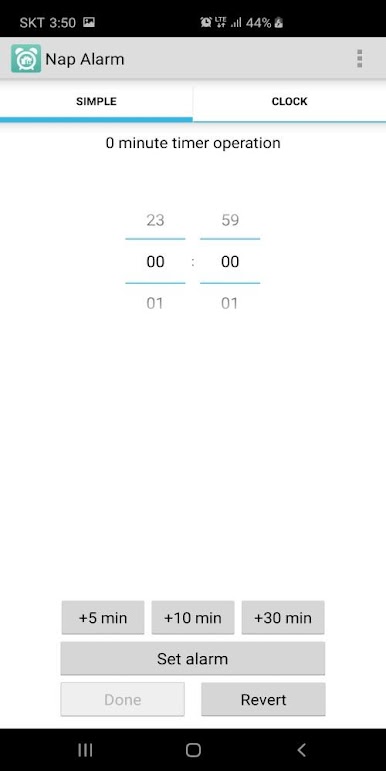
SIMPLE - 您可以简单地设置一个闹钟,从1分钟到1小时的短时间。
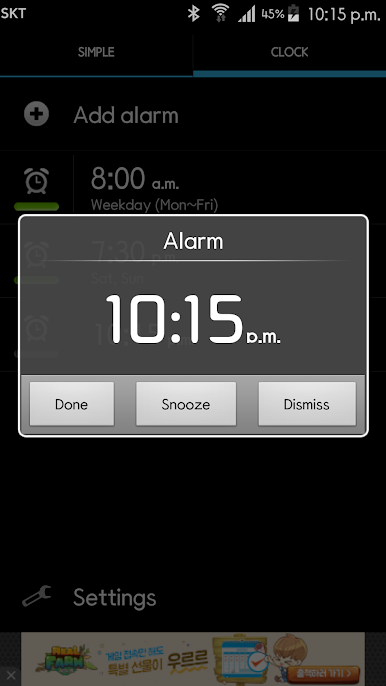
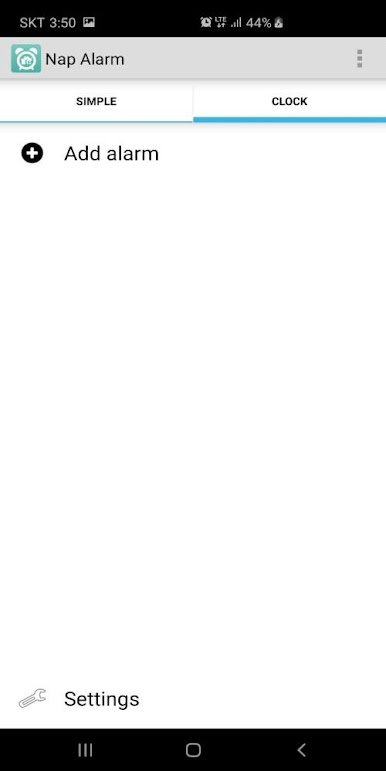
CLOCK - 您可以设置在一周的特定日期重复。
Nap Alarm
You can hear the alarm sound to headset or speaker.
Tired of having to set an alarm every time you want to take a nap?
Do you want to be able to click a simple button and set an alarm for 5, 10, 15 or 20 minutes and just go to sleep?
You can wake up without disturbing other people in the library and subway.
You can hear the alarm sound to headset, earphone or speaker.
With the widget, you can run the alarm with one touch.
SIMPLE - You can simply set an alarm for a short period of time from 1 minute to 1 hour.
CLOCK - You can set to repeat on specific days of the week.
你想要能够点击一个简单的按钮,并设置一个闹钟5,10,15或20分钟,只是去睡觉?
你可以醒来,不会打扰图书馆和地铁的其他人。
您可以听到对耳机,耳机或扬声器的报警声。
使用小部件,您可以单击运行报警。
SIMPLE - 您可以简单地设置一个闹钟,从1分钟到1小时的短时间。
CLOCK - 您可以设置在一周的特定日期重复。
Nap Alarm
You can hear the alarm sound to headset or speaker.
Tired of having to set an alarm every time you want to take a nap?
Do you want to be able to click a simple button and set an alarm for 5, 10, 15 or 20 minutes and just go to sleep?
You can wake up without disturbing other people in the library and subway.
You can hear the alarm sound to headset, earphone or speaker.
With the widget, you can run the alarm with one touch.
SIMPLE - You can simply set an alarm for a short period of time from 1 minute to 1 hour.
CLOCK - You can set to repeat on specific days of the week.
在電腦上遊玩午睡闹钟(耳机闹钟) . 輕易上手.
-
在您的電腦上下載並安裝BlueStacks
-
完成Google登入後即可訪問Play商店,或等你需要訪問Play商店十再登入
-
在右上角的搜索欄中尋找 午睡闹钟(耳机闹钟)
-
點擊以從搜索結果中安裝 午睡闹钟(耳机闹钟)
-
完成Google登入(如果您跳過了步驟2),以安裝 午睡闹钟(耳机闹钟)
-
在首頁畫面中點擊 午睡闹钟(耳机闹钟) 圖標來啟動遊戲

