

Noorani Qaida with Audio
العب على الكمبيوتر الشخصي مع BlueStacks - نظام أندرويد للألعاب ، موثوق به من قبل أكثر من 500 مليون لاعب.

Run Noorani Qaida with Audio on PC or Mac
What’s better than using Noorani Qaida with Audio by ifocusapps? Well, try it on a big screen, on your PC or Mac, with BlueStacks to see the difference.
Noorani Qaida with Audio feels like a simple, hands-on tutor for learning to read the Quran in Arabic. Everything is laid out in small steps, starting from single letters, then moving to joined letters and full words, so it does not overwhelm. Each letter and word has a button, tap or click it and the app speaks the sound, which makes practicing pronunciation very straightforward. The color coding shows where Tajweed rules apply, so users can see what to stretch or emphasize while they listen. It looks bright and friendly, with little animations that keep younger kids interested, but it does not feel childish, so adults can use it without fuss.
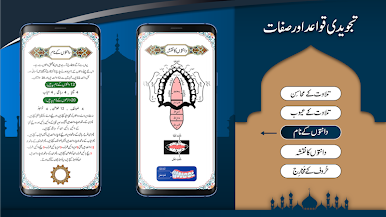
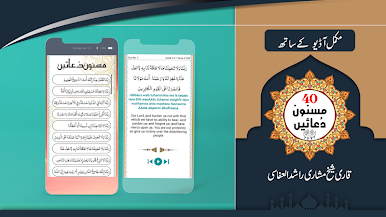
There is more than just the basics. It includes Makharij and Sifaat, names of the teeth, parts of the tongue and throat, plus general qawaid and zawabit, so learners understand where the sounds come from, not only how they should hear them. There is also a set of forty Rabbana duas with English translation and an English style pronunciation, helpful for memory work. After the first install it works offline, which is handy. On a PC with BlueStacks, the larger screen makes the Arabic letters easier to see and the mouse clicks make repeating a word again and again very easy. The audio buttons respond quickly, the HD text is crisp, and the lessons are neatly split into seventeen sections, so progress stays clear without feeling too strict or formal.
BlueStacks brings your apps to life on a bigger screen—seamless and straightforward.


العب Noorani Qaida with Audio على جهاز الكمبيوتر. من السهل البدء.
-
قم بتنزيل BlueStacks وتثبيته على جهاز الكمبيوتر الخاص بك
-
أكمل تسجيل الدخول إلى Google للوصول إلى متجر Play ، أو قم بذلك لاحقًا
-
ابحث عن Noorani Qaida with Audio في شريط البحث أعلى الزاوية اليمنى
-
انقر لتثبيت Noorani Qaida with Audio من نتائج البحث
-
أكمل تسجيل الدخول إلى Google (إذا تخطيت الخطوة 2) لتثبيت Noorani Qaida with Audio
-
انقر على أيقونة Noorani Qaida with Audio على الشاشة الرئيسية لبدء اللعب

