


GO Keyboard Sticker Love Emoji
个性化 | Emoticon Keyboard Team
在電腦上使用BlueStacks –受到5億以上的遊戲玩家所信任的Android遊戲平台。

總覽
Do you want to express yourself better and make your chat more attractive?
Do you want fancy and cute stickers?
This animated sticker is the best app for you!
This Sticker is totally free and customed for GO Keyboard(with 10000+ colorful themes and 800+ emoji, emoticons and smiley faces)!
★New Emoji Features
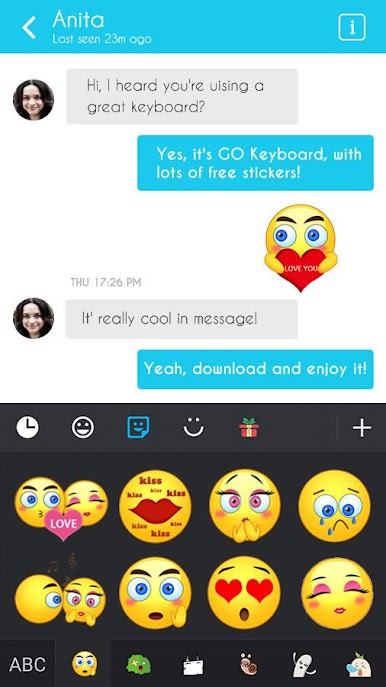
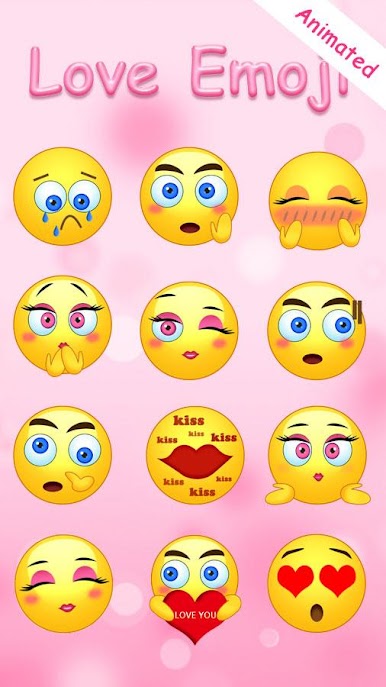
-It contain a variety of beautiful&funny stickers!
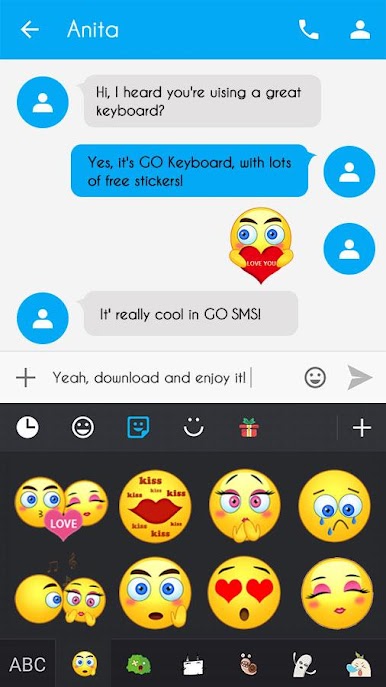
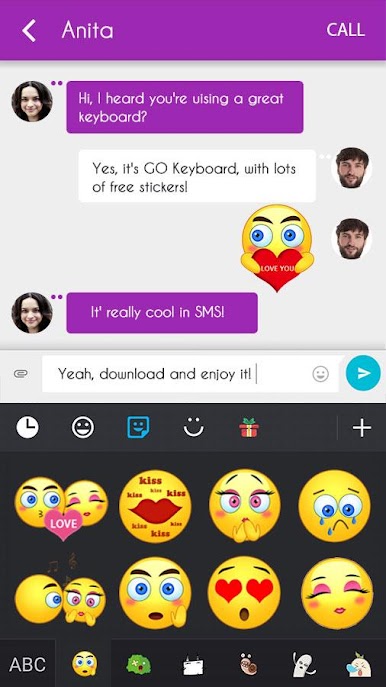
-You can send all stickers to your favorite social networking chat application like Whatsapp, Facebook Messenger, Line, Twitter and all others.
-It is support to send as dynamic stickers makes chat more fun.
★How to Apply Stickers:
Step 1. Download this app and GO Keyboard.
Step 2. You can find stickers on your Emoji panel on GO Keyboard.
Note: Requires V2.60 or higher of GO Keyboard support.
Tap more fun with Stickers,
Join our Facebook: https://www.facebook.com/gokeyboard
Follow us on Twitter: https://twitter.com/GOforkeyboard
Copyright © GO Keyboard
Do you want fancy and cute stickers?
This animated sticker is the best app for you!
This Sticker is totally free and customed for GO Keyboard(with 10000+ colorful themes and 800+ emoji, emoticons and smiley faces)!
★New Emoji Features
-It contain a variety of beautiful&funny stickers!
-You can send all stickers to your favorite social networking chat application like Whatsapp, Facebook Messenger, Line, Twitter and all others.
-It is support to send as dynamic stickers makes chat more fun.
★How to Apply Stickers:
Step 1. Download this app and GO Keyboard.
Step 2. You can find stickers on your Emoji panel on GO Keyboard.
Note: Requires V2.60 or higher of GO Keyboard support.
Tap more fun with Stickers,
Join our Facebook: https://www.facebook.com/gokeyboard
Follow us on Twitter: https://twitter.com/GOforkeyboard
Copyright © GO Keyboard

在電腦上遊玩GO Keyboard Sticker Love Emoji . 輕易上手.
-
在您的電腦上下載並安裝BlueStacks
-
完成Google登入後即可訪問Play商店,或等你需要訪問Play商店十再登入
-
在右上角的搜索欄中尋找 GO Keyboard Sticker Love Emoji
-
點擊以從搜索結果中安裝 GO Keyboard Sticker Love Emoji
-
完成Google登入(如果您跳過了步驟2),以安裝 GO Keyboard Sticker Love Emoji
-
在首頁畫面中點擊 GO Keyboard Sticker Love Emoji 圖標來啟動遊戲

