

Secure Notes - Notepad
在電腦上使用BlueStacks –受到5億以上的遊戲玩家所信任的Android遊戲平台。

Run Secure Notes - Notepad on PC or Mac
Let BlueStacks turn your PC, Mac, or laptop into the perfect home for Secure Notes – Notepad, a fun Productivity app from Jedemm Technologies.
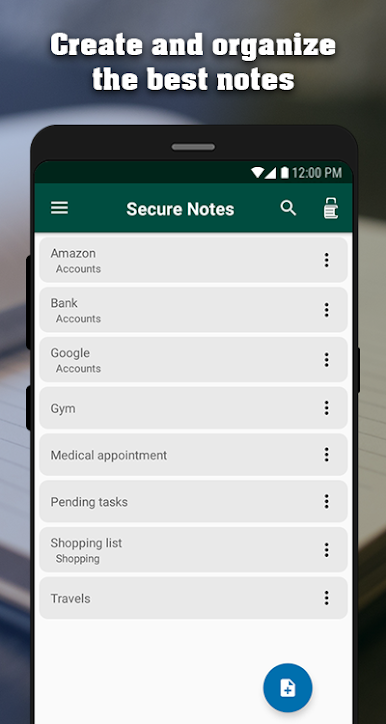
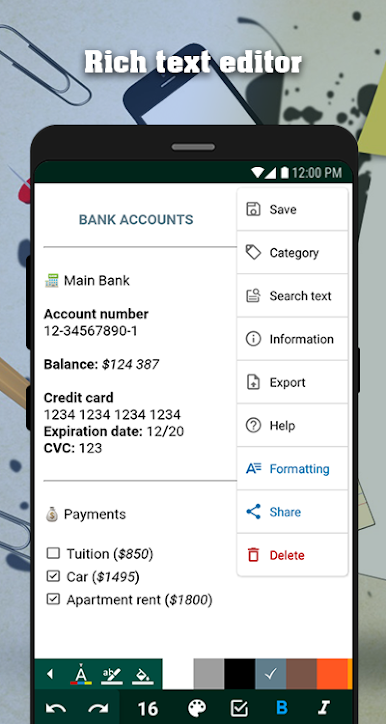
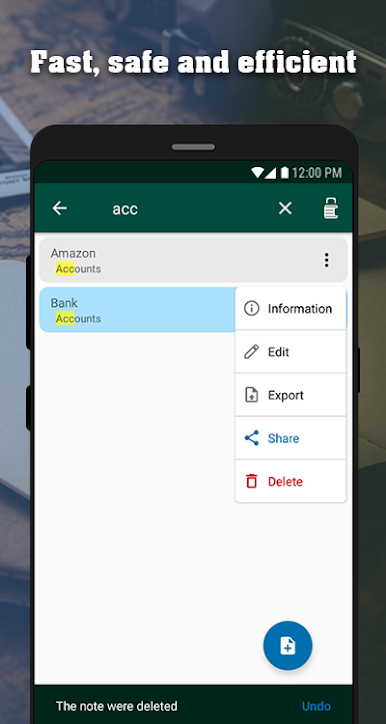
Secure Notes – Notepad feels like a tidy little writing desk that follows the user around. On PC with BlueStacks it behaves like a small word processor, so typing long notes with a keyboard is easy and fast, and the editor has all the usual tools without getting in the way. Text can be styled with bold or italics, underlines and strikethrough, and there are checkboxes for lists, bullets or numbers for organizing, even tables when a note needs structure. Colors can be tweaked for the background or the text, highlights help a lot when skimming, and undo or redo saves the day when a sentence goes sideways. Headings, alignment, indent and outdent are there too, so a messy brain dump can turn into something neat. It auto saves quietly, and an advanced search digs through a long note without fuss. There is a simple stats view if someone is counting words and such. Exporting to the device or the cloud works, and sharing a single note is quick.
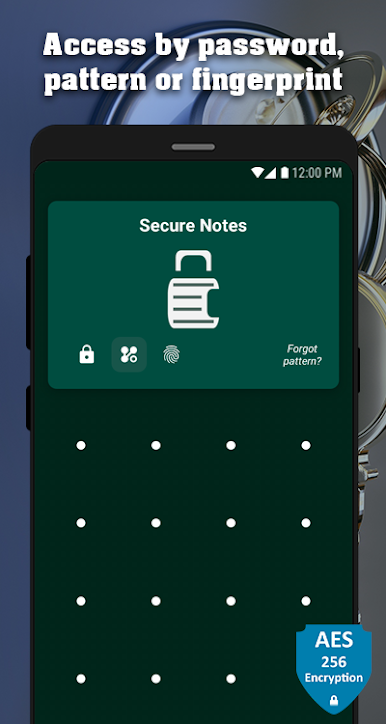
The security side stands out more than expected. The app can lock with a password, a pattern, or a fingerprint, and it encrypts everything, so a lost phone does not become a problem. Backups can live on the device or in the cloud, with an automatic cloud backup option for people who forget. The notes list lets the user search, sort by different criteria, and if something gets deleted by mistake there is an undo and a recycle bin to pull it back. If the lock method is forgotten, there is a reset flow so the whole notebook is not bricked. On BlueStacks, copy and paste between windows, quick searches, and longer writing sessions make it feel more like a desktop notes app, without losing the simple, clean vibe. It is focused, fast, and does not nag, which honestly is rare.
BlueStacks gives you the much-needed freedom to experience your favorite apps on a bigger screen. Get it now.



在電腦上遊玩Secure Notes - Notepad . 輕易上手.
-
在您的電腦上下載並安裝BlueStacks
-
完成Google登入後即可訪問Play商店,或等你需要訪問Play商店十再登入
-
在右上角的搜索欄中尋找 Secure Notes - Notepad
-
點擊以從搜索結果中安裝 Secure Notes - Notepad
-
完成Google登入(如果您跳過了步驟2),以安裝 Secure Notes - Notepad
-
在首頁畫面中點擊 Secure Notes - Notepad 圖標來啟動遊戲

