


Менеджер Комнатных Растений
生活方式 | Prilaga.com
在電腦上使用BlueStacks –受到5億以上的遊戲玩家所信任的Android遊戲平台。

Play Менеджер Комнатных Растений on PC
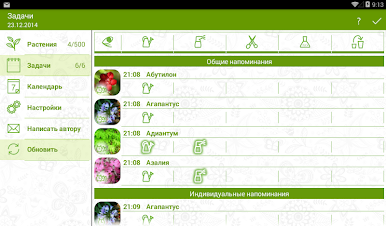
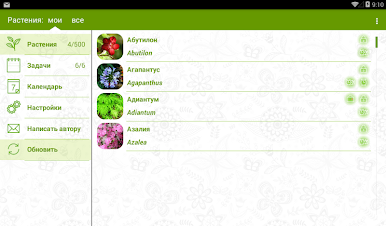
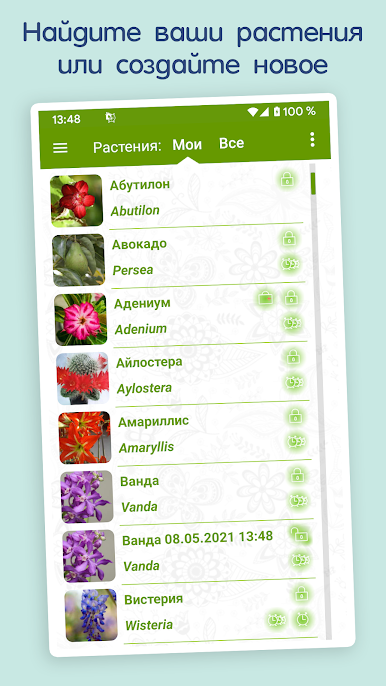
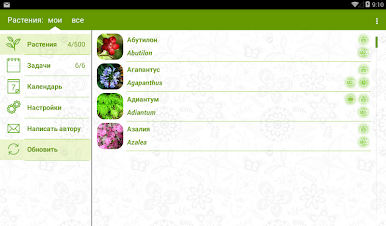
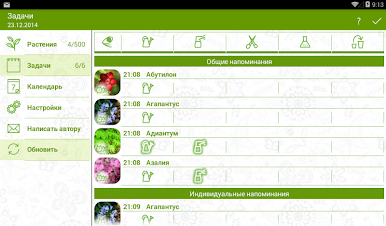
The indoor plant manager will help you organize the care of the plants (watering, spraying, fertilizing, pruning, transplanting, treating diseases) and will remind you at a given time. There is a detailed description of care and treatment. Currently, the application contains 501 plants.
You can create any plant of your own and take care of it!
In the application settings, see the video help.
Key features:
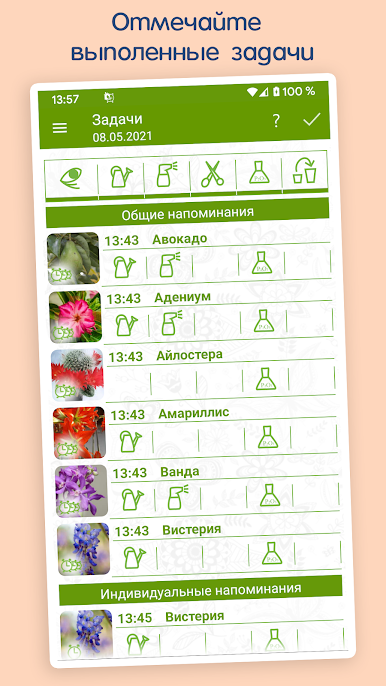
1) General and individual reminders.
2) Creation, copying, deleting of plants.
3) Sending plants by mail or messengers - to your friends and importing them.
4) Editor of frequency of reminders and photo gallery.
5) Quarantine. Plant treatment.
5) Flexible search.
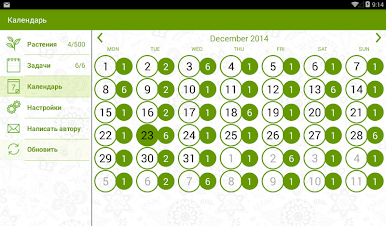
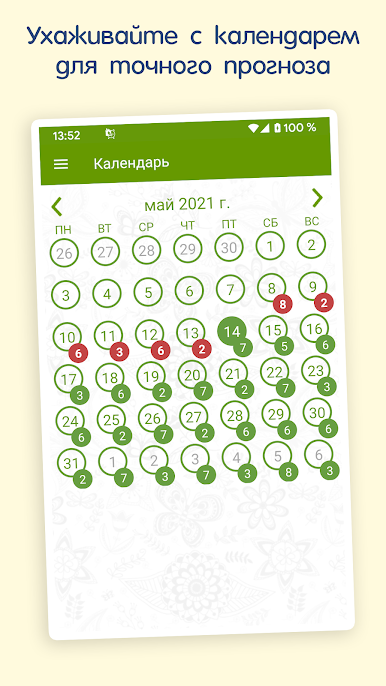
6) Tasks for any date.
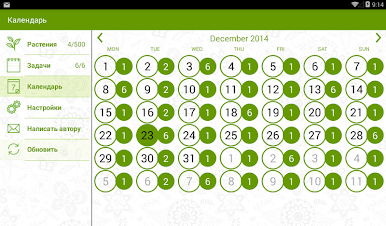
7) Calendar with the transition to tasks for the specified date.
8) View and complete overdue tasks.
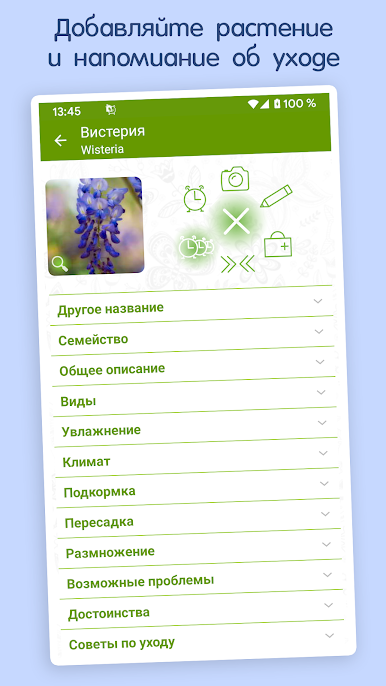
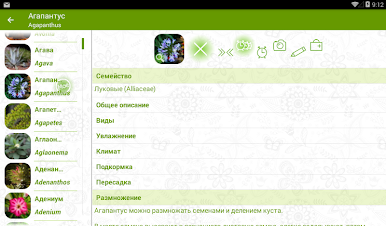
9) A detailed description of the plant and its photograph.
If your reminders do not work, keep in mind that each device has its own characteristics and different settings.
General recommendations:
1) Check in the menu - settings - reminders. There should be a checkmark "Remind"
2) Check if a melody is selected (the application plays the default melody)
3) Check your phone settings to see if reminders are enabled.
4) Check permissions. Settings - Notification Manager - Houseplant Manager - Allow
5) Make sure that the application is installed on the phone's memory, and not on an external flash drive.
6) Check that the application is added to the autorun list on the device. If this option is present, it must be enabled for the Indoor Plant Manager.
You can create any plant of your own and take care of it!
In the application settings, see the video help.
Key features:
1) General and individual reminders.
2) Creation, copying, deleting of plants.
3) Sending plants by mail or messengers - to your friends and importing them.
4) Editor of frequency of reminders and photo gallery.
5) Quarantine. Plant treatment.
5) Flexible search.
6) Tasks for any date.
7) Calendar with the transition to tasks for the specified date.
8) View and complete overdue tasks.
9) A detailed description of the plant and its photograph.
If your reminders do not work, keep in mind that each device has its own characteristics and different settings.
General recommendations:
1) Check in the menu - settings - reminders. There should be a checkmark "Remind"
2) Check if a melody is selected (the application plays the default melody)
3) Check your phone settings to see if reminders are enabled.
4) Check permissions. Settings - Notification Manager - Houseplant Manager - Allow
5) Make sure that the application is installed on the phone's memory, and not on an external flash drive.
6) Check that the application is added to the autorun list on the device. If this option is present, it must be enabled for the Indoor Plant Manager.
在電腦上遊玩Менеджер Комнатных Растений . 輕易上手.
-
在您的電腦上下載並安裝BlueStacks
-
完成Google登入後即可訪問Play商店,或等你需要訪問Play商店十再登入
-
在右上角的搜索欄中尋找 Менеджер Комнатных Растений
-
點擊以從搜索結果中安裝 Менеджер Комнатных Растений
-
完成Google登入(如果您跳過了步驟2),以安裝 Менеджер Комнатных Растений
-
在首頁畫面中點擊 Менеджер Комнатных Растений 圖標來啟動遊戲

