


한국교원연수원
5억명 이상의 게이머가 신뢰하는 안드로이드 게임 플랫폼 BlueStacks으로 PC에서 플레이하세요.

Run 한국교원연수원 on PC or Mac
Why limit yourself to your small screen on the phone? Run 한국교원연수원, an app by 한국교원연수원, best experienced on your PC or Mac with BlueStacks, the world’s #1 Android emulator.
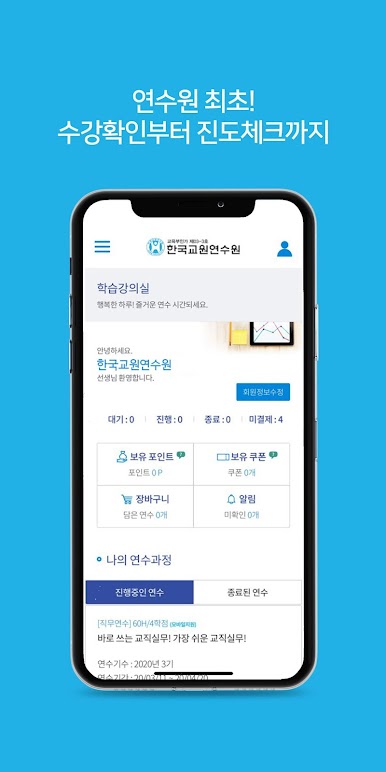
한국교원연수원 feels like a tidy hub for teacher training, all in one place. It bundles the basics that matter day to day. Sign up for courses without jumping through hoops, see the yearly schedule, and keep an eye on progress so nothing slips. The My Classroom area is the home base, with ongoing and finished courses lined up, attendance and assessments easy to check, and quick access to announcements, Q and A, and even one to one messages when a direct reply is needed. There is a simple notice board for official updates and course news, plus a section with real reviews from other teachers, which helps sort out which class is worth the time.
On PC with BlueStacks, it feels more relaxed to use. Lectures are clearer on a bigger screen, scrolling through modules is smoother with a mouse, and flipping between the progress page and the announcement board is less fussy. The app focuses on mobile friendly training, so some courses are meant to be taken inside the app itself. That actually makes sense here. Timers, attendance checks, and online exam schedules are all laid out in a way that is hard to miss. The whole thing is not flashy, but it is steady, practical, and it saves time when there is a lot to juggle.
Big screen. Bigger performance. Use BlueStacks on your PC or Mac to run your favorite apps.






PC에서 한국교원연수원 플레이해보세요.
-
BlueStacks 다운로드하고 설치
-
Google Play 스토어에 로그인 하기(나중에 진행가능)
-
오른쪽 상단 코너에 한국교원연수원 검색
-
검색 결과 중 한국교원연수원 선택하여 설치
-
구글 로그인 진행(만약 2단계를 지나갔을 경우) 후 한국교원연수원 설치
-
메인 홈화면에서 한국교원연수원 선택하여 실행

