


Caesar cipher - De-/Encryption
도구 | Philipp Kutsch
5억명 이상의 게이머가 신뢰하는 안드로이드 게임 플랫폼 BlueStacks으로 PC에서 플레이하세요.

Play Caesar cipher - De-/Encryption on PC
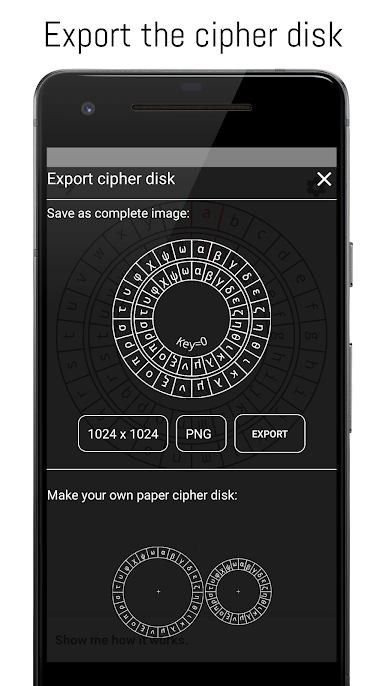
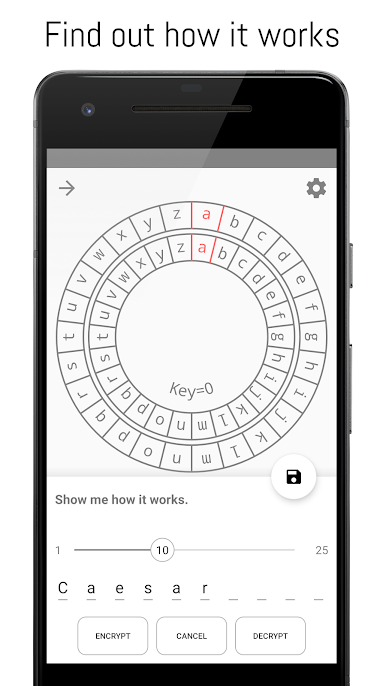
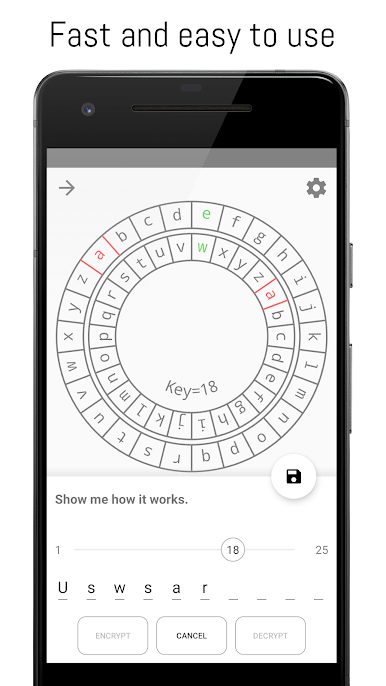
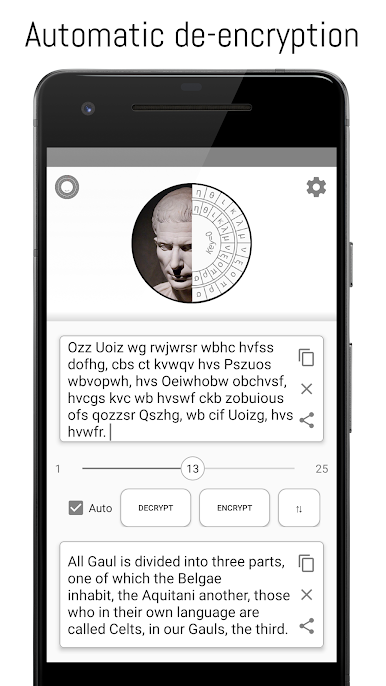
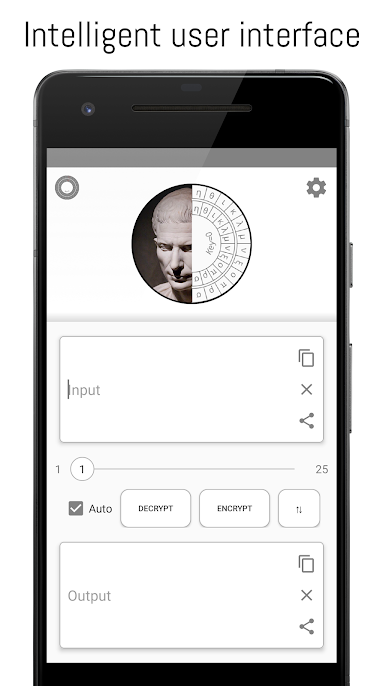
The app allows you to encrypt or decrypt text with the simple and widely known Caesar cipher. If you have an caesar encrypted text with a unknown key, the application can decrypt the text for you! This might be useful for riddles or geocaching. Furthermore, the algorithm is visualized with an interactive cipher disk which you can export and print to craft your own paper cipher disk.
The cipher is named after the famous roman dictator Gaius Julius Caesar.
It works with a simple substitution mechanism where each letter is replaced by another letter in the alphabet. For example with a right shift of 5 an "A" is replaced with an "F".
Decrypt me: Drkxu iye pyb ecsxq yeb kzz ❤
The algorithm is very simple and only serves to understand the theory behind encryption methods. Encrypted texts can be decrypted by anyone without much effort. Please do not use the app for sensitive information or texts that you want to protect from third parties.
➢ Features:
• caesar wheel (Cipher disk)
• custom alphabet
• suitable for geocaching
• educational animation
• automatic decryption in a few milliseconds
• multi-language support
• simple user interface
• share function
• export cipher disk
• context menu integration
• no ads
• 100 % FREE
➢ Permission is required to save cipher disk
➢ Supported decryption languages:
• Dansk
• Deutsch (Deutschland)
• Deutsch (Swiss)
• English (General)
• English (UK)
• English (USA)
• Español
• Français
• Italiano
• Nederlandse taal
• Norsk
The cipher is named after the famous roman dictator Gaius Julius Caesar.
It works with a simple substitution mechanism where each letter is replaced by another letter in the alphabet. For example with a right shift of 5 an "A" is replaced with an "F".
Decrypt me: Drkxu iye pyb ecsxq yeb kzz ❤
The algorithm is very simple and only serves to understand the theory behind encryption methods. Encrypted texts can be decrypted by anyone without much effort. Please do not use the app for sensitive information or texts that you want to protect from third parties.
➢ Features:
• caesar wheel (Cipher disk)
• custom alphabet
• suitable for geocaching
• educational animation
• automatic decryption in a few milliseconds
• multi-language support
• simple user interface
• share function
• export cipher disk
• context menu integration
• no ads
• 100 % FREE
➢ Permission is required to save cipher disk
➢ Supported decryption languages:
• Dansk
• Deutsch (Deutschland)
• Deutsch (Swiss)
• English (General)
• English (UK)
• English (USA)
• Español
• Français
• Italiano
• Nederlandse taal
• Norsk
PC에서 Caesar cipher - De-/Encryption 플레이해보세요.
-
BlueStacks 다운로드하고 설치
-
Google Play 스토어에 로그인 하기(나중에 진행가능)
-
오른쪽 상단 코너에 Caesar cipher - De-/Encryption 검색
-
검색 결과 중 Caesar cipher - De-/Encryption 선택하여 설치
-
구글 로그인 진행(만약 2단계를 지나갔을 경우) 후 Caesar cipher - De-/Encryption 설치
-
메인 홈화면에서 Caesar cipher - De-/Encryption 선택하여 실행

