


Riyaz: Aprender a cantar
Jogue no PC com BlueStacks - A Plataforma de Jogos Android, confiada por mais de 500 milhões de jogadores.

Página modificada em: Nov 6, 2025
Run Riyaz: Practice, Learn to Sing on PC or Mac
Why limit yourself to your small screen on the phone? Run Riyaz: Practice, Learn to Sing, an app by MusicMuni Labs, best experienced on your PC or Mac with BlueStacks, the world’s #1 Android emulator.
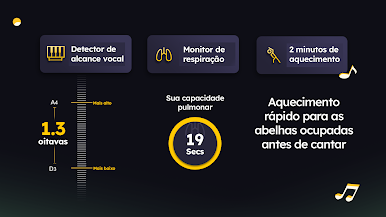
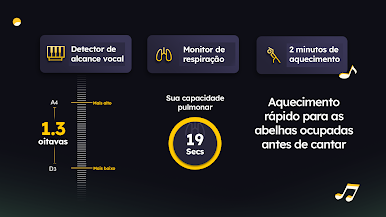
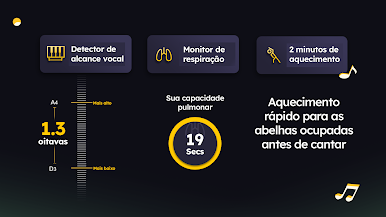
Riyaz feels like a patient vocal coach sitting in the room, listening in real time and showing exactly where a note went off. The app puts a clean pitch line on the screen, highlights timing and breath slips, and nudges singers toward the right placement without being harsh. It is not a quick karaoke toy. It is more like a practice studio that gives immediate, precise feedback so mistakes do not pile up. The little vocal monitor is the star here, making it easy to see what the ear is still figuring out, and progress tracking quietly keeps a record of how accuracy and control are moving along.
There is a lot to work with. Western classical has warm-ups, agility drills, range work, and plenty of solfege and interval exercises. Hindustani learners get sargam, paltas, alankars, and a deep set of raags with bandishes. Carnatic has Swaravalis, Nottuswarams, Geethams, Jatisvaras, and Svarajatis. There are devotional bhajans for a lighter practice session, and a big pool of Bollywood and popular songs that the community has added, plus the option to add personal favorites. It supports different voice types, from kids to adults, and the exercises scale from absolute beginner to people who already perform. Running it on BlueStacks on a PC makes the pitch graph easier to read and a USB mic just works better, which helps with longer practice sessions and staying focused on breath, timing, and modulation.
BlueStacks brings your apps to life on a bigger screen—seamless and straightforward.





















Jogue Riyaz: Aprender a cantar no PC. É fácil começar.
-
Baixe e instale o BlueStacks no seu PC
-
Conclua o login do Google para acessar a Play Store ou faça isso mais tarde
-
Procure por Riyaz: Aprender a cantar na barra de pesquisa no canto superior direito
-
Clique para instalar Riyaz: Aprender a cantar a partir dos resultados da pesquisa
-
Conclua o login do Google (caso você pulou a etapa 2) para instalar o Riyaz: Aprender a cantar
-
Clique no ícone do Riyaz: Aprender a cantar na tela inicial para começar a jogar

