


Oticon Companion
醫療 | Oticon A/S
在電腦上使用BlueStacks –受到5億以上的遊戲玩家所信任的Android遊戲平台。

Play Oticon Companion on PC
This app lets you control your hearing aids from your mobile device. Just a note: some features may be available depending on your hearing aid model. Check below for details.
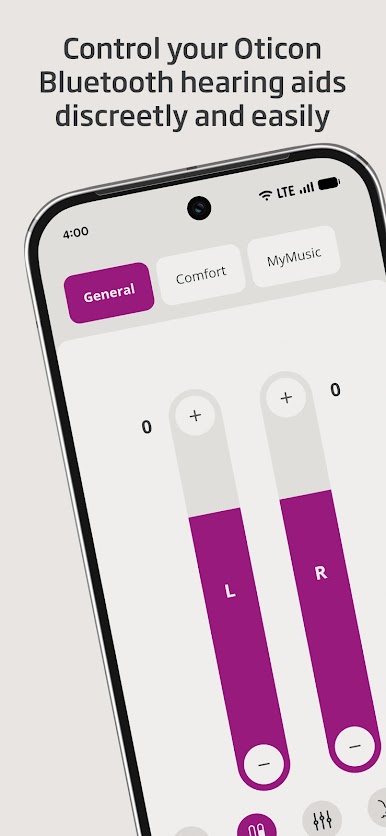
• Adjust the sound volume for each hearing aid together or separately
• Mute surroundings for better focus
• Switch between programs set by your hearing care professional
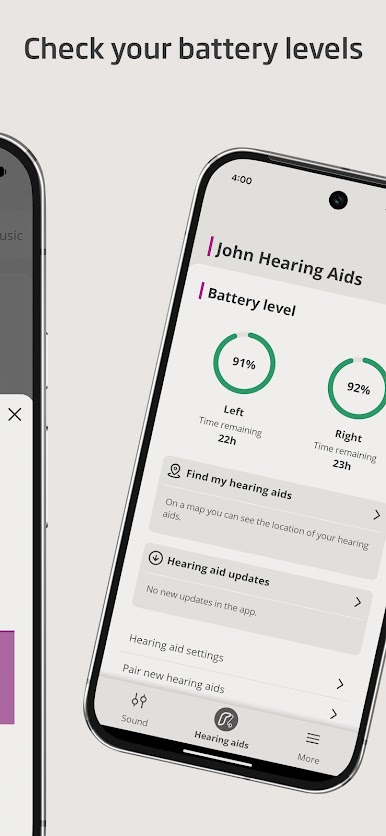
• Check battery levels
• Use SpeechBooster to reduce background noise and enhance speech (available for all hearing aid models except Oticon Opn™)
• Stream calls, music, and podcasts directly to your hearing aids (availability may vary depending on your phone model)
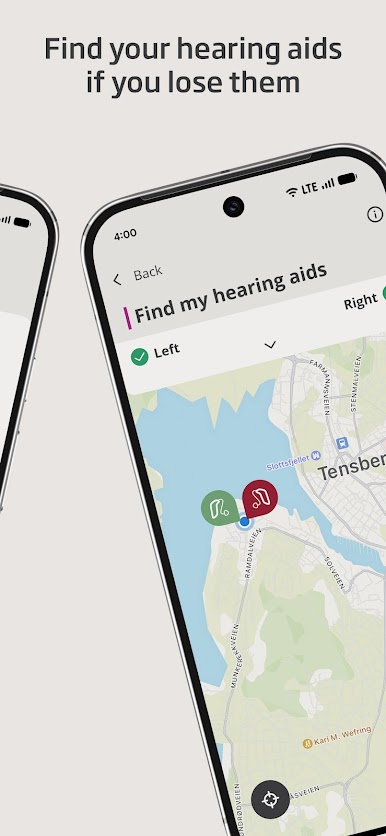
• Find your hearing aids if lost (requires location services to always be turned on)
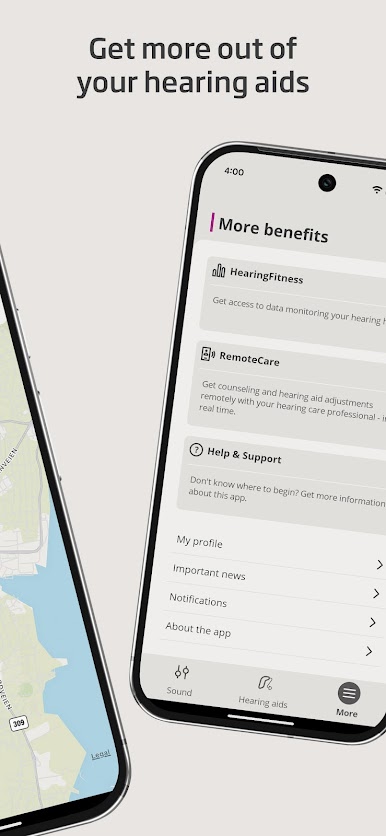
• Access app support and troubleshooting solutions
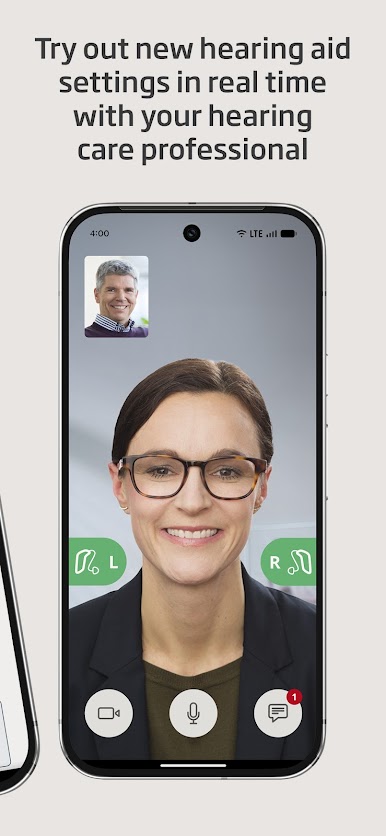
• Meet your hearing care professional for an online visit (by appointment)
• Adjust streaming sounds with streaming equalizer (available for all hearing aid models except Oticon Opn™ and Oticon Siya)
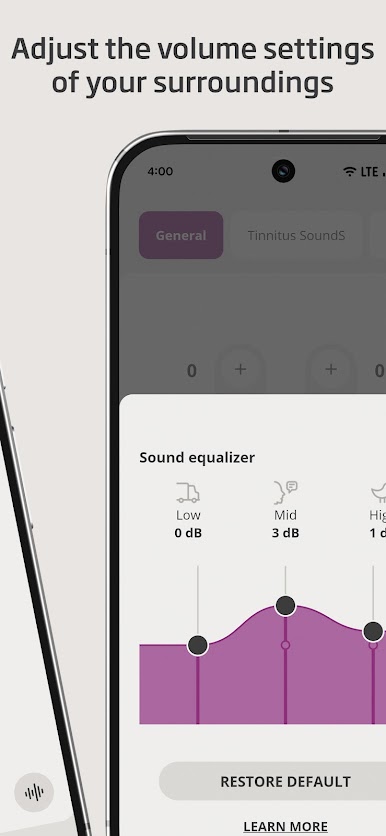
• Adjust sounds around you with sound equalizer (available for Oticon Intent™ and Oticon Real™ models)
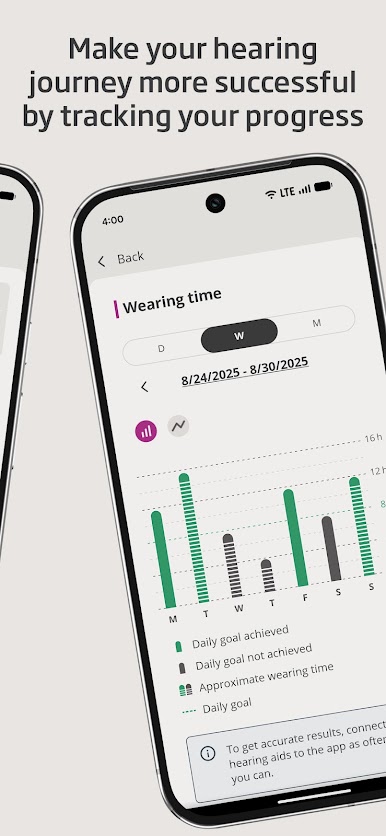
• Track your progress with HearingFitness™ feature (available for Oticon Intent™ and Oticon Real™ models)
• Handle wireless accessories paired with your hearing aids such as TV Adapters, Oticon EduMic or ConnectClip
First use:
You need to pair your hearing aids with this app to use it to control your hearing aids.
App availability:
The app is compatible with most hearing aid models. If you have hearing aids from 2016-2018 and haven't updated them yet, a hearing aid update is required for this app to work. We recommend regular hearing aid updates during your routine check-up with your hearing care professional.
For optimal performance, we recommend updating your device to Android OS 10 or later. To check the latest list of compatible devices, please visit:
https://www.oticon.com/support/compatibility
• Adjust the sound volume for each hearing aid together or separately
• Mute surroundings for better focus
• Switch between programs set by your hearing care professional
• Check battery levels
• Use SpeechBooster to reduce background noise and enhance speech (available for all hearing aid models except Oticon Opn™)
• Stream calls, music, and podcasts directly to your hearing aids (availability may vary depending on your phone model)
• Find your hearing aids if lost (requires location services to always be turned on)
• Access app support and troubleshooting solutions
• Meet your hearing care professional for an online visit (by appointment)
• Adjust streaming sounds with streaming equalizer (available for all hearing aid models except Oticon Opn™ and Oticon Siya)
• Adjust sounds around you with sound equalizer (available for Oticon Intent™ and Oticon Real™ models)
• Track your progress with HearingFitness™ feature (available for Oticon Intent™ and Oticon Real™ models)
• Handle wireless accessories paired with your hearing aids such as TV Adapters, Oticon EduMic or ConnectClip
First use:
You need to pair your hearing aids with this app to use it to control your hearing aids.
App availability:
The app is compatible with most hearing aid models. If you have hearing aids from 2016-2018 and haven't updated them yet, a hearing aid update is required for this app to work. We recommend regular hearing aid updates during your routine check-up with your hearing care professional.
For optimal performance, we recommend updating your device to Android OS 10 or later. To check the latest list of compatible devices, please visit:
https://www.oticon.com/support/compatibility

在電腦上遊玩Oticon Companion . 輕易上手.
-
在您的電腦上下載並安裝BlueStacks
-
完成Google登入後即可訪問Play商店,或等你需要訪問Play商店十再登入
-
在右上角的搜索欄中尋找 Oticon Companion
-
點擊以從搜索結果中安裝 Oticon Companion
-
完成Google登入(如果您跳過了步驟2),以安裝 Oticon Companion
-
在首頁畫面中點擊 Oticon Companion 圖標來啟動遊戲

