


Ezviz PNR
Jogue no PC com BlueStacks - A Plataforma de Jogos Android, confiada por mais de 500 milhões de jogadores.

Página modificada em: Dec 15, 2025
Run Ezviz PNR on PC or Mac
What’s better than using Ezviz PNR by EZVIZ Inc.? Well, try it on a big screen, on your PC or Mac, with BlueStacks to see the difference.
About the App
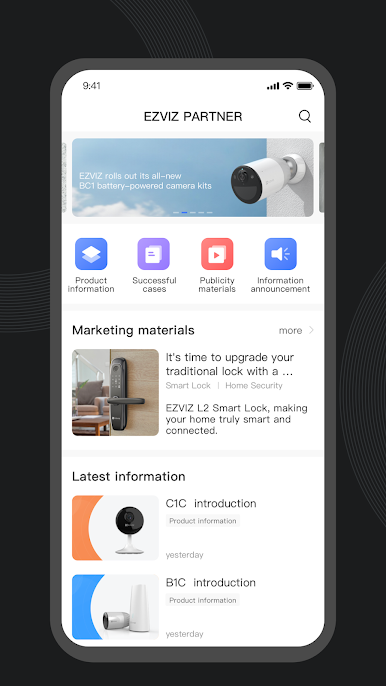
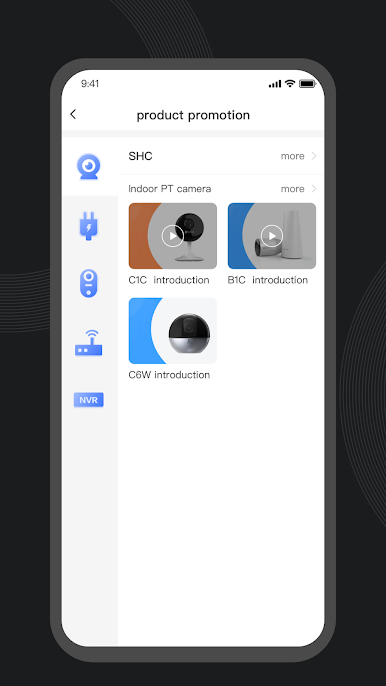
Ezviz PNR is designed with Ezviz Inc. members and partners in mind, putting everything you need right at your fingertips. Whether you’re keeping up with updates about fluorite products, sharing work tasks, or catching the latest policy changes, it’s all in one spot—it just makes your day-to-day a bit smoother. Skip the back-and-forth: all your updates, messages, and work tools are bundled together in a straightforward, easy-to-navigate app.
App Features
-
Real-Time Info Feed
Get the latest happenings, policy updates, and important news related to fluorite products, delivered directly in the app so you’re never left wondering what’s new. -
Handy Messaging Hub
There’s no more rummaging through emails or outdated chats—news and announcements show up right where you’ll see them, so you’re always in the loop. -
Built-In Work Tools
Need to file work reports or check in on internal tasks? The work module has you covered with streamlined tools designed for partners and team members. -
Smooth Integration
Everything is built to work together, making it effortless for members and partners to bridge online services with what’s happening offline. -
Partner-First Experience
The app is tailored for the Ezviz Inc. network, so partners and internal teams get features made just for their needs.
You can also check out how Ezviz PNR performs on your computer with BlueStacks if you prefer to work from a bigger screen.
BlueStacks gives you the much-needed freedom to experience your favorite apps on a bigger screen. Get it now.

Jogue Ezviz PNR no PC. É fácil começar.
-
Baixe e instale o BlueStacks no seu PC
-
Conclua o login do Google para acessar a Play Store ou faça isso mais tarde
-
Procure por Ezviz PNR na barra de pesquisa no canto superior direito
-
Clique para instalar Ezviz PNR a partir dos resultados da pesquisa
-
Conclua o login do Google (caso você pulou a etapa 2) para instalar o Ezviz PNR
-
Clique no ícone do Ezviz PNR na tela inicial para começar a jogar

