


이미지 압축 - MB에서 KB로
도구 | Double Ape
5억명 이상의 게이머가 신뢰하는 안드로이드 게임 플랫폼 BlueStacks으로 PC에서 플레이하세요.

Play Compress Image - MB to KB on PC
Easily compress and resize your photos and images with our user-friendly image compressor.
Simply select the image you want to compress or resize, choose your desired compression level, and let our app do the rest.
With our app, you can reduce the size of your images without sacrificing quality, making it perfect for saving space on your device or for sharing images online. Try it now and see the difference!
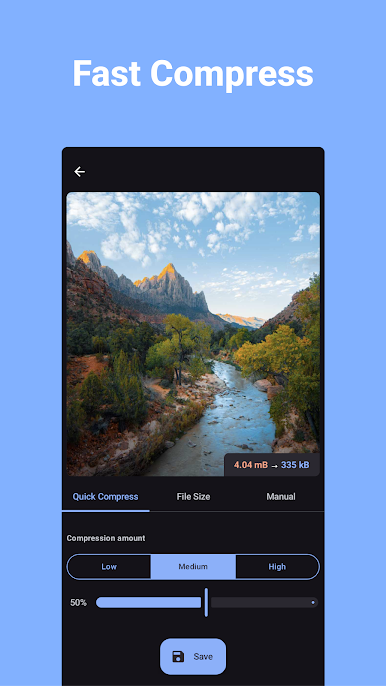
This app offers a live preview of the compressed photo - before creating the image you will know how it's going to look like and how much space it's going to take on disk.
This app has three modes to compress images:
1. Quick Compress: The easiest way to compress photos. Simply select the amount of compression and click “compress”, the app will optimize the image to save space while looking as good as the original.
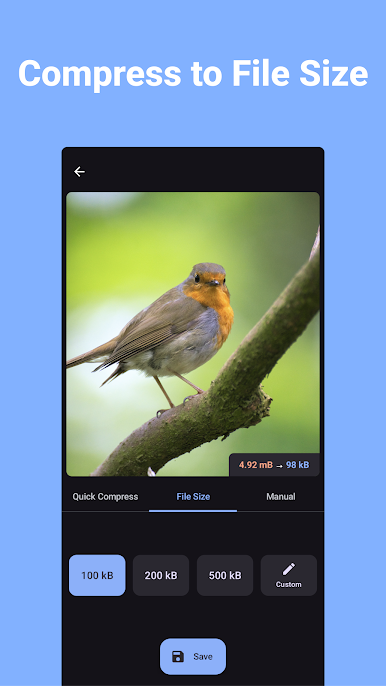
2. Compress to a specific file size: You specify the size of the photo in KB (kilobytes), press "compress" and let the app to the optimizations. This feature is recommended when you need to compress photos to an exact file size.
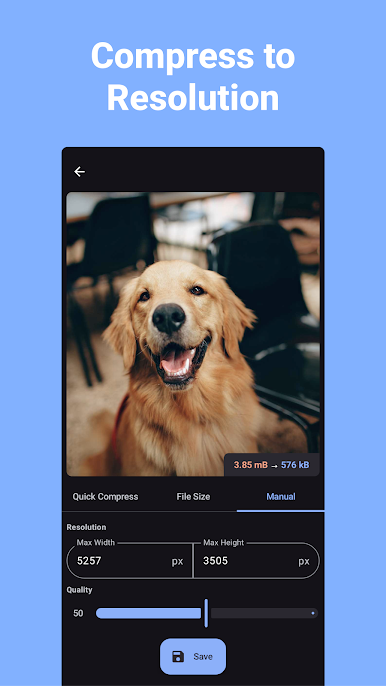
3. Manual: here you can manually select the desired width and height of the image, as well as the compression amount. This mode gives you full control on the compression and resizing process.
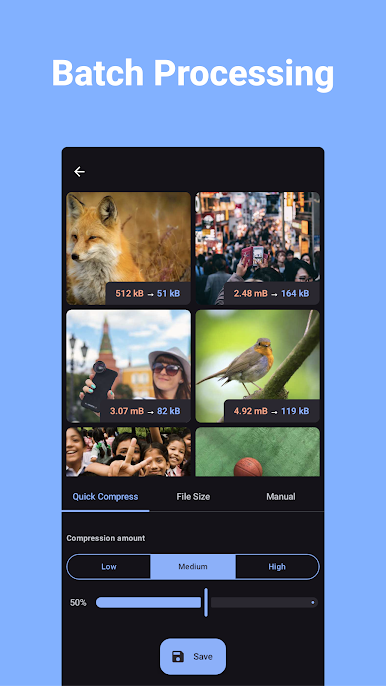
Each mode supports batch compression and batch resizing.
Features of the app:
* Free to use
* Batch compression/resizing (multiple photos compression/resize)
* Compress Photos to a specified file size
* Compress photos to a specific width and height
* Save storage space on your device, phones and tables are supported
* Convert any image format, supports conversion from JPEG, JPG, PNG, WEBP format
Supported image formats: jpeg, jpg, png, webp.
Simply select the image you want to compress or resize, choose your desired compression level, and let our app do the rest.
With our app, you can reduce the size of your images without sacrificing quality, making it perfect for saving space on your device or for sharing images online. Try it now and see the difference!
This app offers a live preview of the compressed photo - before creating the image you will know how it's going to look like and how much space it's going to take on disk.
This app has three modes to compress images:
1. Quick Compress: The easiest way to compress photos. Simply select the amount of compression and click “compress”, the app will optimize the image to save space while looking as good as the original.
2. Compress to a specific file size: You specify the size of the photo in KB (kilobytes), press "compress" and let the app to the optimizations. This feature is recommended when you need to compress photos to an exact file size.
3. Manual: here you can manually select the desired width and height of the image, as well as the compression amount. This mode gives you full control on the compression and resizing process.
Each mode supports batch compression and batch resizing.
Features of the app:
* Free to use
* Batch compression/resizing (multiple photos compression/resize)
* Compress Photos to a specified file size
* Compress photos to a specific width and height
* Save storage space on your device, phones and tables are supported
* Convert any image format, supports conversion from JPEG, JPG, PNG, WEBP format
Supported image formats: jpeg, jpg, png, webp.
PC에서 이미지 압축 - MB에서 KB로 플레이해보세요.
-
BlueStacks 다운로드하고 설치
-
Google Play 스토어에 로그인 하기(나중에 진행가능)
-
오른쪽 상단 코너에 이미지 압축 - MB에서 KB로 검색
-
검색 결과 중 이미지 압축 - MB에서 KB로 선택하여 설치
-
구글 로그인 진행(만약 2단계를 지나갔을 경우) 후 이미지 압축 - MB에서 KB로 설치
-
메인 홈화면에서 이미지 압축 - MB에서 KB로 선택하여 실행

