


Bússola Qibla - direção Qibla
Jogue no PC com BlueStacks - A Plataforma de Jogos Android, confiada por mais de 500 milhões de jogadores.

Página modificada em: Oct 29, 2025
Run Qibla Compass - Qibla Finder on PC or Mac
Upgrade your experience. Try Qibla Compass – Qibla Finder, the fantastic Tools app from App Devz Team, from the comfort of your laptop, PC, or Mac, only on BlueStacks.
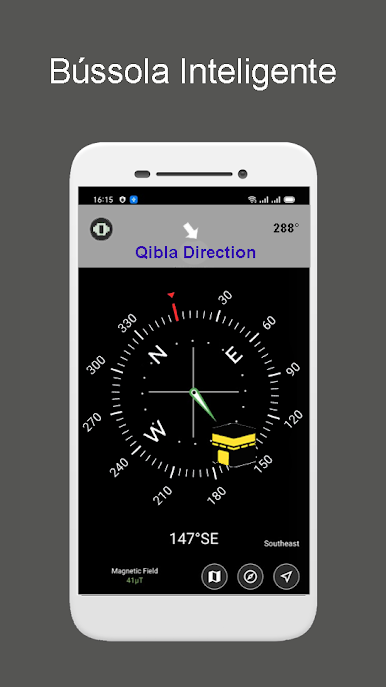
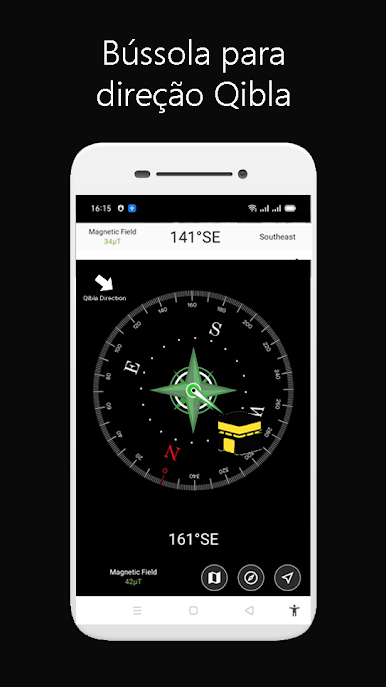
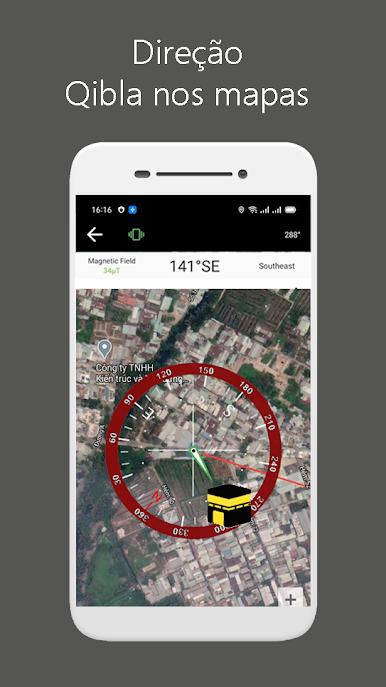
If someone’s looking for a simple way to figure out the direction of the Kaaba no matter where they are, Qibla Compass – Qibla Finder pretty much does all the work. It pops up a compass right on the screen—feels intuitive and straightforward, like any normal compass app, but tailored for finding Qibla specifically. And it’s neat how it shows your current location on a map, so you can see right away which way to pray. The tracking happens in real time, so if you’re moving around, the map will shift and keep the direction updated, which is surprisingly handy.
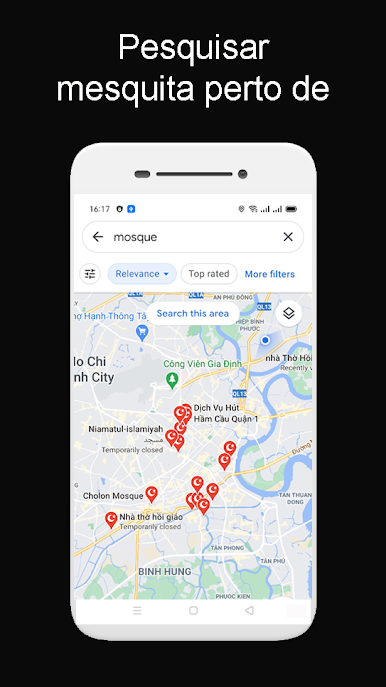
Switching between online and offline modes is easy too. Using it online is more accurate since the GPS zeroes in on your exact spot. There’s also a list of nearby mosques, which shows up automatically based on location, so it’s not just about finding Qibla but also figuring out where to go if you want to join a prayer. The details are clear—stuff like showing the actual bearing, true north, your latitude and longitude, even altitude and magnetic strength if you want the more technical side. All in all, running this app through BlueStacks on a PC makes it easy to see everything on a bigger screen, and it’s just as quick as using it on a phone. It’s designed for people who pray regularly or travel a lot and want that peace of mind about facing the right direction.
BlueStacks brings your apps to life on a bigger screen—seamless and straightforward.
Jogue Bússola Qibla - direção Qibla no PC. É fácil começar.
-
Baixe e instale o BlueStacks no seu PC
-
Conclua o login do Google para acessar a Play Store ou faça isso mais tarde
-
Procure por Bússola Qibla - direção Qibla na barra de pesquisa no canto superior direito
-
Clique para instalar Bússola Qibla - direção Qibla a partir dos resultados da pesquisa
-
Conclua o login do Google (caso você pulou a etapa 2) para instalar o Bússola Qibla - direção Qibla
-
Clique no ícone do Bússola Qibla - direção Qibla na tela inicial para começar a jogar

