


qr 코드 스캔
5억명 이상의 게이머가 신뢰하는 안드로이드 게임 플랫폼 BlueStacks으로 PC에서 플레이하세요.

Run QR Code Scanner on PC or Mac
Let BlueStacks turn your PC, Mac, or laptop into the perfect home for QR Code Scanner, a fun Tools app from QR Code Scanner & Barcode Reader.
About the App
QR Code Scanner is one of those handy little tools that just makes things simpler. Need to scan a QR code to get info in a flash? Want to pop out your own QR for a Wi-Fi password or business card? This app does all that, plus covers classic barcodes too. It keeps everything fast and uncomplicated, so whether you’re managing your contacts, hunting down discounts, or checking product details, you’re good to go. If you like using tools that just work without extra fuss, this one’s easy to rely on—especially if you’re running it on BlueStacks!
App Features
-
Lightning-Fast QR & Barcode Scanning: Open the app, point your camera, and get instant results. It doesn’t matter if it’s a QR code on a flyer or a barcode on your groceries; scanning takes just a second.
-
Works Offline: No Wi-Fi? No problem. QR Code Scanner runs even without an internet connection, so you’ll never get stuck when you need to scan something important.
-
QR Code Generator: Need to quickly share a website, your contact info, or a Wi-Fi password? You can generate new QR codes in seconds and use them however you want—even on business cards.
-
Supports Multiple Code Types: This isn’t just for QR codes—UPC, EAN, Data Matrix, Code 39 and more are all covered, so you can handle just about any QR or barcode out there.
-
Save & Manage Scan History: Forgot what you scanned last week? The app keeps a straightforward history, so you won’t lose track.
-
Scan from Images: Got a screenshot or saved pic with a code in it? You can scan straight from your gallery without using the camera at all.
-
Flashlight Support: Dark room? No sweat. Just toggle the flashlight on, and keep scanning without missing a beat.
-
Price & Promotion Checks: Scan product codes for quick price lookups and to catch those special offers or coupon deals when you’re shopping.
-
Privacy First: Your scans are private, with no weird data sharing going on behind your back.
-
Special Use Cases: Handy for scanning textbook codes for digital content, or even for grabbing details off IDs—super practical sometimes.
-
Unlimited Free QR Creation: Make as many codes as you need, free of charge. No limits, no weird restrictions.
BlueStacks brings your apps to life on a bigger screen—seamless and straightforward.

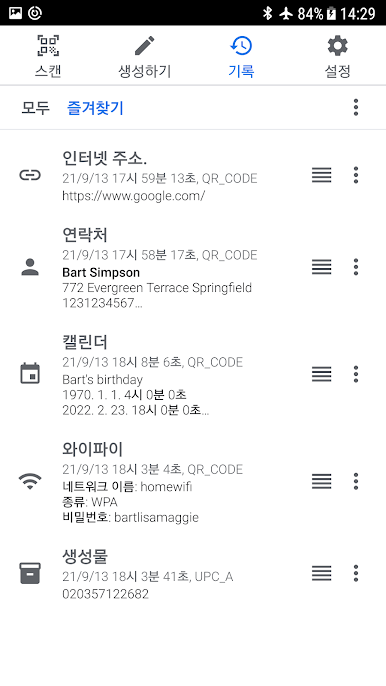
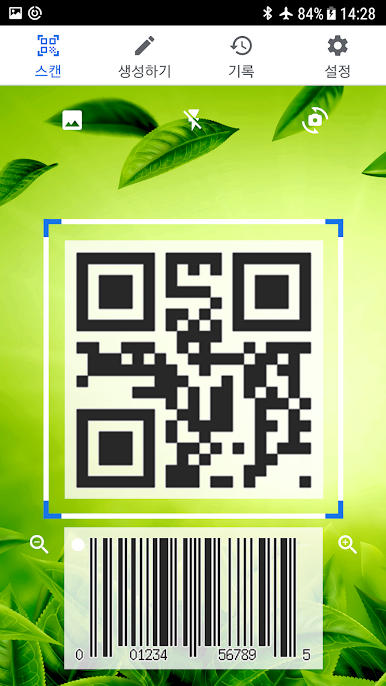




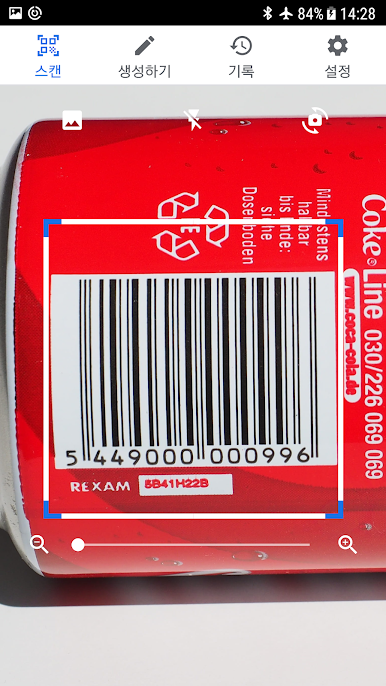



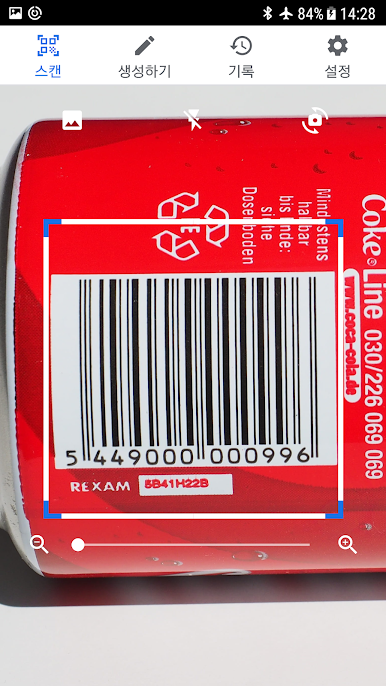

PC에서 qr 코드 스캔 플레이해보세요.
-
BlueStacks 다운로드하고 설치
-
Google Play 스토어에 로그인 하기(나중에 진행가능)
-
오른쪽 상단 코너에 qr 코드 스캔 검색
-
검색 결과 중 qr 코드 스캔 선택하여 설치
-
구글 로그인 진행(만약 2단계를 지나갔을 경우) 후 qr 코드 스캔 설치
-
메인 홈화면에서 qr 코드 스캔 선택하여 실행

