


Frenchy - Correcteur français
教育 | HarragaStudios
在電腦上使用BlueStacks –受到5億以上的遊戲玩家所信任的Android遊戲平台。

Play Frenchy: French Checker on PC
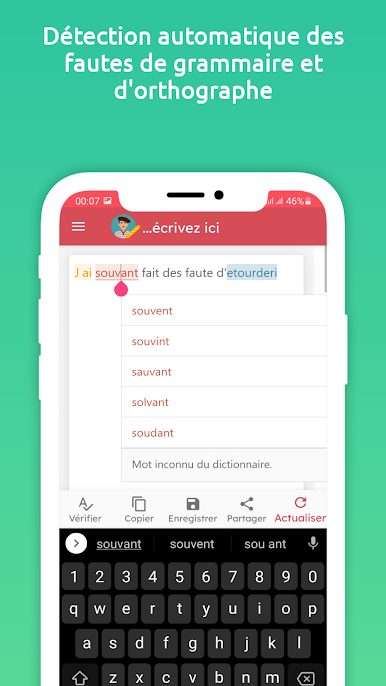
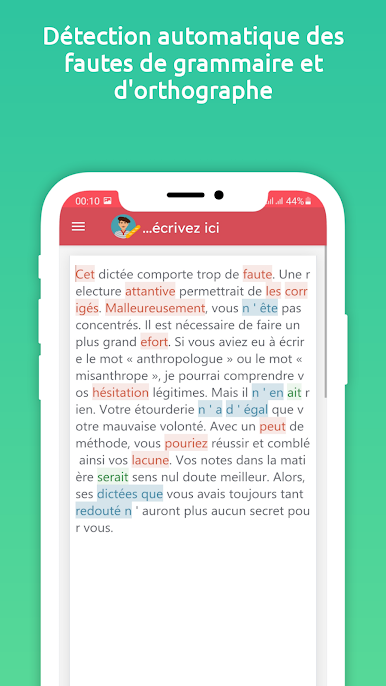
Frenchy is the best french grammar, Spelling and punctuation checker/corrector. It enables you to correct the most cumbersome mistakes, with a high degree of accuracy and speed, and to improve your written french.
When several corrections are possible, you are prompted to choose one of them. There are cases when mistakes are skipped in order to limit the display of warnings or when the suggested corrections are not perfectly adapted to the context. Therefore, we advise you not to rely exclusively on the results delivered by our tool and to review the text yourself after the correction.
features:
- French Grammar checker/corrector
- French Spelling and punctuation checker/corrector
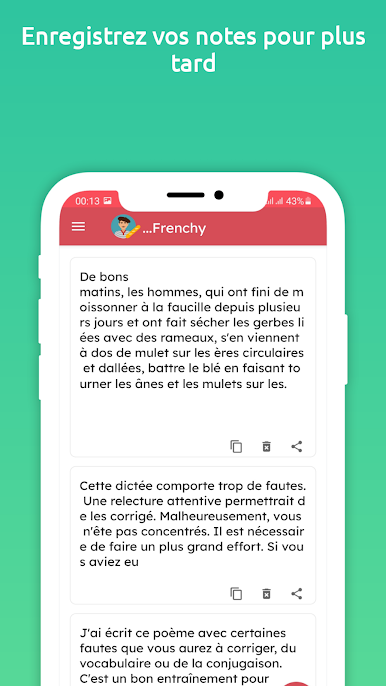
- Save the corrected text
- Share the corrected text (Email, SMS, Twitter, Facebook messenger, other apps.)
How to use:
1: Enter the text that you want to check for grammar, spelling, and punctuation mistakes.
2: Click the correct button below.
3: Click on underlined words to get a list of proper wording alternatives, suggestions, and explanations.
4: Click on the share button to send the text to other apps
5: Clicking the Save button saves all changes.
Improve Your Skills
– See short, clear explanations for every correction
– Helps you understand your mistakes and avoid them in the future
When several corrections are possible, you are prompted to choose one of them. There are cases when mistakes are skipped in order to limit the display of warnings or when the suggested corrections are not perfectly adapted to the context. Therefore, we advise you not to rely exclusively on the results delivered by our tool and to review the text yourself after the correction.
features:
- French Grammar checker/corrector
- French Spelling and punctuation checker/corrector
- Save the corrected text
- Share the corrected text (Email, SMS, Twitter, Facebook messenger, other apps.)
How to use:
1: Enter the text that you want to check for grammar, spelling, and punctuation mistakes.
2: Click the correct button below.
3: Click on underlined words to get a list of proper wording alternatives, suggestions, and explanations.
4: Click on the share button to send the text to other apps
5: Clicking the Save button saves all changes.
Improve Your Skills
– See short, clear explanations for every correction
– Helps you understand your mistakes and avoid them in the future
在電腦上遊玩Frenchy - Correcteur français . 輕易上手.
-
在您的電腦上下載並安裝BlueStacks
-
完成Google登入後即可訪問Play商店,或等你需要訪問Play商店十再登入
-
在右上角的搜索欄中尋找 Frenchy - Correcteur français
-
點擊以從搜索結果中安裝 Frenchy - Correcteur français
-
完成Google登入(如果您跳過了步驟2),以安裝 Frenchy - Correcteur français
-
在首頁畫面中點擊 Frenchy - Correcteur français 圖標來啟動遊戲

