


Mobi مسجل الشاشة ومحرر الفيديو
العب على الكمبيوتر الشخصي مع BlueStacks - نظام أندرويد للألعاب ، موثوق به من قبل أكثر من 500 مليون لاعب.

Run Capture Recorder Mobi Screen Recorder Video Editor on PC or Mac
Let BlueStacks turn your PC, Mac, or laptop into the perfect home for Capture Recorder Mobi Screen Recorder Video Editor, a fun Video Players & Editors app from Video Recoder & Game Recorder & Editor Studio.
About the App
Ever wish grabbing a crisp video of your favorite mobile game or sharing a quick how-to was just a tap away? Capture Recorder Mobi Screen Recorder Video Editor makes it easy to capture everything on your screen—games, tutorials, video calls, you name it. Designed to be intuitive and packed with versatile editing features, it delivers a smooth, flexible recording experience whether you’re after HD footage, snapshots, or something with your own creative spin.
App Features
-
Effortless Screen Recording
Start recording your screen with just a tap. Capture gameplay, walkthroughs, or anything else on your device, with no annoying time limits to worry about. -
Built-in Facecam
Want to add your reactions or commentary? Pop your face right into the video using the facecam feature—perfect for adding that personal touch to game streams or reviews. -
One-Tap Screenshots and Doodles
Snag quick screenshots at any moment, then draw, write, or even slap on some subtitles right on top. Great for quick highlights or step-by-step guides. -
Flexible Controls & No Root Required
Control everything from an on-screen floating bar or your notification panel. No need to root your device or fiddle with complicated settings. -
HD Quality & Custom Settings
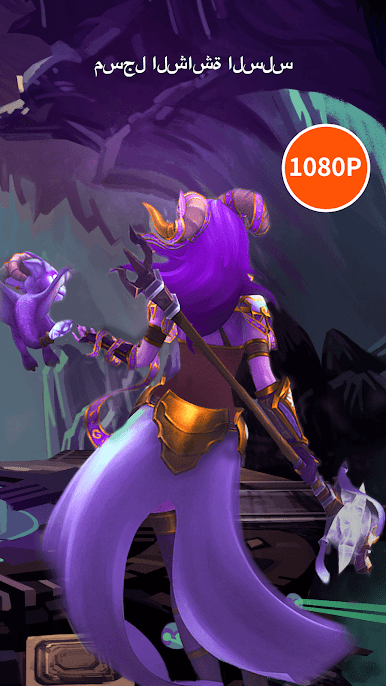
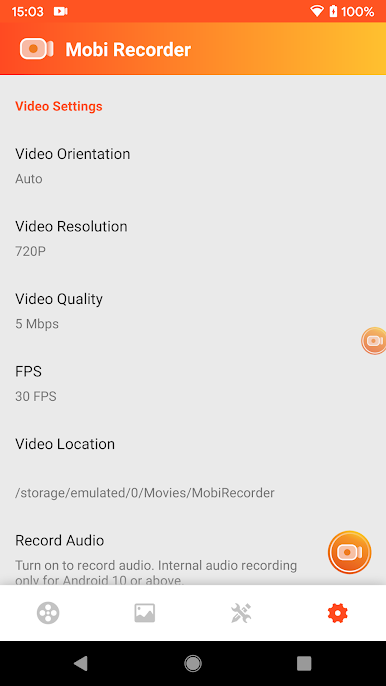
Change up the resolution, go for smooth 60 FPS, and pick between portrait or landscape modes. The app supports full HD, so your videos come out looking sharp. -
Smart Video Editing Suite
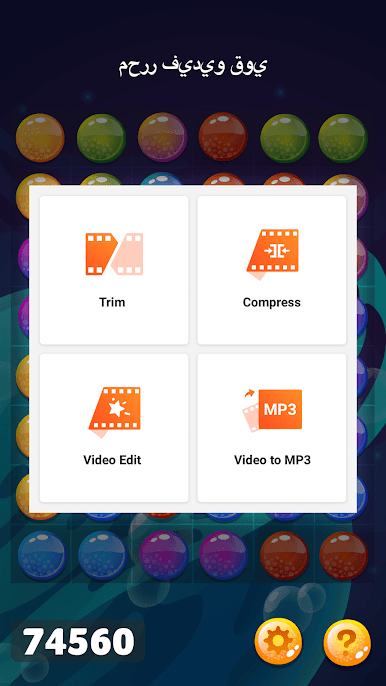
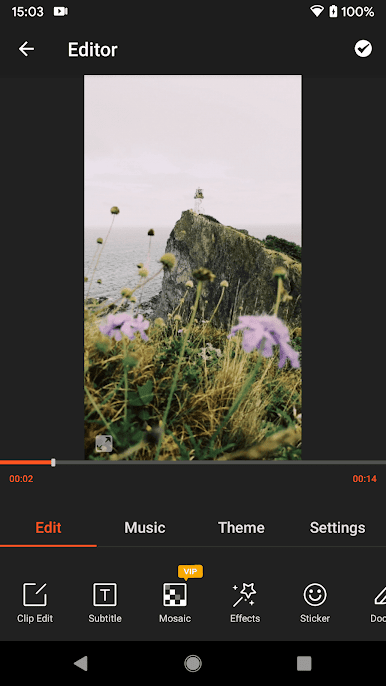
Trim, cut, split, merge, zoom, crop—handle all your basic (and not-so-basic) video editing right inside the app. Tack on trendy filters, fun effects, stickers, funky text, and more. -
Music, Voiceovers, and Sound Effects
Layer in your favorite tracks or use built-in sound effects. You can even record voiceovers for extra commentary or narration. -
Quick Export & Compression
Export videos in multiple formats or quickly compress big files to save storage space. Got a favorite clip? Convert it straight into an MP3. -
Creative Themes and Stickers
Browse a huge library of themes, filters, animated GIFs, and stickers to make each video feel unique—whether it’s for social sharing or a digital keepsake. -
Works Great on BlueStacks
If you prefer working on a bigger screen, Capture Recorder Mobi Screen Recorder Video Editor runs smoothly on BlueStacks—handy if you want that classic desktop comfort.
Big screen. Bigger performance. Use BlueStacks on your PC or Mac to run your favorite apps.





العب Mobi مسجل الشاشة ومحرر الفيديو على جهاز الكمبيوتر. من السهل البدء.
-
قم بتنزيل BlueStacks وتثبيته على جهاز الكمبيوتر الخاص بك
-
أكمل تسجيل الدخول إلى Google للوصول إلى متجر Play ، أو قم بذلك لاحقًا
-
ابحث عن Mobi مسجل الشاشة ومحرر الفيديو في شريط البحث أعلى الزاوية اليمنى
-
انقر لتثبيت Mobi مسجل الشاشة ومحرر الفيديو من نتائج البحث
-
أكمل تسجيل الدخول إلى Google (إذا تخطيت الخطوة 2) لتثبيت Mobi مسجل الشاشة ومحرر الفيديو
-
انقر على أيقونة Mobi مسجل الشاشة ومحرر الفيديو على الشاشة الرئيسية لبدء اللعب

