


Wireless Workbench Mobile
音樂與音訊 | Shure Incorporated
在電腦上使用BlueStacks –受到5億以上的遊戲玩家所信任的Android遊戲平台。

Play Wireless Workbench Mobile on PC
ShurePlus Channels is now Wireless Workbench Mobile.
Wireless Workbench Mobile puts wireless control in your hands, wherever the job takes you. Built for professionals on the move, the app replaces ShurePlus Channels with a sleeker interface and powerful new tools. Whether on a walk test, working from a cart, or managing a live show, Wireless Workbench Mobile keeps you connected to your Shure Wireless and one step ahead.
Wireless Control, Always Within Reach:
• Control your Shure wireless systems on the go with fast, intuitive mobile access.
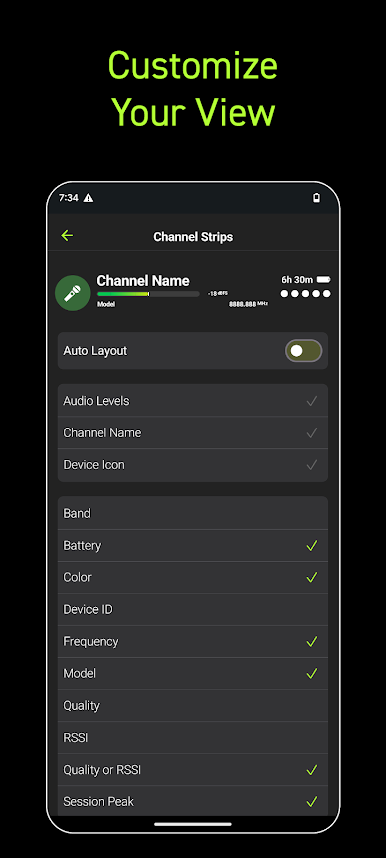
• Make quick, informed decisions with an interface that highlights key channel data.
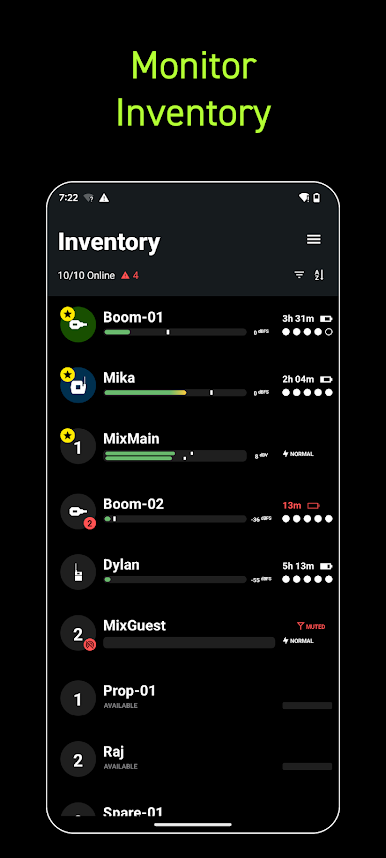
• Receive guided alerts that show precisely what’s wrong and how to fix it.
• Tag, color-label, and favorite channels to match your unique workflow.
• Connect over Wi-Fi or Ethernet for reliable performance in any environment.
How It Works:
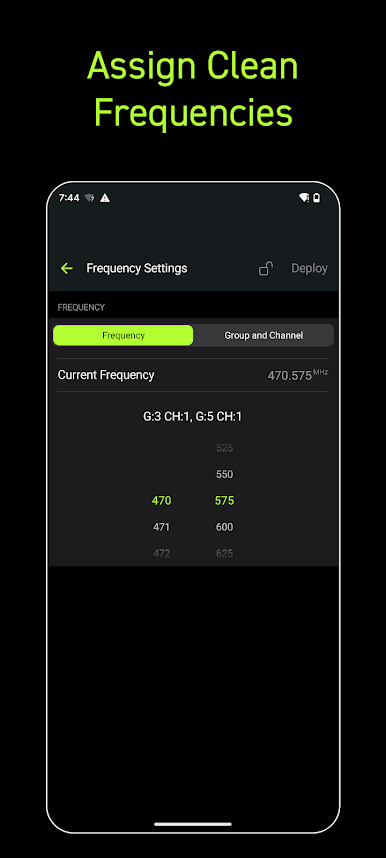
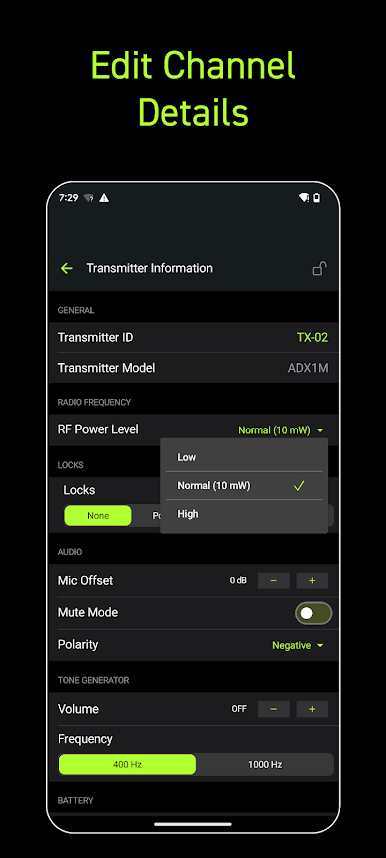
Wireless Workbench Mobile connects to supported Shure Wireless, displaying essential RF, battery, and audio data in real time. The streamlined layout adapts to your workflow, enabling you to focus on what matters most. Scan and deploy frequencies, monitor system performance, and troubleshoot directly from your tablet or phone.
Why It's Better:
Stay Ahead of Issues
Real-time alerts flag potential problems and provide guidance to resolve them, keeping your production on track.
Built for How You Work
Designed for speed and precision, the focused interface supports fast decisions in live production environments.
Wireless Workbench Mobile puts wireless control in your hands, wherever the job takes you. Built for professionals on the move, the app replaces ShurePlus Channels with a sleeker interface and powerful new tools. Whether on a walk test, working from a cart, or managing a live show, Wireless Workbench Mobile keeps you connected to your Shure Wireless and one step ahead.
Wireless Control, Always Within Reach:
• Control your Shure wireless systems on the go with fast, intuitive mobile access.
• Make quick, informed decisions with an interface that highlights key channel data.
• Receive guided alerts that show precisely what’s wrong and how to fix it.
• Tag, color-label, and favorite channels to match your unique workflow.
• Connect over Wi-Fi or Ethernet for reliable performance in any environment.
How It Works:
Wireless Workbench Mobile connects to supported Shure Wireless, displaying essential RF, battery, and audio data in real time. The streamlined layout adapts to your workflow, enabling you to focus on what matters most. Scan and deploy frequencies, monitor system performance, and troubleshoot directly from your tablet or phone.
Why It's Better:
Stay Ahead of Issues
Real-time alerts flag potential problems and provide guidance to resolve them, keeping your production on track.
Built for How You Work
Designed for speed and precision, the focused interface supports fast decisions in live production environments.
在電腦上遊玩Wireless Workbench Mobile . 輕易上手.
-
在您的電腦上下載並安裝BlueStacks
-
完成Google登入後即可訪問Play商店,或等你需要訪問Play商店十再登入
-
在右上角的搜索欄中尋找 Wireless Workbench Mobile
-
點擊以從搜索結果中安裝 Wireless Workbench Mobile
-
完成Google登入(如果您跳過了步驟2),以安裝 Wireless Workbench Mobile
-
在首頁畫面中點擊 Wireless Workbench Mobile 圖標來啟動遊戲

