

WiFi Monitor Pro
5억명 이상의 게이머가 신뢰하는 안드로이드 게임 플랫폼 BlueStacks으로 PC에서 플레이하세요.

Run WiFi Monitor Pro: analyzer of WiFi networks on PC or Mac
Multitask effortlessly on your PC or Mac as you try out WiFi Monitor Pro: analyzer of WiFi networks, a Tools app by Alexander Kozyukov on BlueStacks.
About the App
Ever wondered what’s really going on with your WiFi? WiFi Monitor Pro: analyzer of WiFi networks, built by Alexander Kozyukov, puts all your wireless network info right at your fingertips. Whether you’re setting up a new router or just curious about all the signals buzzing around your house, this Tools app has your back. You’ll get a clear snapshot of your network’s health, see who’s connected, and dig into details most folks never even think about.
App Features
-
Real-Time Connection Details
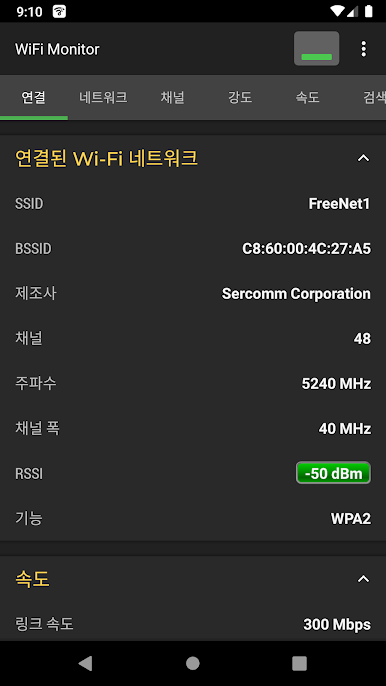
Instantly check your current WiFi—see the network name, what manufacturer made your router, how strong the signal is, and which channel you’re on. Even the nitty-gritty stuff like your device’s IP address or which security options are in play, it’s all right there. -
Network Analyzer
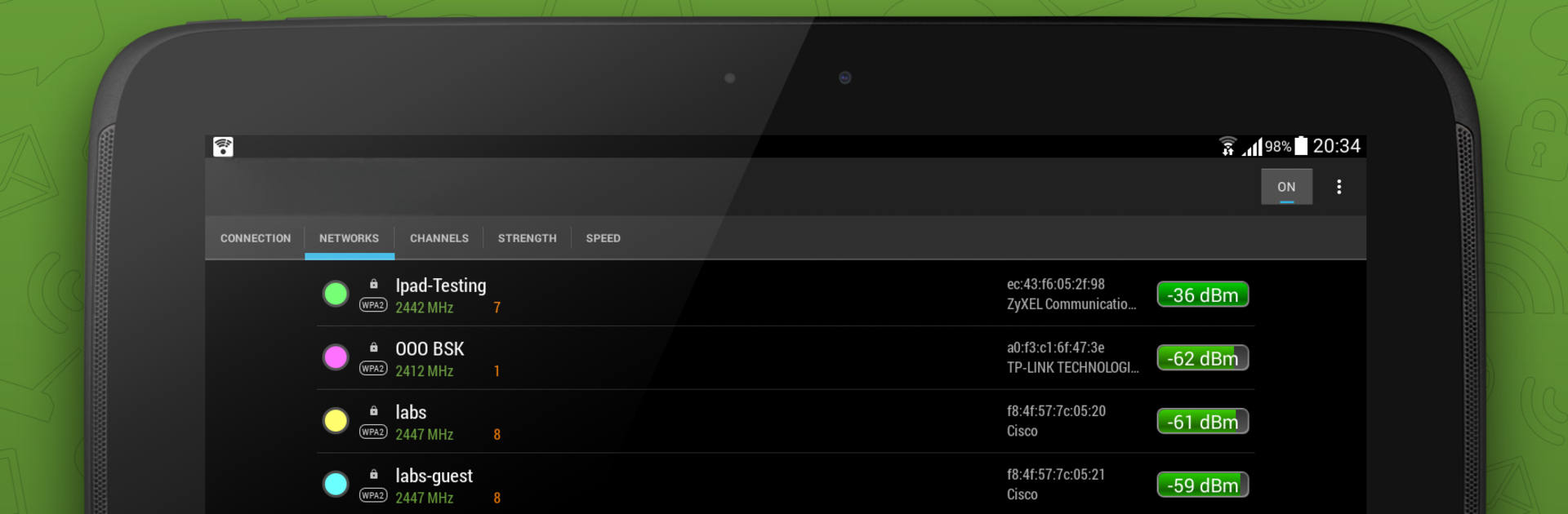
Surf through a list of every WiFi in range. Grouped by name (SSID), you’ll spot manufacturers, signal levels, and which security protocols each hotspot is using. Handy for finding the least crowded connection. -
Frequency and Channel Insights
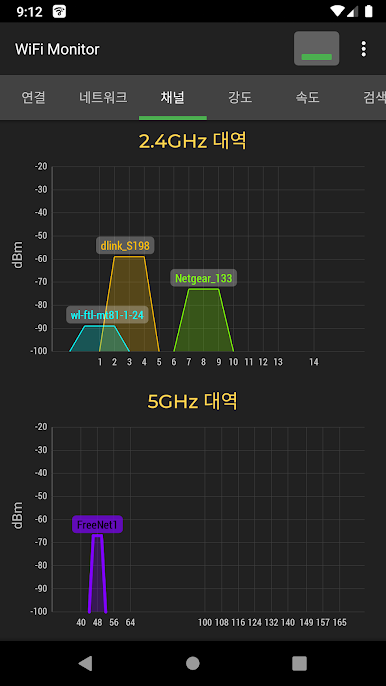
The app lays out which networks are fighting over the same frequencies. If too many routers jam into one lane, performance tanks—here, you get to see those overlaps, so picking a cleaner channel is way easier. -
Signal Strength Charts
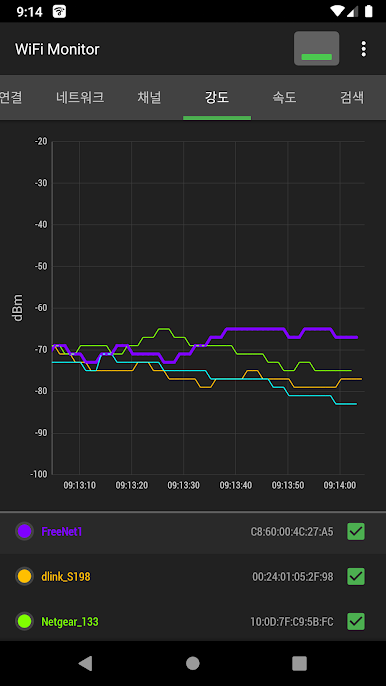
Watch how signal strength changes over time with easy-to-read graphs. If your connection drops in certain rooms, the chart makes it obvious. -
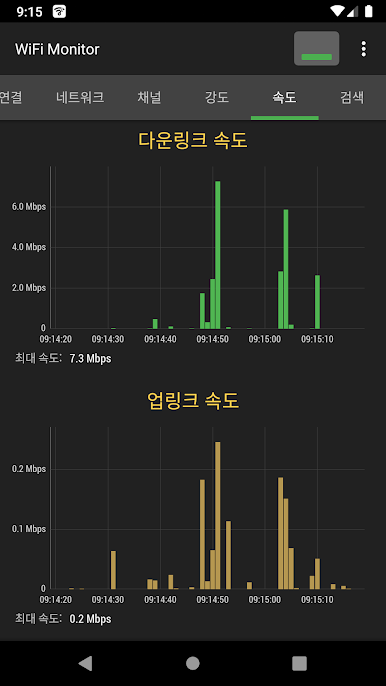
Speed Monitoring
Ever wonder just how fast your WiFi’s moving? The speed chart reveals both upload and download activity, so you can keep tabs on what’s really happening with your connection. -
Device Scanner
Curious who else might be using your internet? Scan for every device connected to your WiFi. If a mystery gadget pops up, you’ll know it’s time to tweak your settings. -
Easy Data Export
Need a backup or want to look at your network stats later? Save logs and export them without any fuss.
You can even run WiFi Monitor Pro: analyzer of WiFi networks through BlueStacks for a bigger view and easy navigation.
Switch to BlueStacks and make the most of your apps on your PC or Mac.


PC에서 WiFi Monitor Pro 플레이해보세요.
-
BlueStacks 다운로드하고 설치
-
Google Play 스토어에 로그인 하기(나중에 진행가능)
-
오른쪽 상단 코너에 WiFi Monitor Pro 검색
-
검색 결과 중 WiFi Monitor Pro 선택하여 설치
-
구글 로그인 진행(만약 2단계를 지나갔을 경우) 후 WiFi Monitor Pro 설치
-
메인 홈화면에서 WiFi Monitor Pro 선택하여 실행

