


PUBG MOBILE LITE
액션 | Level Infinite
5억명 이상의 게이머가 신뢰하는 안드로이드 게임 플랫폼 BlueStacks으로 PC에서 플레이하세요.

PUBG MOBILE LITE PC에서 즐겨보세요
PUBG MOBILE LITE는 Unreal Engine 4를 사용하고 오리지널 PUBG MOBILE 게임 플레이를 기반으로 10 분 이내에 지속되는 액션으로 가득한 아레나 모드 매치를 만듭니다. 간소화 된 게임은 600MB의 여유 공간과 1GB의 RAM 만 있으면 원활하게 실행할 수 있습니다.
1. PUBG 모바일 라이트
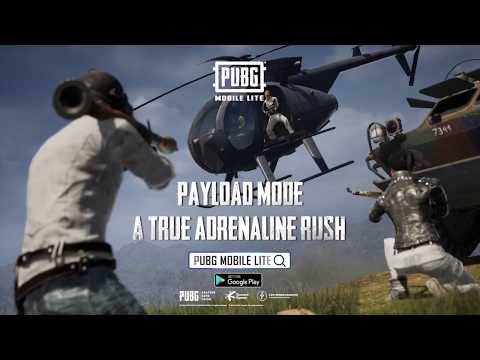
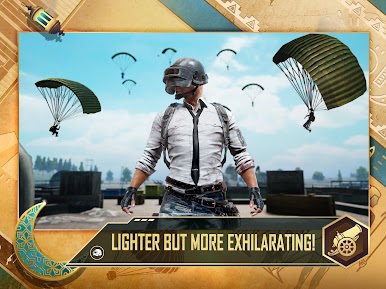
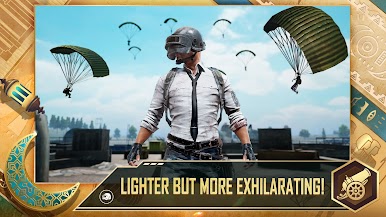
60 명의 플레이어가 자원이 풍부한 2km x 2km 섬으로 떨어지고 수축하는 전장에서 생존하기 위해 쫓아냅니다. 전투에 도움이되는 무기, 차량 및 보급품을 검색하십시오. 마지막으로 서기 위해 싸울 준비를하십시오!
12 개 언어를 지원합니다 : 영어, 스페인어, 포르투갈어, 러시아어, 터키어, 인도네시아어, 태국어, 중국어 간체, 중국어 번체, 아랍어, 독일어 및 프랑스어.
2. 공정한 게임 환경
모든 PUBG MOBILE LITE 플레이어가 공정한 게임 경험을 즐길 수 있도록하는 고급 치트 방지 시스템.
3. 경기장
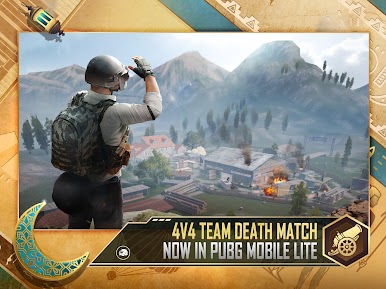
창고 : 스릴 넘치는 경기를위한 끝없는 리스폰으로 격렬한 4 대 4 전투!
4. 친구와 팀
로컬 팀업, 룸 카드 및 클랜 모드를 사용하면 언제 어디서나 친구와 더 쉽게 플레이 할 수 있습니다.
5. HD 그래픽 및 오디오
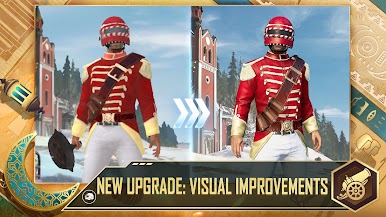
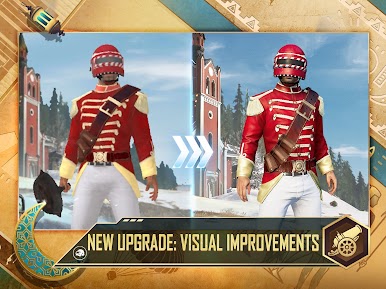
놀라운 Unreal Engine 4는 광대 한 HD 맵에서 사실적이고 실감 나는 게임 플레이를 만듭니다. 고음질 오디오 및 3D 사운드 효과로 이전과는 다른 방식으로 소방관에 참여할 수 있습니다.
6. 팀워크
음성 채팅을 사용하여 친구들과 함께 승리 전략을 만들어 보라고합니다. 매복을 설정하고 적을 놀라게하십시오. 전투의 열기 속에서 팀원들을 소생시키고 클랜의 지배를 위해 싸우십시오.
7. 공식 업데이트
커뮤니티 페이지에서 최신 업데이트를 확인하십시오.
공식 사이트 : https://www.pubgmlite.com
페이스 북 : https : www.facebook.com/PUBGMOBILELITE
트위터 : https://twitter.com/pubgmobilelite
1. PUBG 모바일 라이트
60 명의 플레이어가 자원이 풍부한 2km x 2km 섬으로 떨어지고 수축하는 전장에서 생존하기 위해 쫓아냅니다. 전투에 도움이되는 무기, 차량 및 보급품을 검색하십시오. 마지막으로 서기 위해 싸울 준비를하십시오!
12 개 언어를 지원합니다 : 영어, 스페인어, 포르투갈어, 러시아어, 터키어, 인도네시아어, 태국어, 중국어 간체, 중국어 번체, 아랍어, 독일어 및 프랑스어.
2. 공정한 게임 환경
모든 PUBG MOBILE LITE 플레이어가 공정한 게임 경험을 즐길 수 있도록하는 고급 치트 방지 시스템.
3. 경기장
창고 : 스릴 넘치는 경기를위한 끝없는 리스폰으로 격렬한 4 대 4 전투!
4. 친구와 팀
로컬 팀업, 룸 카드 및 클랜 모드를 사용하면 언제 어디서나 친구와 더 쉽게 플레이 할 수 있습니다.
5. HD 그래픽 및 오디오
놀라운 Unreal Engine 4는 광대 한 HD 맵에서 사실적이고 실감 나는 게임 플레이를 만듭니다. 고음질 오디오 및 3D 사운드 효과로 이전과는 다른 방식으로 소방관에 참여할 수 있습니다.
6. 팀워크
음성 채팅을 사용하여 친구들과 함께 승리 전략을 만들어 보라고합니다. 매복을 설정하고 적을 놀라게하십시오. 전투의 열기 속에서 팀원들을 소생시키고 클랜의 지배를 위해 싸우십시오.
7. 공식 업데이트
커뮤니티 페이지에서 최신 업데이트를 확인하십시오.
공식 사이트 : https://www.pubgmlite.com
페이스 북 : https : www.facebook.com/PUBGMOBILELITE
트위터 : https://twitter.com/pubgmobilelite
PC에서 PUBG MOBILE LITE 플레이해보세요.
-
BlueStacks 다운로드하고 설치
-
Google Play 스토어에 로그인 하기(나중에 진행가능)
-
오른쪽 상단 코너에 PUBG MOBILE LITE 검색
-
검색 결과 중 PUBG MOBILE LITE 선택하여 설치
-
구글 로그인 진행(만약 2단계를 지나갔을 경우) 후 PUBG MOBILE LITE 설치
-
메인 홈화면에서 PUBG MOBILE LITE 선택하여 실행

