


Tentacle Setup
5억명 이상의 게이머가 신뢰하는 안드로이드 게임 플랫폼 BlueStacks으로 PC에서 플레이하세요.

Run Tentacle Setup on PC or Mac
Multitask effortlessly on your PC or Mac as you try out Tentacle Setup, a Tools app by Tentacle Sync on BlueStacks.
About the App
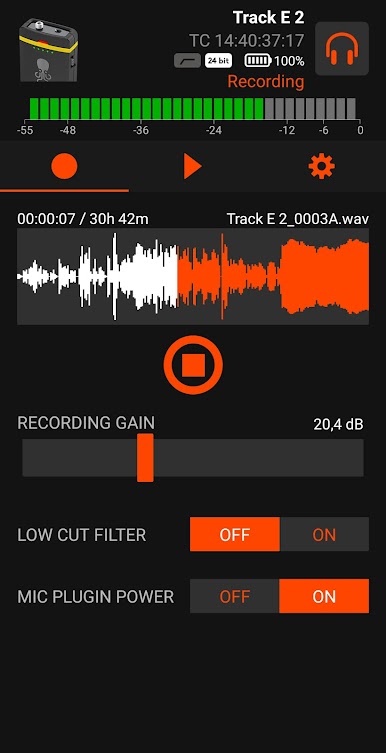
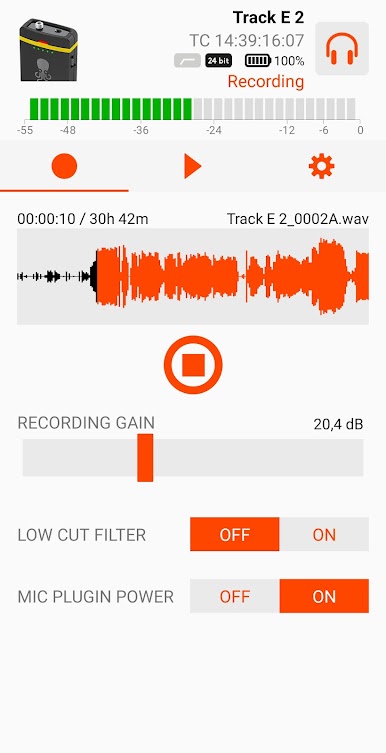
Tentacle Setup makes it surprisingly easy to get your Tentacle devices up and running, no manual headache required. Whether you’re syncing audio and video for film shoots or just making sure your gear’s all speaking the same timecode, this app’s got your back. Just connect your Tentacle device—either the first-generation Tentacle or the wireless Sync E—and you’re ready to take control of your setup with a couple of taps.
App Features
-
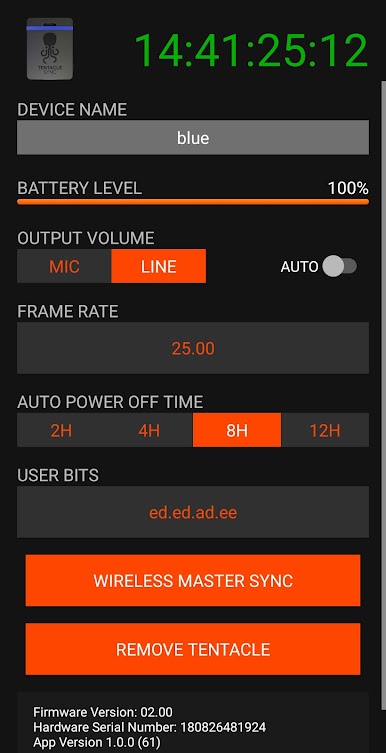
Custom Timecode & RTC Settings
Pick a timecode or set your real-time clock so your gear’s always in sync—no need to worry about matching things up later. -
Choose Your Own Frame Rate
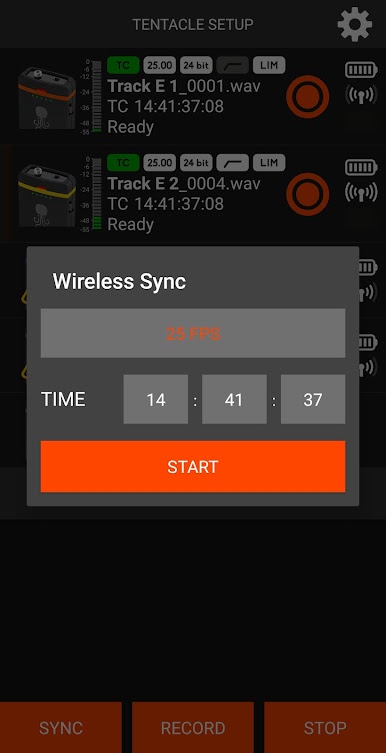
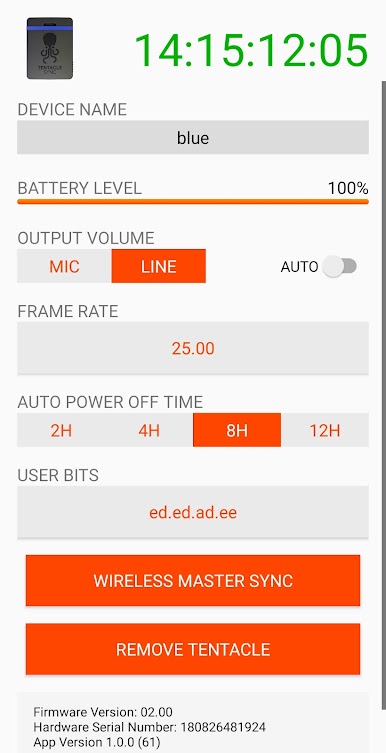
Want to record in 23.98, 24, 25, 29.97, or even 30 fps? You can pick the frame rate that fits your project right in the app. -
Set Output Level
Switch between mic and line output levels, depending on what gear you’re plugging into. -
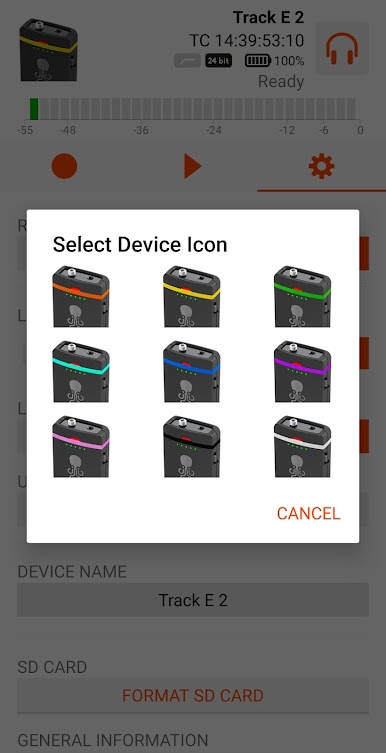
Name Your Tentacle Device
Give each Tentacle its own label so there’s no more guessing which one’s which on set. -
User Bits—RTC or Custom Value
Decide if you want user bits to show today’s date or just enter your own for extra notes. -
Auto Power Off Timer
Save some battery by having your Tentacle turn off automatically after a certain time. -
Auto Mic Level Detection
Turn on the auto detection for mic levels or set it manually if you prefer having control. -
Check Battery Charge
See at a glance how much juice your Tentacle’s got left so you’re not caught without power. -
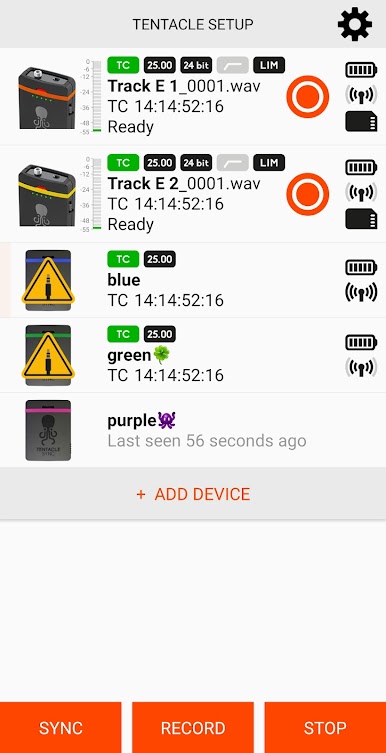
Wireless Sync E Monitoring
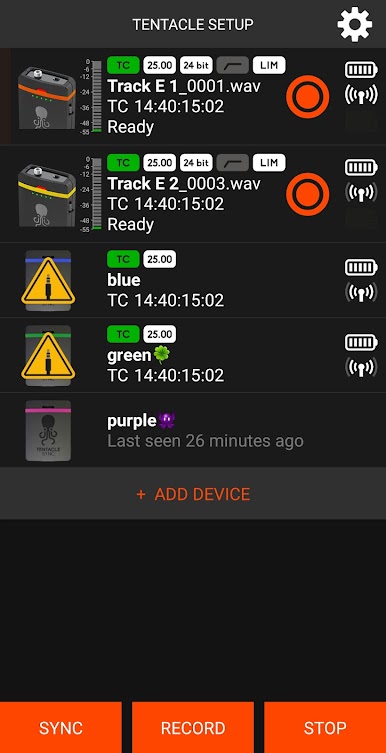
With Sync E (and Bluetooth on), you can keep tabs on all nearby Tentacles: see their sync status, timecode, battery, and more. -
Easy Device Connection
For older Tentacle devices, you’ll need a USB OTG setup—your Android has to support USB Host Mode. For the Sync E, just use Bluetooth and follow the on-screen steps.
Running Tentacle Setup on BlueStacks is smooth if you want to tinker with your devices from your computer screen, too.
BlueStacks brings your apps to life on a bigger screen—seamless and straightforward.
PC에서 Tentacle Setup 플레이해보세요.
-
BlueStacks 다운로드하고 설치
-
Google Play 스토어에 로그인 하기(나중에 진행가능)
-
오른쪽 상단 코너에 Tentacle Setup 검색
-
검색 결과 중 Tentacle Setup 선택하여 설치
-
구글 로그인 진행(만약 2단계를 지나갔을 경우) 후 Tentacle Setup 설치
-
메인 홈화면에서 Tentacle Setup 선택하여 실행

