


FitCloudPro
Jogue no PC com BlueStacks - A Plataforma de Jogos Android, confiada por mais de 500 milhões de jogadores.

Página modificada em: Nov 26, 2025
Play FitCloudPro on PC
FitCloudPro supports the following Kumi smartwatch:
KUMI GT6 Pro
KUMI GW16T Pro
KUMI KU3 Max
KUMI KU3 Meta
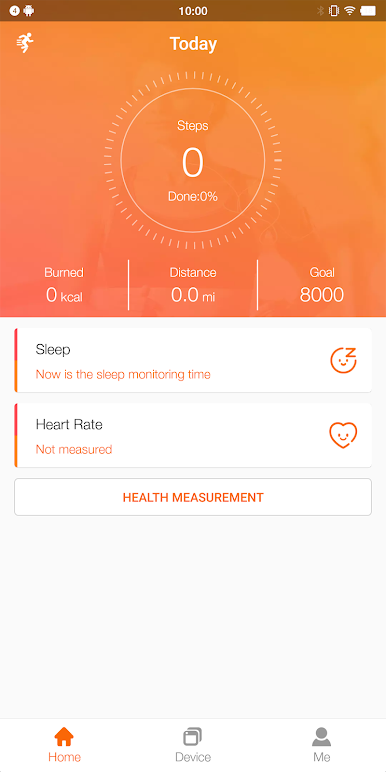
* Monitor and record your health data
Such as steps, calories, sleep, heart rate, blood oxygen, etc.
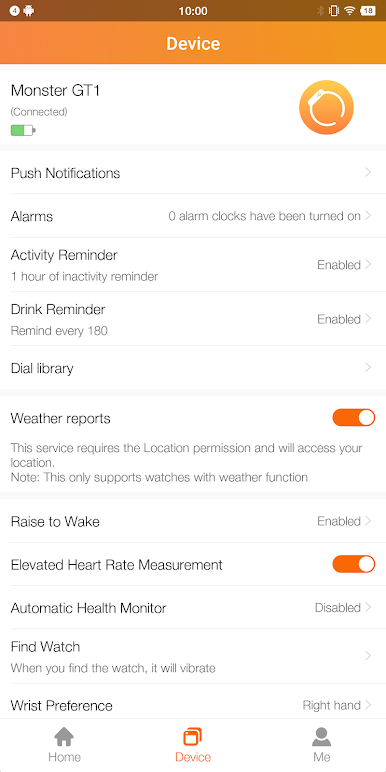
* Rich message reminders
Support calls, SMS, Facebook, Twitter and other reminders, as well as hang up the bracelet, quickly reply to text messages and other operations.
* Various dials
Different watch faces can be selected to match your style and mood
* Other various functions
Sedentary reminder, drinking water reminder, brightness vibration setting, do not disturb, etc.
# We get in-app permissions such as location, bluetooth, contacts, calls, messages, notifications, ignore battery optimization restrictions, apps running in the background, etc. All of these details are needed to provide on-time notifications, synced health data, and the best app experience.
* Not for medical purposes, only for general fitness/health purposes

Jogue FitCloudPro no PC. É fácil começar.
-
Baixe e instale o BlueStacks no seu PC
-
Conclua o login do Google para acessar a Play Store ou faça isso mais tarde
-
Procure por FitCloudPro na barra de pesquisa no canto superior direito
-
Clique para instalar FitCloudPro a partir dos resultados da pesquisa
-
Conclua o login do Google (caso você pulou a etapa 2) para instalar o FitCloudPro
-
Clique no ícone do FitCloudPro na tela inicial para começar a jogar

