


مخطط المسارات Spoke (Circuit)
العب على الكمبيوتر الشخصي مع BlueStacks - نظام أندرويد للألعاب ، موثوق به من قبل أكثر من 500 مليون لاعب.

Run Circuit Route Planner on PC or Mac
Multitask effortlessly on your PC or Mac as you try out Circuit Route Planner, a Maps & Navigation app by Circuit Routing Limited on BlueStacks.
About the App
Circuit Route Planner, a game-changer for delivery drivers, is your efficient multi-stop route planning app that saves time, money, and gas. Quickly optimize routes with just a click and navigate with ease using your favorite GPS. It’s no wonder it’s a top choice for millions globally.
App Features
Effortless Route Optimization
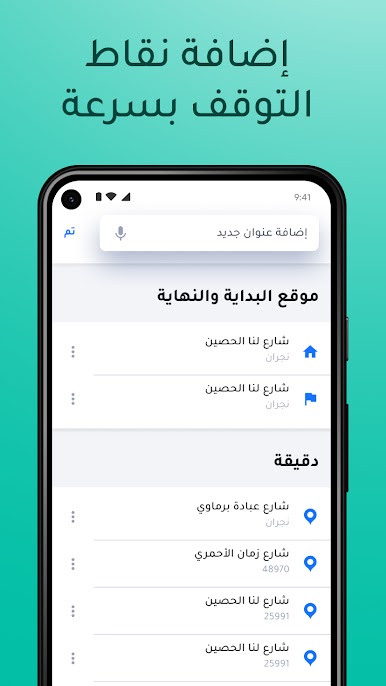
– Add stops instantly via keyboard, voice, or spreadsheet.
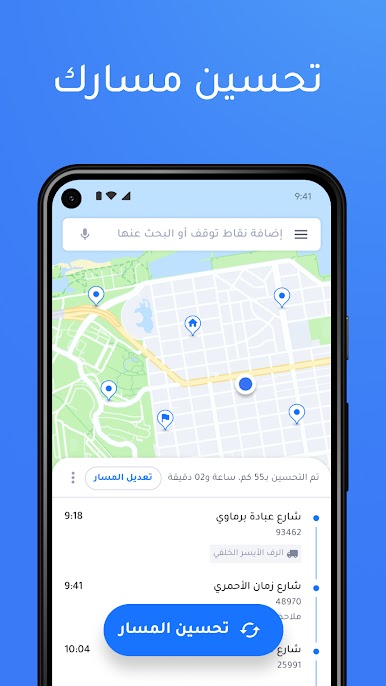
– Optimize routes to avoid traffic and delays, ensuring the quickest path.
Flexible Delivery Management
– Include last-minute changes seamlessly.
– Set delivery windows and prioritize stops for better efficiency.
Compatibility and Integration
– Compatible with Waze, Google Maps, Apple Maps, and more.
– Add details for easy package locating and load management.
Accurate Time Management
– Get precise ETAs and schedule rest breaks.
– Customize stop duration for efficient time use.
Global Reach and Support
– Operational in over 180 countries.
– Available in multiple languages with automatic adaptation.
BlueStacks brings your apps to life on a bigger screen—seamless and straightforward.





العب مخطط المسارات Spoke (Circuit) على جهاز الكمبيوتر. من السهل البدء.
-
قم بتنزيل BlueStacks وتثبيته على جهاز الكمبيوتر الخاص بك
-
أكمل تسجيل الدخول إلى Google للوصول إلى متجر Play ، أو قم بذلك لاحقًا
-
ابحث عن مخطط المسارات Spoke (Circuit) في شريط البحث أعلى الزاوية اليمنى
-
انقر لتثبيت مخطط المسارات Spoke (Circuit) من نتائج البحث
-
أكمل تسجيل الدخول إلى Google (إذا تخطيت الخطوة 2) لتثبيت مخطط المسارات Spoke (Circuit)
-
انقر على أيقونة مخطط المسارات Spoke (Circuit) على الشاشة الرئيسية لبدء اللعب

