


Fun Video English Conversation
在電腦上使用BlueStacks –受到5億以上的遊戲玩家所信任的Android遊戲平台。

Run Fun Video English Conversation on PC or Mac
What’s better than using Fun Video English Conversation by Wafour Edu? Well, try it on a big screen, on your PC or Mac, with BlueStacks to see the difference.
About the App
Learning English doesn’t have to be a chore or break the bank. Fun Video English Conversation, from Wafour Edu, is all about making English practice genuinely enjoyable and effortless, whether you’re just getting started or looking to sharpen up for real-world conversations. If you’re someone who gets bored with textbook drills or just wishes you understood what’s actually being said in your favorite videos, this app could flip your entire approach to language study.
App Features
-
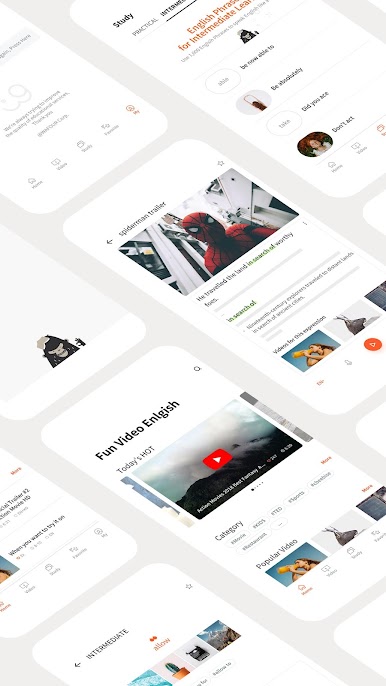
Massive Video Library
You’ll find over 10,000 YouTube videos right inside the app, all curated to help you pick up natural English—from sitcom clips to interviews and everything in between. -
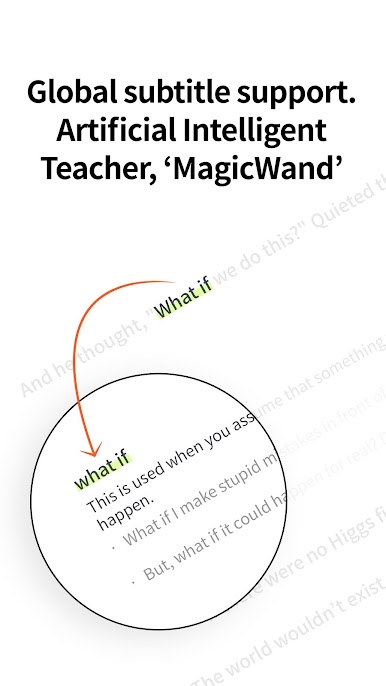
Smart MagicWand Tool
This AI-driven helper rewrites video descriptions to match the conversational context, making sure you actually “get” what you’re hearing. No more guessing the meaning behind quick jokes or tricky phrases. -
Global Subtitle Options
Sometimes it’s just easier to read as you listen, and with subtitles in more than 23 languages, you’re covered. -
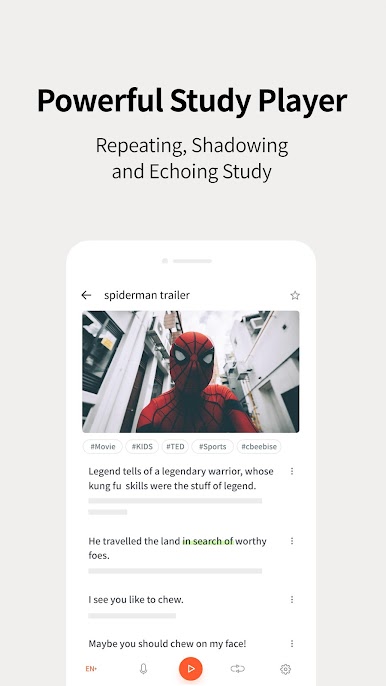
Native Voices and Text-to-Speech
Hear real English—spoken by native speakers—and use text-to-speech when you want to focus or repeat trickier lines. You can replay any section until it sticks. -
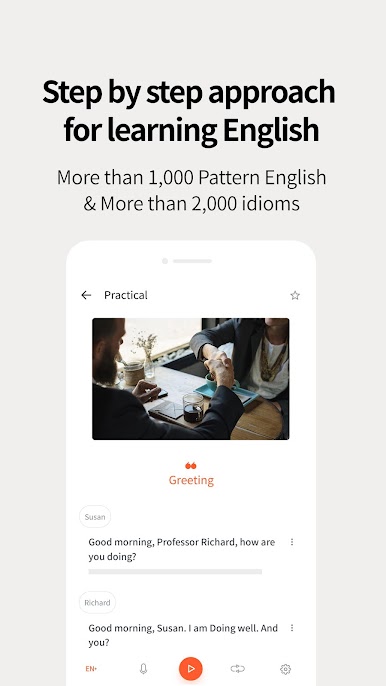
Step-by-Step Learning
Whether you’re at a basic, intermediate, or advanced level, the lessons are structured so you’re never lost. The content grows with you as your skills improve. -
Idioms and Exam Prep
Stuck on idiomatic expressions or prepping for big language exams (like TOEIC, SAT, or TOEFL)? Explore a huge bank of actual exam idioms, essential verbs, and common English sentence patterns. -
Practical English in Action
If memorizing is, well, boring, this app goes beyond the usual—watch videos from real-life scenarios and build genuine, practical conversation skills. -
All-in-One Learning Experience
Fun Video English Conversation packs everything into a single platform—no need to jump between different apps or resources. Whether you’re on mobile or want to give it a try on BlueStacks for a bigger screen, it’s all just one click away.
BlueStacks gives you the much-needed freedom to experience your favorite apps on a bigger screen. Get it now.





在電腦上遊玩Fun Video English Conversation . 輕易上手.
-
在您的電腦上下載並安裝BlueStacks
-
完成Google登入後即可訪問Play商店,或等你需要訪問Play商店十再登入
-
在右上角的搜索欄中尋找 Fun Video English Conversation
-
點擊以從搜索結果中安裝 Fun Video English Conversation
-
完成Google登入(如果您跳過了步驟2),以安裝 Fun Video English Conversation
-
在首頁畫面中點擊 Fun Video English Conversation 圖標來啟動遊戲

