


MECCHA CHAMELEON
Jogue no PC com BlueStacks - A Plataforma de Jogos Android, confiada por mais de 500 milhões de jogadores.

Página modificada em: Jun 18, 2026
Visão Geral
yeah! Mechcha "Hide and Seek"
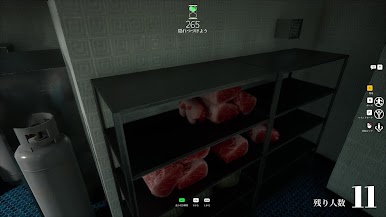
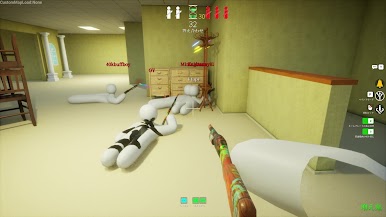
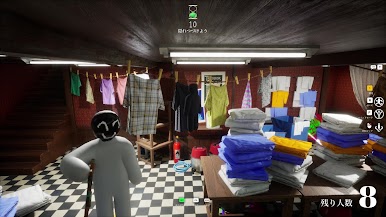
The rules are simple. Split into the Seeker team and the Hider team to play hide-and-seek. The Seekers win if they find everyone within the time limit.
yeah! Mechcha "Paint"
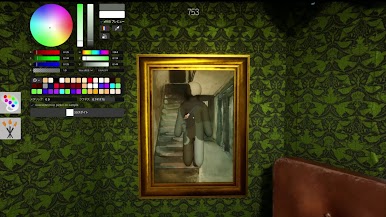
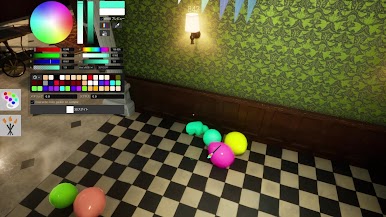
The way you hide is a bit special. Paint your pure white body to blend into the stage. Just like a chameleon. The hiding spot, the pose, and above all, your artistic skills are the key! Deceive the Seekers' eyes with a mimicry that would even surprise a chameleon.
yeah! Mechcha "Matching"
Of course you can play with friends, but you can also play with people you don't know. (If you create a server that is not set to private, anyone can join freely.) Game streamers can easily host viewer participation games. The maximum number of players depends on the host's network environment.



Jogue MECCHA CHAMELEON no PC. É fácil começar.
-
Baixe e instale o BlueStacks no seu PC
-
Conclua o login do Google para acessar a Play Store ou faça isso mais tarde
-
Procure por MECCHA CHAMELEON na barra de pesquisa no canto superior direito
-
Clique para instalar MECCHA CHAMELEON a partir dos resultados da pesquisa
-
Conclua o login do Google (caso você pulou a etapa 2) para instalar o MECCHA CHAMELEON
-
Clique no ícone do MECCHA CHAMELEON na tela inicial para começar a jogar

