Slay
5억명 이상의 게이머가 신뢰하는 안드로이드 게임 플랫폼 BlueStacks으로 PC에서 플레이하세요.

Play Slay on PC or Mac
From the innovators and creators at Sean O’Connor, Slay is another fun addition to the World of Strategy games. Go beyond your mobile screen and play it bigger and better on your PC or Mac. An immersive experience awaits you.
About the Game
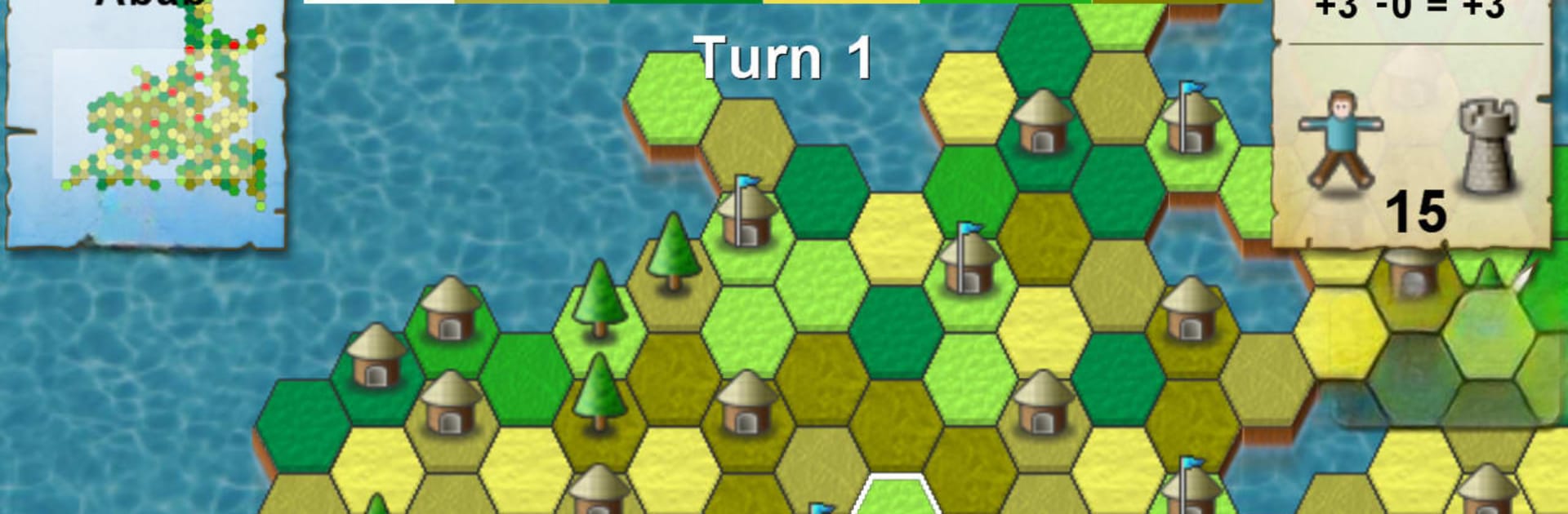
Slay tosses you right into a colorful, medieval battlefield where every move matters. Got a knack for outwitting your buddies (or foes)? Here’s your chance! In this strategy game by Sean O’Connor, the goal is simple: grow your slice of land, build up your army, and try not to get wiped out by the competition. It’s one of those games that’s easy to get the hang of, but don’t be fooled—it takes some sharp thinking to rule the map.
Game Features
-
Territory Conquest
Start by grabbing bits of land with your trusty peasants. Every patch you snag gives you more to work with and ups your chances of dominating the island. -
Upgradable Units
As your territories get richer, it’s not just peasants on the field—you can merge them to level up into spearmen, knights, or even barons. Stronger troops can lay waste to weaker enemies and take down their castles, so timing and choices matter. -
Resource Management
Here’s the catch: hiring too many pricey soldiers can actually bankrupt your land. You’ve got to balance ambition with a bit of caution—overextending is easy, but recovering isn’t. -
Six-Player Showdowns
The island is divided among six players, so expect plenty of sneaky moves and shifting alliances. Watching your opponents is just as important as planning your own next step. -
Classic Strategy Vibes
Slay brings you that classic, board-game style of thinking—perfect for folks who like their strategy with a side of nostalgia. Running it on BlueStacks makes the experience even smoother, especially when you want that bigger screen feel.
Ready to top the leaderboard? We bet you do. Let precise controls and sharp visuals optimized on BlueStacks lead you to victory.


PC에서 Slay 플레이해보세요.
-
BlueStacks 다운로드하고 설치
-
Google Play 스토어에 로그인 하기(나중에 진행가능)
-
오른쪽 상단 코너에 Slay 검색
-
검색 결과 중 Slay 선택하여 설치
-
구글 로그인 진행(만약 2단계를 지나갔을 경우) 후 Slay 설치
-
메인 홈화면에서 Slay 선택하여 실행