


ATracker - 每日時間管理 (日常習慣+目標)
在電腦上使用BlueStacks –受到5億以上的遊戲玩家所信任的Android遊戲平台。

Run ATracker - Task Time Tracker on PC or Mac
What’s better than using ATracker – Task Time Tracker by Wonderapps AB? Well, try it on a big screen, on your PC or Mac, with BlueStacks to see the difference.
About the App
Ever felt like your day just disappeared and you can’t remember where all your time went? ATracker – Task Time Tracker is here to help you get a real handle on your busy schedule. Whether you’re juggling work projects, daily routines, or habits you’d love to build, this Productivity app from Wonderapps AB gives you a clear view of exactly how you’re spending your hours. It’s designed to be super easy to use, so you spend less time tracking and more time actually doing what matters. If you love seeing stats and insights about your day—or just like that little boost from checking things off—this app could be a real game changer. Plus, with BlueStacks, you can keep an eye on your productivity from your laptop or PC whenever you want.
App Features
-
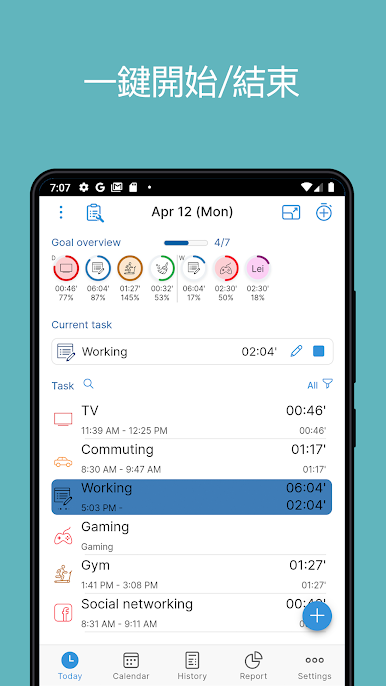
Quick One-Tap Tracking
Got a new task or switching gears? Start or stop tracking with a single tap—no fussing around, just get right to it. -
All-in-One Task & Habit Logging
Manage daily tasks, long-term projects, recurring habits, and personal goals, all from one spot. No need for a mess of separate apps. -
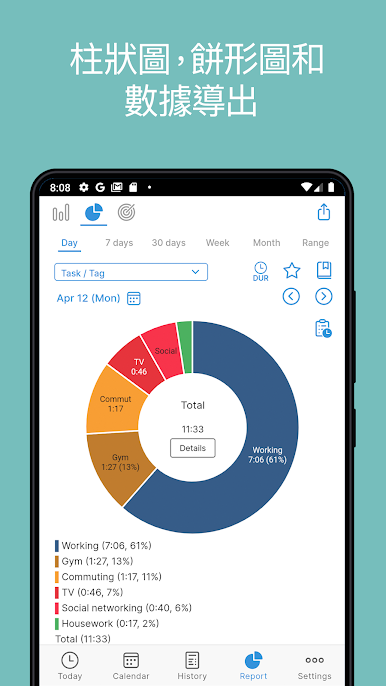
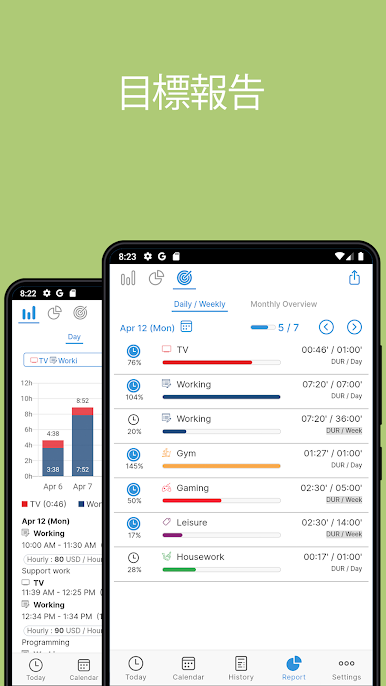
In-Depth Reports
Curious about where your time goes? Generate custom reports to spot trends, check your progress, or simply geek out over some graphs. Export, print, or share them with others if you need to. -
Seamless Sync Across Devices
Stay in sync when you’re switching between your phone and other devices. Your data follows you—handy for folks who multitask a lot. -
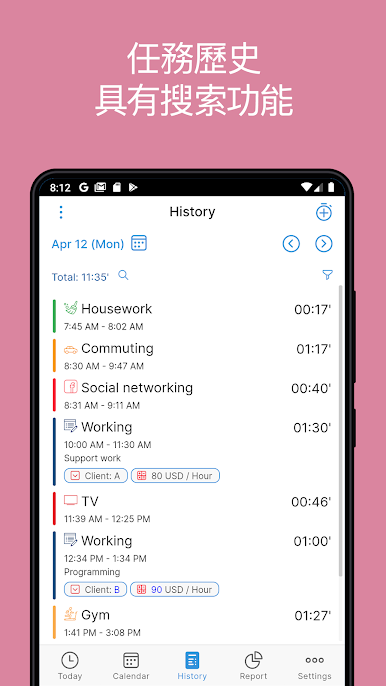
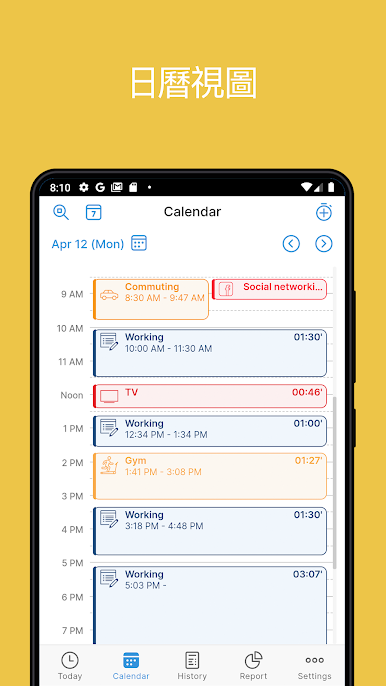
History & Calendar View
Scroll through your activity history or glance at your tasks on a calendar. It’s pretty satisfying to see a full week’s worth of progress. -
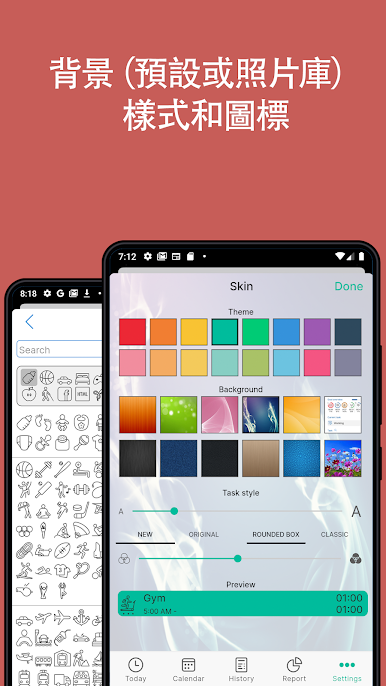
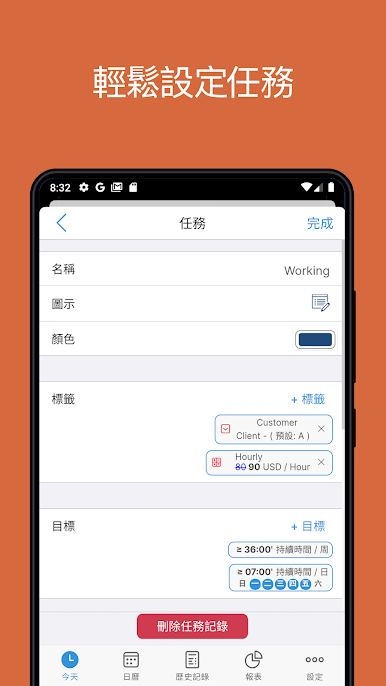
Personalization Galore
Pick from hundreds of unique icons to represent your activities. Color-code, group tasks by tags, and filter your list so things stay neat. -
Handy Reminders
Get notified so you don’t accidentally skip (or procrastinate) any important tasks or habits. -
Multiple Language Support
Available in several languages, making it easy for a range of users to get started. -
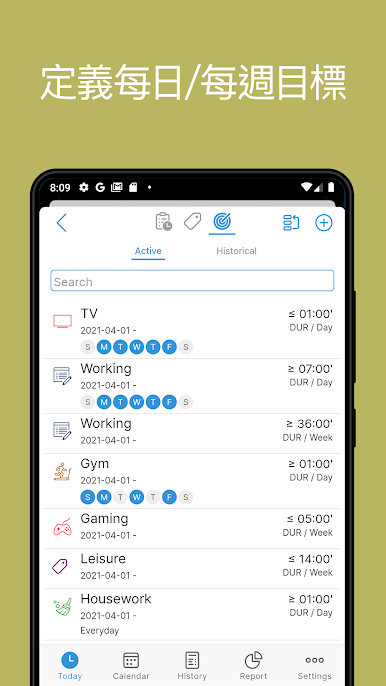
Flexible Goal System
Set up personal or professional targets and let the interactive goal system keep you on track. -
Tag & Filter Tools
Organize tasks with tags, pull up stats for specific groups, and keep your dashboard tidy. -
Today at a Glance
Review everything you’re working on for the day in one place to help you stay focused.
ATracker – Task Time Tracker is designed to make tracking your time simple, flexible, and surprisingly satisfying—whether you’re just trying to stay on top of chores or aiming for major productivity milestones.
BlueStacks gives you the much-needed freedom to experience your favorite apps on a bigger screen. Get it now.
在電腦上遊玩ATracker - 每日時間管理 (日常習慣+目標) . 輕易上手.
-
在您的電腦上下載並安裝BlueStacks
-
完成Google登入後即可訪問Play商店,或等你需要訪問Play商店十再登入
-
在右上角的搜索欄中尋找 ATracker - 每日時間管理 (日常習慣+目標)
-
點擊以從搜索結果中安裝 ATracker - 每日時間管理 (日常習慣+目標)
-
完成Google登入(如果您跳過了步驟2),以安裝 ATracker - 每日時間管理 (日常習慣+目標)
-
在首頁畫面中點擊 ATracker - 每日時間管理 (日常習慣+目標) 圖標來啟動遊戲

