


Buraco e Truco Zingplay
Jogue no PC com BlueStacks - A Plataforma de Jogos Android, confiada por mais de 500 milhões de jogadores.

Página modificada em: May 14, 2025
Jogue Buraco e Truco Zingplay para PC
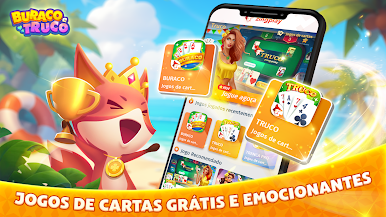
🤩 BURACO - Experimente a diversão viciante do Buraco, um clássico jogo ao estilo Rummy, também conhecido como Canastra, jogado com dois baralhos de cartas. Sua missão? Montar as sequências de conjuntos Suja e Limpa com a maior pontuação e desfrutar de horas de diversão cativante. Além disso, desbloqueie novos Boosters para elevar o seu jogo e crie seu próprio mascote para ajudar você na busca pela vitória.
📌 Escolha entre Modo STBL ou Aberto para experimentar diferentes desafios e estratégias.
📌 Crie uma Mesa Privada para 2 ou 4 pessoas e convide seus amigos ou familiares para jogar com você.
📌 Receba um bônus diário todos os dias apenas fazendo login no jogo
🤩 TRUCO - Participe do Truco, o desafio supremo de cada rodada que predomina em todo o Brasil. Supere seus adversários em rodadas intensas, usando apenas três cartas enquanto tenta ser o primeiro a alcançar 12 pontos e reivindicar a vitória. Abra as portas para partidas amigáveis e crie seus próprios torneios para uma experiência competitiva sem igual.
✅ Mas isso não é tudo – o BURACO E TRUCO Zingplay também oferece uma variedade de outros jogos de cartas populares como CACHETA, TRANCA E SUECA. Todos os jogos são facilmente acessíveis, gratuitos para jogar e projetados para você se conectar com amigos reais. Junte-se à diversão e que os jogos comecem!
📍Esse produto é para uso de maiores de 18 anos e apenas para entretenimento.
- Prática ou sucesso em jogos de casino virtual não implicam em sucesso futuro no que diz respeito a ganhar dinheiro em casinos e jogos.
- Este jogo é apenas para entretenimento e não inclui ganhar dinheiro de verdade ou prêmios
👋 Baixe o jogo BURACO E TRUCO online no1 no Brasil GRATUITAMENTE agora! 👋






Jogue Buraco e Truco Zingplay no PC. É fácil começar.
-
Baixe e instale o BlueStacks no seu PC
-
Conclua o login do Google para acessar a Play Store ou faça isso mais tarde
-
Procure por Buraco e Truco Zingplay na barra de pesquisa no canto superior direito
-
Clique para instalar Buraco e Truco Zingplay a partir dos resultados da pesquisa
-
Conclua o login do Google (caso você pulou a etapa 2) para instalar o Buraco e Truco Zingplay
-
Clique no ícone do Buraco e Truco Zingplay na tela inicial para começar a jogar

