Simplepush
5억명 이상의 게이머가 신뢰하는 안드로이드 게임 플랫폼 BlueStacks으로 PC에서 플레이하세요.
Run Simplepush on PC or Mac
Upgrade your experience. Try Simplepush, the fantastic Tools app from Simplepush, from the comfort of your laptop, PC, or Mac, only on BlueStacks.
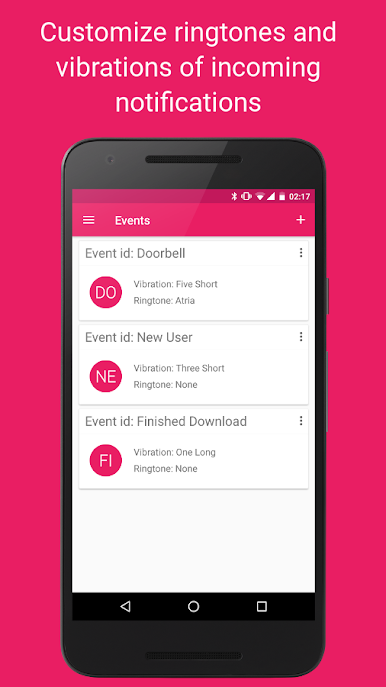
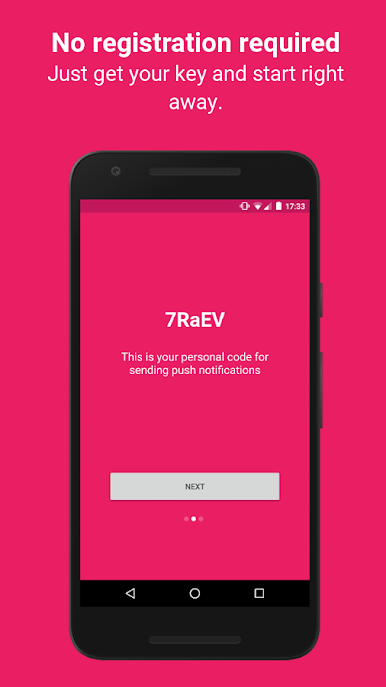
Simplepush is one of those tiny utilities that does one job and does it clean. It opens, hands the user a unique ID, and that is basically the whole setup. No registration, no passwords, no parade of permissions. After that, they can send a quick request from a website, script, or server and a notification lands on the device. It feels almost instant when it hits, and it is simple enough that even a small home project or a basic cron alert can use it. The free tier allows 10 notifications each month, which is fine for light use or testing. Anyone who needs a steady stream can bump to the paid plan for 4.99 USD per year and get unlimited. There is optional end to end encryption for people who want extra privacy, and an events feature that lets them tag or customize notifications so alerts from different sources are easier to tell apart.
Running it on a PC with BlueStacks makes testing and day to day use easier than expected. Copying the ID is quick, notifications pop up on the desktop, and it is simple to fire test messages from a browser while the app sits in the emulator. It does not try to be a full automation suite, and that is the charm. It is just a fast pipe to the phone with a few thoughtful toggles, and it gets out of the way once it is set up.
Big screen. Bigger performance. Use BlueStacks on your PC or Mac to run your favorite apps.
PC에서 Simplepush 플레이해보세요.
-
BlueStacks 다운로드하고 설치
-
Google Play 스토어에 로그인 하기(나중에 진행가능)
-
오른쪽 상단 코너에 Simplepush 검색
-
검색 결과 중 Simplepush 선택하여 설치
-
구글 로그인 진행(만약 2단계를 지나갔을 경우) 후 Simplepush 설치
-
메인 홈화면에서 Simplepush 선택하여 실행