


Electrodoc - 電子工具
工具 | IODEMA Srl
在電腦上使用BlueStacks –受到5億以上的遊戲玩家所信任的Android遊戲平台。

暢玩 Electrodoc - 電子工具 電腦版
Electrodoc 是電子工具和參考的簡單而強大的集合。
Electrodoc是Electrodroid的新應用名稱。 相同程式;保留原有內容並加入更多功能。
這是免費版本,其中包含廣告; 你也可以從App Store購買應用程序的PRO版本,以支持開發,更多功能和擺脫廣告。
包括:
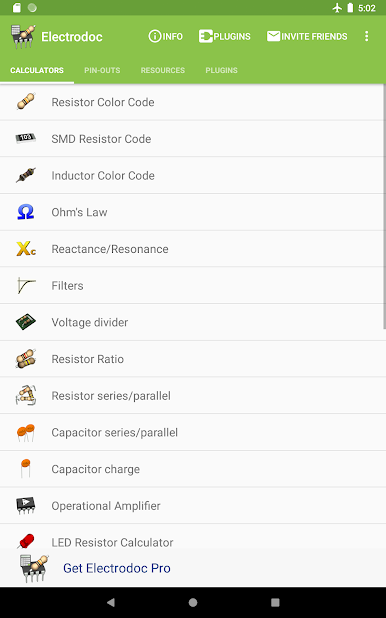
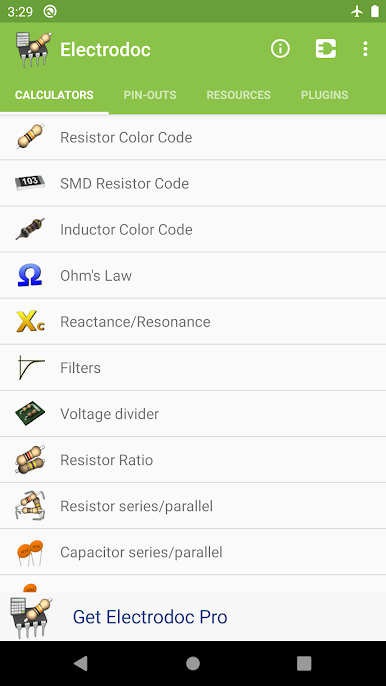
• 電阻器顏色代碼;
• SMD 電阻代碼;
• 電感顏色代碼;
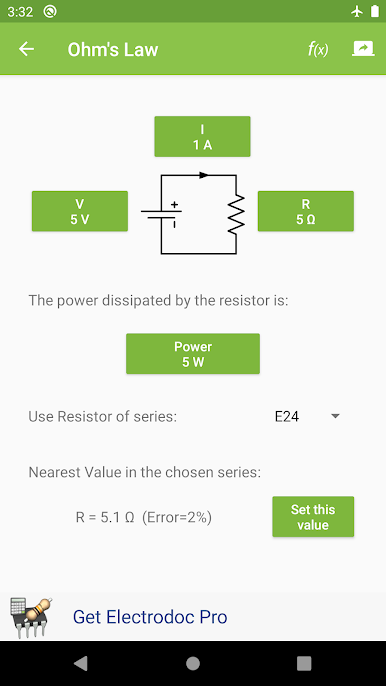
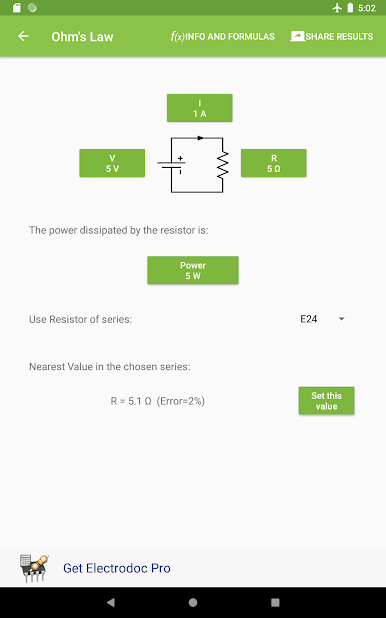
• 歐姆定律;
• 電抗/共振;
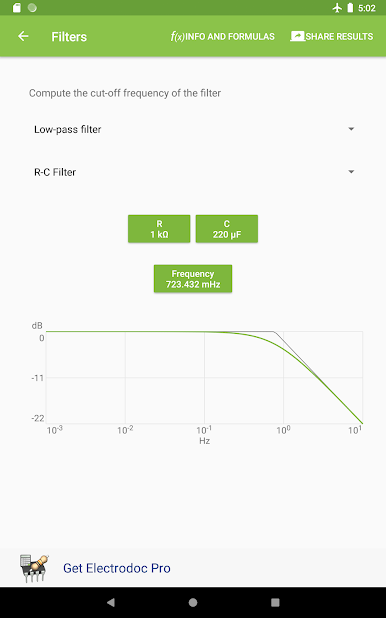
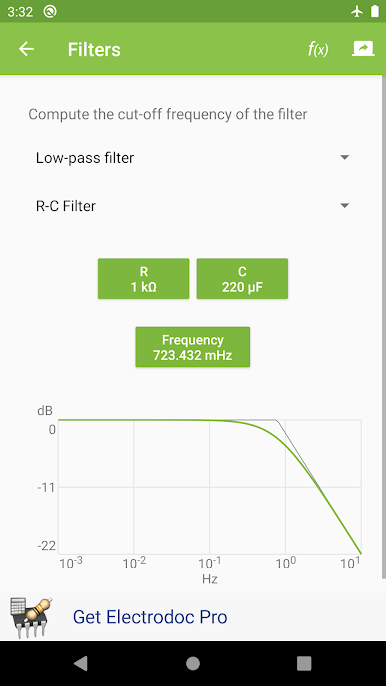
• 濾波器;
• 分壓器;
• 電阻比例;
• 電阻器系列/並聯;
• 電容器系列/並聯;
• 電容充電;
• 運算放大器;
• LED 電阻計算器;
• 可調電壓整流器;
• NE555 計算器;
• 功率耗散;
• 電池壽命計算器;
• 電感設計工具;
• 電壓降計算器;
• PCB 走線寬度計算器;
• 功率計算器;
• 頻率轉換器;
• 類比-數位轉換器;
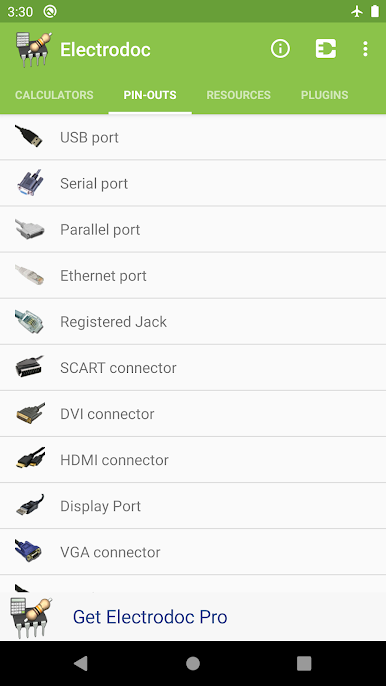
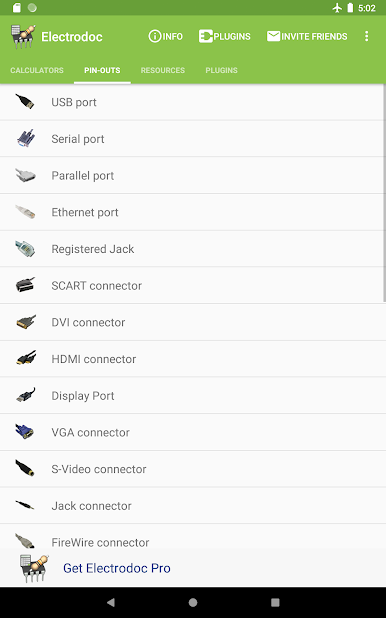
•端口引腳輸出(USB 埠, 序列埠, 平行埠, 乙太網路埠, RJ 連接器, SCART 連接器, DVI 連接器, HDMI 連接器, Display Port, VGA 連接器, S-Video 連接器, Jack 連接器, FireWire 連接器, RCA 連接器, 音訊 DIN 連接器, XLR 和 DMX, ATX 電源連接器, EIDE/ATA - SATA, PS/2-AT 連接器, 25對電纜顏色代碼, 光纖電纜的顏色, MIDI 連接器, 蘋果 Lightning 連接器, OBD-II 車用連接器, 汽車音響 ISO 連接器, Arduino 板 );
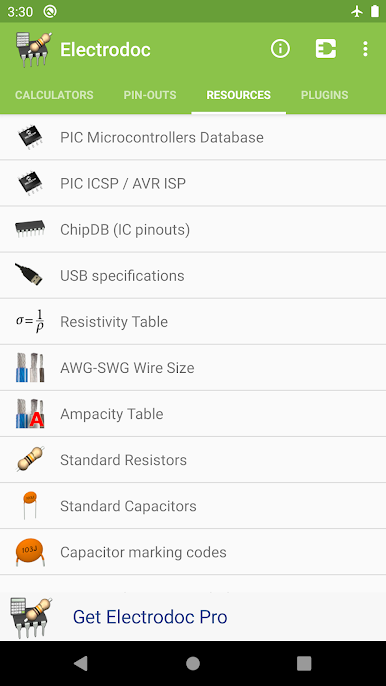
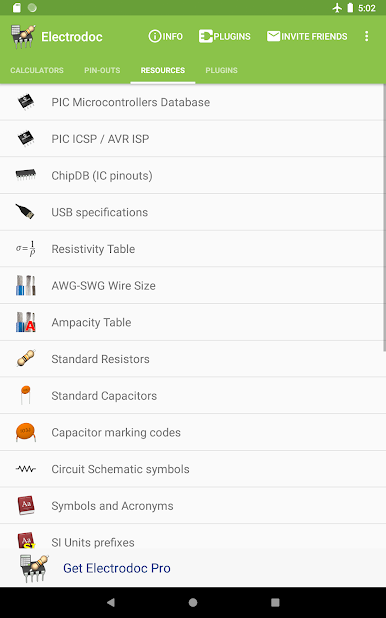
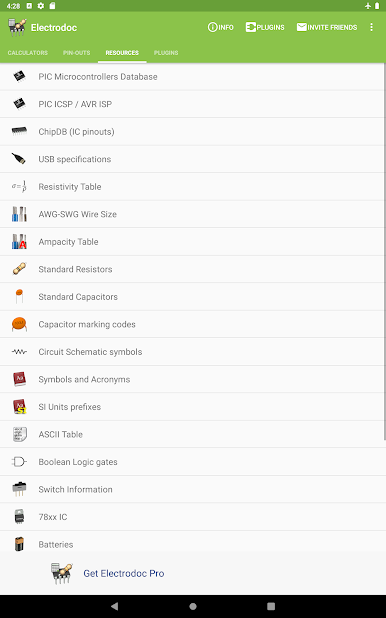
•來源(PIC ICSP / AVR ISP, 晶片資料庫 (IC 的針腳排列), USB 規格, 電阻表, AWG 和 SWG 電線尺寸, 載流量表, 標準電阻, 標準電容, 電容標記代碼表, 電路原理圖符號, 符號和縮寫, 國際單位制詞頭, ASCII 表, 布爾邏輯門, 切換資訊, 78xx IC, 電池, 鈕扣電池, 分貝表, 無線電頻率 );
•所有計算程式全面支持EIA電阻器;
...以及更多的驚喜!
專業版沒有任何廣告,並具有其他功能,例如新計算器,更多的管腳和資源。
某些計算器(例如LED,電壓調節器)也有所改進,某些插件中有其他功能,並且可以根據您的喜好對列表進行排序。
這些是目前僅在PRO版本中可用的額外計算器和管腳: 按值查找電阻器顏色, 稽納二極體 Zener Diode 計算器, Y-Δ 轉換, 分貝 (單位) 轉換器, RMS 轉換器, 範圍轉換器, 乙太網路供電, VESA 連接器, PC 週邊連接器, MIDI/Game 埠, 蘋果 30 針 Dock 連接器, PDMI, 拖車連接器, SD 記憶卡針腳定義, SIM/智慧卡, Raspberry Pi 針腳定義, LCD 針腳定義, GPIB/IEEE-488 針腳定義, 熱電偶顏色, Arduino 板, JTAG 針腳, BeagleBone 板, SMD 封裝尺寸, 7400 系列 IC, PT100 換算表, 保險絲的顏色代碼, 汽車保險絲顏色, DIN 47100 顏色編碼, IP 標記, 世界插頭和插座, IEC 連接器, NEMA 連接器.
此應用程式支持插件以擴展應用程序的功能(例如PIC和AVR微控制器數據庫,模擬器,零件搜索)。
如果您喜歡該程序,請對其評分,然後購買完整版以支持該開發。
Electrodoc Pro 鏈接:https://play.google.com/store/apps/details?id=it.android.demi.elettronica.pro
有關常見問題和完整的更改日誌,請訪問http://electrodoc.it
Electrodoc是Electrodroid的新應用名稱。 相同程式;保留原有內容並加入更多功能。
這是免費版本,其中包含廣告; 你也可以從App Store購買應用程序的PRO版本,以支持開發,更多功能和擺脫廣告。
包括:
• 電阻器顏色代碼;
• SMD 電阻代碼;
• 電感顏色代碼;
• 歐姆定律;
• 電抗/共振;
• 濾波器;
• 分壓器;
• 電阻比例;
• 電阻器系列/並聯;
• 電容器系列/並聯;
• 電容充電;
• 運算放大器;
• LED 電阻計算器;
• 可調電壓整流器;
• NE555 計算器;
• 功率耗散;
• 電池壽命計算器;
• 電感設計工具;
• 電壓降計算器;
• PCB 走線寬度計算器;
• 功率計算器;
• 頻率轉換器;
• 類比-數位轉換器;
•端口引腳輸出(USB 埠, 序列埠, 平行埠, 乙太網路埠, RJ 連接器, SCART 連接器, DVI 連接器, HDMI 連接器, Display Port, VGA 連接器, S-Video 連接器, Jack 連接器, FireWire 連接器, RCA 連接器, 音訊 DIN 連接器, XLR 和 DMX, ATX 電源連接器, EIDE/ATA - SATA, PS/2-AT 連接器, 25對電纜顏色代碼, 光纖電纜的顏色, MIDI 連接器, 蘋果 Lightning 連接器, OBD-II 車用連接器, 汽車音響 ISO 連接器, Arduino 板 );
•來源(PIC ICSP / AVR ISP, 晶片資料庫 (IC 的針腳排列), USB 規格, 電阻表, AWG 和 SWG 電線尺寸, 載流量表, 標準電阻, 標準電容, 電容標記代碼表, 電路原理圖符號, 符號和縮寫, 國際單位制詞頭, ASCII 表, 布爾邏輯門, 切換資訊, 78xx IC, 電池, 鈕扣電池, 分貝表, 無線電頻率 );
•所有計算程式全面支持EIA電阻器;
...以及更多的驚喜!
專業版沒有任何廣告,並具有其他功能,例如新計算器,更多的管腳和資源。
某些計算器(例如LED,電壓調節器)也有所改進,某些插件中有其他功能,並且可以根據您的喜好對列表進行排序。
這些是目前僅在PRO版本中可用的額外計算器和管腳: 按值查找電阻器顏色, 稽納二極體 Zener Diode 計算器, Y-Δ 轉換, 分貝 (單位) 轉換器, RMS 轉換器, 範圍轉換器, 乙太網路供電, VESA 連接器, PC 週邊連接器, MIDI/Game 埠, 蘋果 30 針 Dock 連接器, PDMI, 拖車連接器, SD 記憶卡針腳定義, SIM/智慧卡, Raspberry Pi 針腳定義, LCD 針腳定義, GPIB/IEEE-488 針腳定義, 熱電偶顏色, Arduino 板, JTAG 針腳, BeagleBone 板, SMD 封裝尺寸, 7400 系列 IC, PT100 換算表, 保險絲的顏色代碼, 汽車保險絲顏色, DIN 47100 顏色編碼, IP 標記, 世界插頭和插座, IEC 連接器, NEMA 連接器.
此應用程式支持插件以擴展應用程序的功能(例如PIC和AVR微控制器數據庫,模擬器,零件搜索)。
如果您喜歡該程序,請對其評分,然後購買完整版以支持該開發。
Electrodoc Pro 鏈接:https://play.google.com/store/apps/details?id=it.android.demi.elettronica.pro
有關常見問題和完整的更改日誌,請訪問http://electrodoc.it
在電腦上遊玩Electrodoc - 電子工具 . 輕易上手.
-
在您的電腦上下載並安裝BlueStacks
-
完成Google登入後即可訪問Play商店,或等你需要訪問Play商店十再登入
-
在右上角的搜索欄中尋找 Electrodoc - 電子工具
-
點擊以從搜索結果中安裝 Electrodoc - 電子工具
-
完成Google登入(如果您跳過了步驟2),以安裝 Electrodoc - 電子工具
-
在首頁畫面中點擊 Electrodoc - 電子工具 圖標來啟動遊戲

