


NEO Mushroom Garden
在電腦上使用BlueStacks –受到5億以上的遊戲玩家所信任的Android遊戲平台。

Play NEO Mushroom Garden on PC or Mac
Explore a whole new adventure with NEO Mushroom Garden, a Casual game created by BEEWORKS GAMES. Experience great gameplay with BlueStacks, the most popular gaming platform to play Android games on your PC or Mac.
About the Game
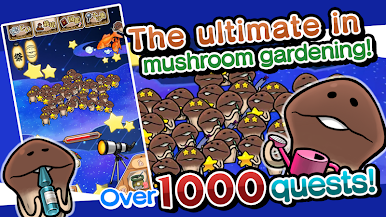
If you’ve ever wanted to run your own quirky mushroom garden, NEO Mushroom Garden by BEEWORKS GAMES is right up your alley. This casual game lets you care for a bunch of adorable Funghi—think of them as charming little mushroom creatures with plenty of personality. You’ll spend your time growing, harvesting, and discovering all sorts of weird and wonderful Funghi, all while upgrading your garden in fun new ways. With a cozy vibe and a dash of mystery, it’s perfect for relaxing or just goofing off for a bit.
Game Features
-
HD Mushroom Harvesting
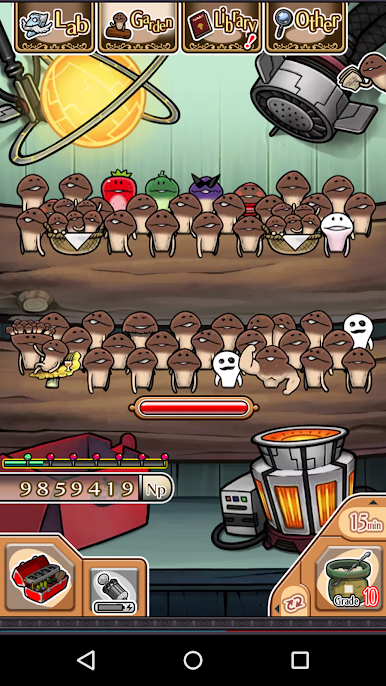
The classic mushroom-plucking action is back, but this time everything’s bumped up a notch with crisp HD visuals. The Funghi wiggle and squirm, and yep—they’re even slipperier than before. Plus, the garden space has doubled, so there’s more room to grow your weird little friends. -
Expanded Library with Secret Details
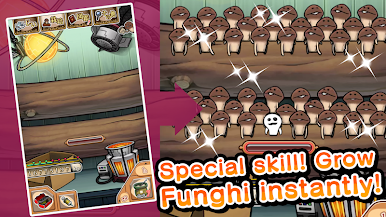
Ever wonder what makes each Funghi tick? The game’s brand-new library not only catalogs every species you find from different Mushroom Garden games, but now comes packed with fun extras like secret profiles, special abilities, and quirky tidbits about each Funghi. -
Customizable Food Machine
Got picky mushrooms? No problem. You can experiment with the Food Machine to whip up different types of Funghi snacks. Each recipe comes with its own effect, like speeding up growth or attracting rare types. And yep, you can tweak and personalize your Food Machine to suit your gardening style. -
Tons of Rewards for Harvesting
The more you pick, the more you get! Every successful harvest can score you new gardening gear, upgrade parts for your Food Machine, and plenty of in-game goodies to keep things fresh. -
Switchable Garden Themes
Tired of seeing the same old room? You can change up your garden’s look and try out new locations, from grassy fields to sci-fi labs. Some Funghi even sprout different appearances depending on where you grow them, and rare types might pop up if you get the right combo of equipment and theme. -
Relaxed, Play-at-Your-Own-Pace Feel
NEO Mushroom Garden doesn’t rush you. Whether you want to check in a couple times a day or plant yourself for a longer session, it works around your schedule. And for those who want a bigger screen, it blends seamlessly with BlueStacks on your PC. -
No Hidden Costs
This one’s totally free, no strings attached. Just focus on growing the silliest, cutest mushroom collection you can imagine.
Get ready for a buttery smooth, high-performance gaming action only on BlueStacks.


在電腦上遊玩NEO Mushroom Garden . 輕易上手.
-
在您的電腦上下載並安裝BlueStacks
-
完成Google登入後即可訪問Play商店,或等你需要訪問Play商店十再登入
-
在右上角的搜索欄中尋找 NEO Mushroom Garden
-
點擊以從搜索結果中安裝 NEO Mushroom Garden
-
完成Google登入(如果您跳過了步驟2),以安裝 NEO Mushroom Garden
-
在首頁畫面中點擊 NEO Mushroom Garden 圖標來啟動遊戲

