


저 오늘 쉽니다.
5억명 이상의 게이머가 신뢰하는 안드로이드 게임 플랫폼 BlueStacks으로 PC에서 플레이하세요.

Play Day Off on PC or Mac
Join millions to experience Day Off, an exciting Casual game from PONOS Corporation. With BlueStacks App Player, you are always a step ahead of your opponent, ready to outplay them with faster gameplay and better control with the mouse and keyboard on your PC or Mac.
About the Game
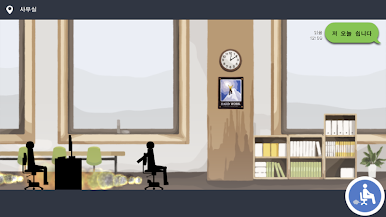
Time to break away from the daily grind—literally. In Day Off, you’re not clocking in, you’re rolling out. Your trusty office chair turns into your getaway vehicle, and your outlandish commute home is anything but ordinary. Rolling down the street, airborne, and just barely staying one step ahead of a boss who really doesn’t want you skipping work… expect chaos, laughs, and a lot of near misses.
Game Features
-
Wild Office Chair Escapades
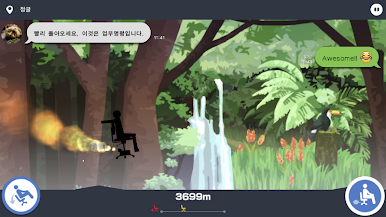
Forget walking—launch yourself home in a spinning office chair! Maneuver through wild tracks, floating high above pavement and zipping past obstacles. -
Outrun Your Boss
Ever had a boss who just wouldn’t give up? You’ll hear their shouts and see their warnings as you twist, turn, and outpace them in style. -
Trick Shots & Aerial Stunts
It’s not all a smooth ride. Master your moves mid-air and pull off some pretty awesome tricks—just don’t mess up your landing! -
Easy, Satisfying Controls
Get going by just pressing the gas. Simple controls mean you jump right into the action, whether you play on your phone or spice it up on BlueStacks. -
Laugh-Out-Loud Moments
With hilarious in-game commentary and slapstick crashes, things never stay serious for long. That performance review? Probably toast. But your virtual day off? Totally worth it.
Day Off, from PONOS Corporation, takes a casual game premise and gives it a zany, over-the-top twist.
Get ready for a buttery smooth, high-performance gaming action only on BlueStacks.


PC에서 저 오늘 쉽니다. 플레이해보세요.
-
BlueStacks 다운로드하고 설치
-
Google Play 스토어에 로그인 하기(나중에 진행가능)
-
오른쪽 상단 코너에 저 오늘 쉽니다. 검색
-
검색 결과 중 저 오늘 쉽니다. 선택하여 설치
-
구글 로그인 진행(만약 2단계를 지나갔을 경우) 후 저 오늘 쉽니다. 설치
-
메인 홈화면에서 저 오늘 쉽니다. 선택하여 실행

