


シンプル体重管理
건강 및 피트니스 | otak-lab
5억명 이상의 게이머가 신뢰하는 안드로이드 게임 플랫폼 BlueStacks으로 PC에서 플레이하세요.

Play シンプル体重管理 on PC
I think it's easy to lose awareness of weight management if you just step on the scale every day, whether it's dieting or maintaining your weight.
I think that by recording your results and viewing them in graph form, you will be able to realize the changes in your body even more.
All functions such as morning and evening input and blood pressure input can be used for free, so let's try it for two weeks first.
■How to register
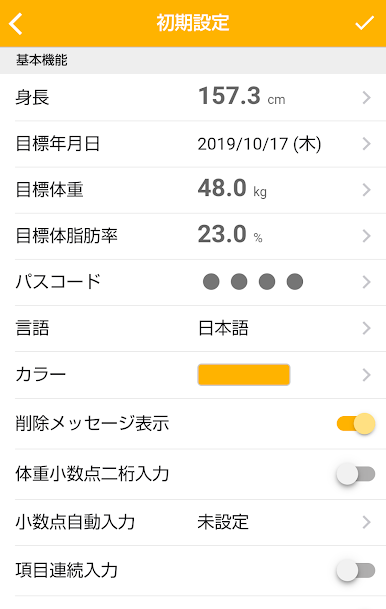
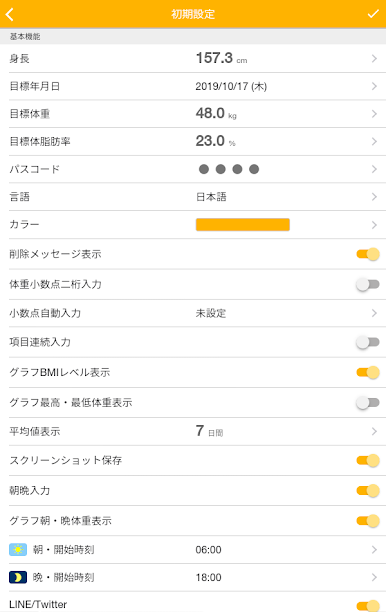
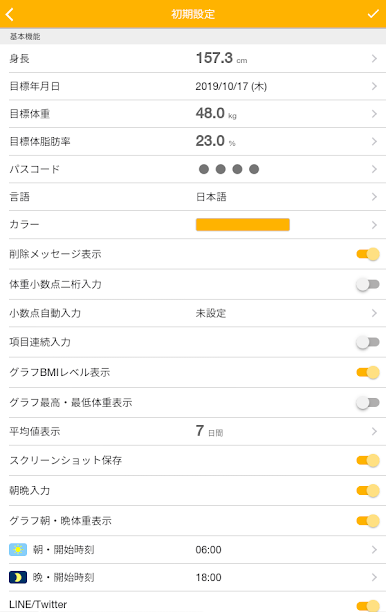
Enter your height on the initial settings screen when you first launch the app.
If necessary, enter your target date, target weight, and body fat percentage.
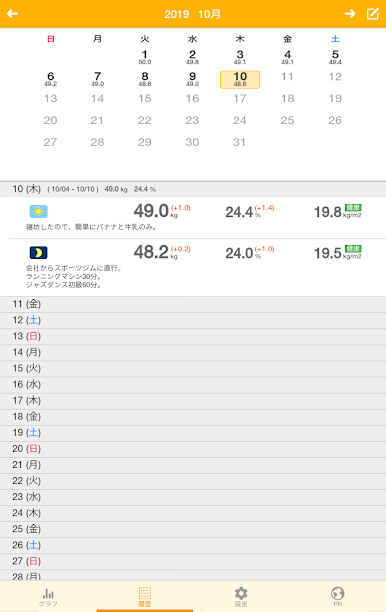
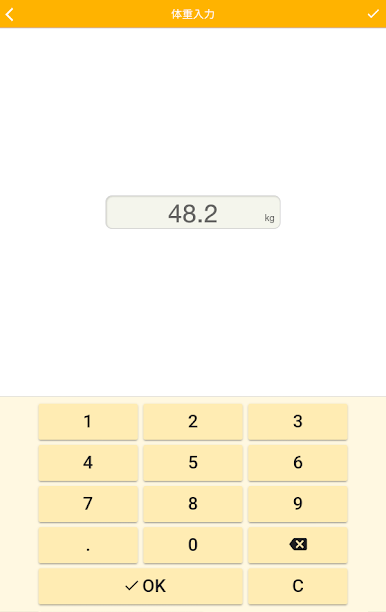
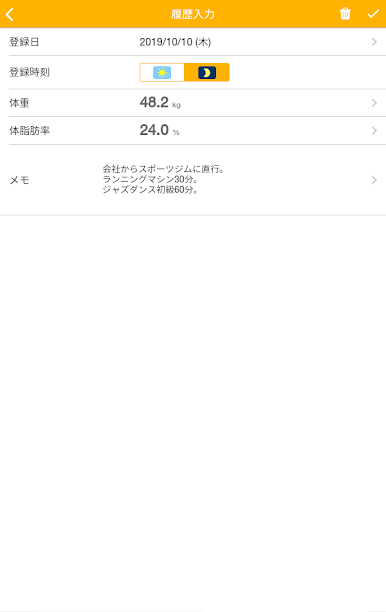
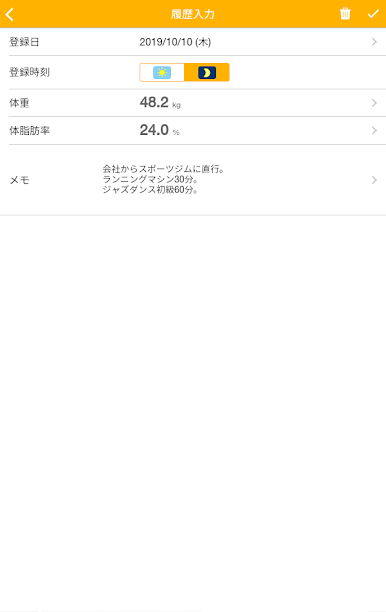
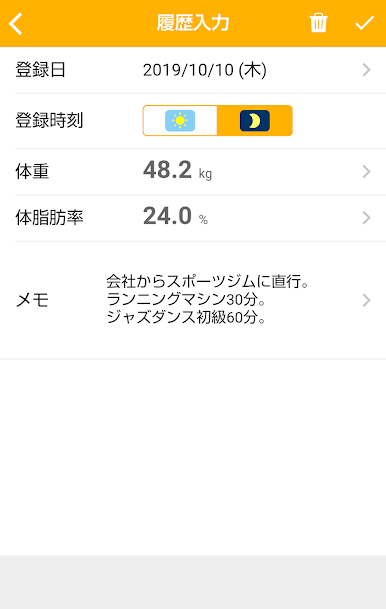
On the history entry screen, enter the registration date, registration time, weight, body fat percentage, and memo to register.
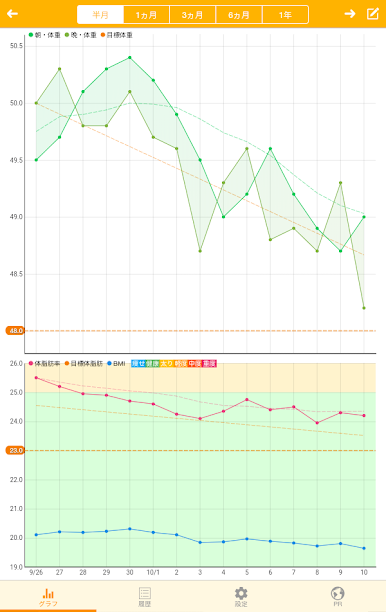
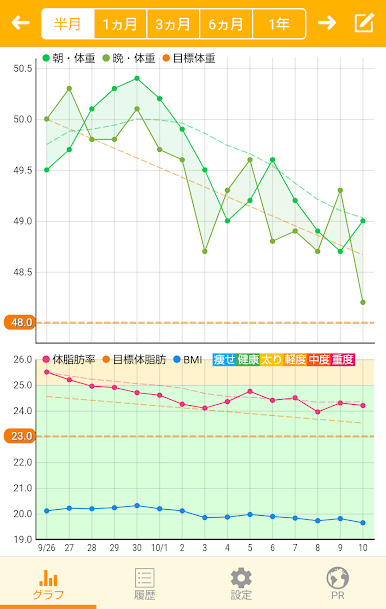
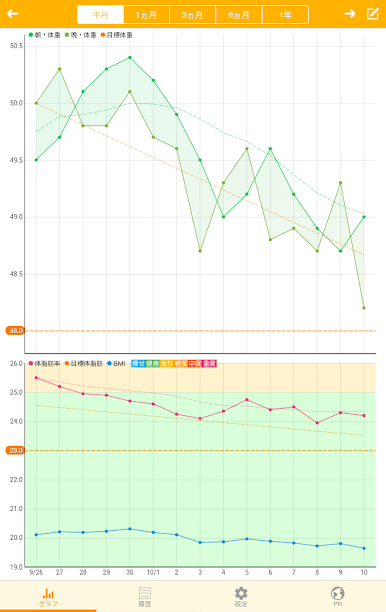
The weight (upper part), body fat percentage, and BMI (lower part) on the registration date you entered will be reflected in the line graph.
*If you register multiple times in a day, the average value will be reflected in the graph.
■Function
・Graph display switching.
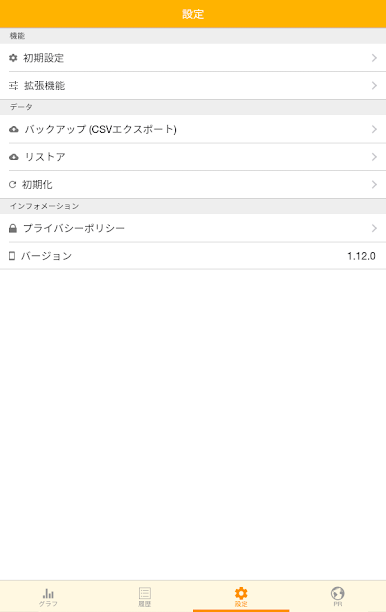
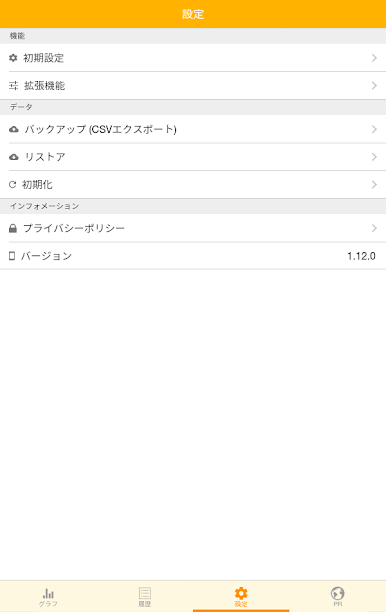
・Backup/recovery function.
- Target date, target weight, and body fat percentage input function.
・Passcode input function. (Enter your 4-digit passcode.)
-Language selection function. (Japanese, Chinese (traditional), Chinese (simplified))
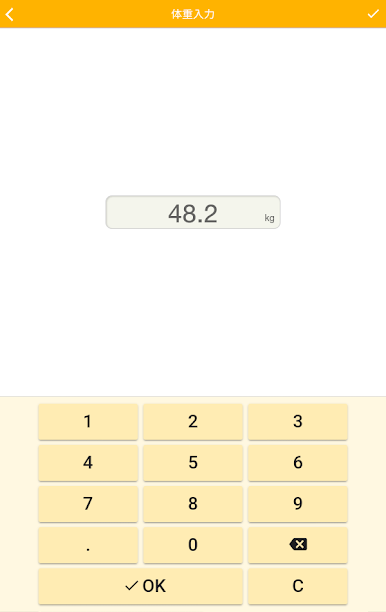
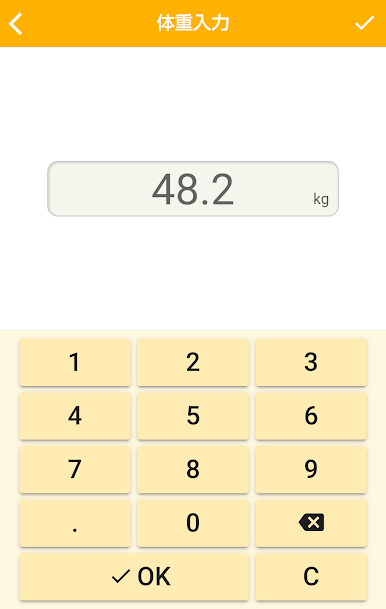
・Enter weight with two decimal places. (Enter your weight to two decimal places.)
- Automatic decimal point input. (The decimal point will be automatically entered a few seconds after entering the number.)
・Continuous entry of items. (Click the [Next] button to enter weight → body fat percentage → memo in succession.)
・Graph BMI level display. (Displays BMI level on the graph.)
・Graph maximum and minimum weight display. (The maximum and minimum weight of the day will be displayed on the graph.)
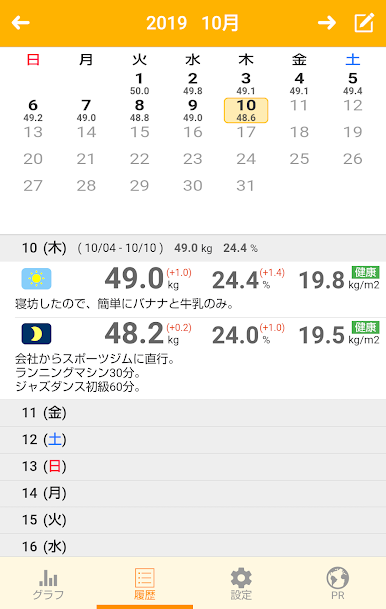
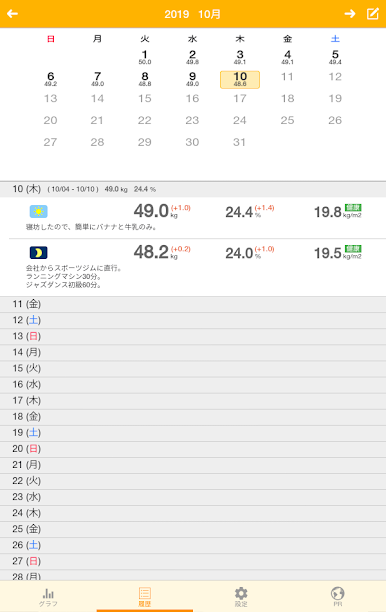
・Average value display. (The average value for 7, 14, and 28 days is displayed in the graph and history list.)
・Morning and evening input. (Enter information separately in the morning and evening.)
・Graph morning/evening weight display. (The graph shows your weight in the morning and evening of the day.)
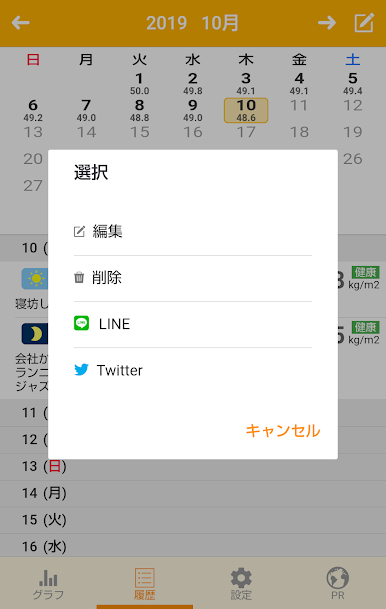
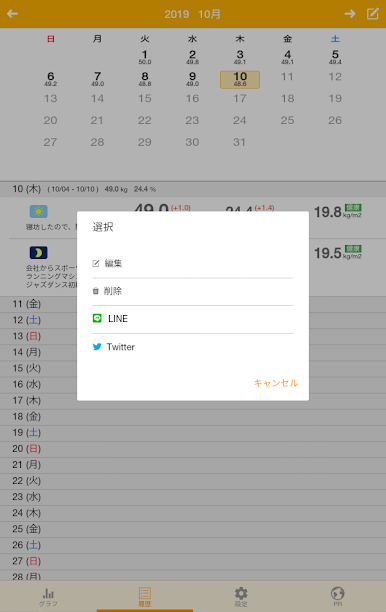
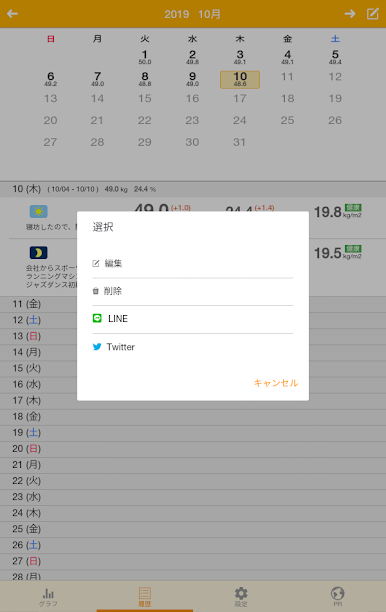
・LINE/Twitter function.
- Color setting function.
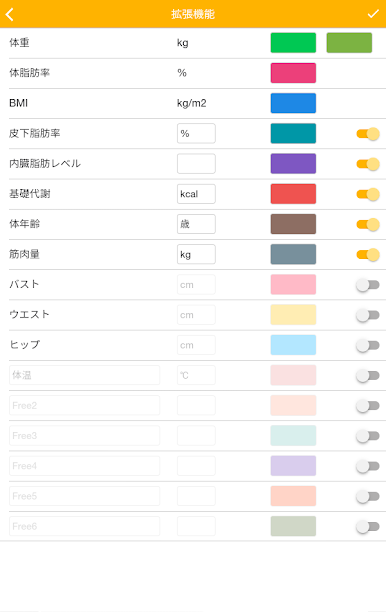
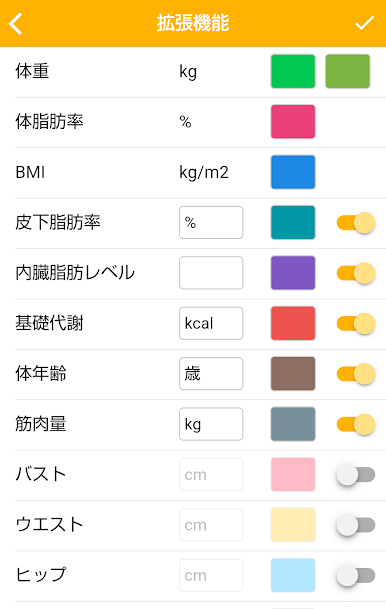
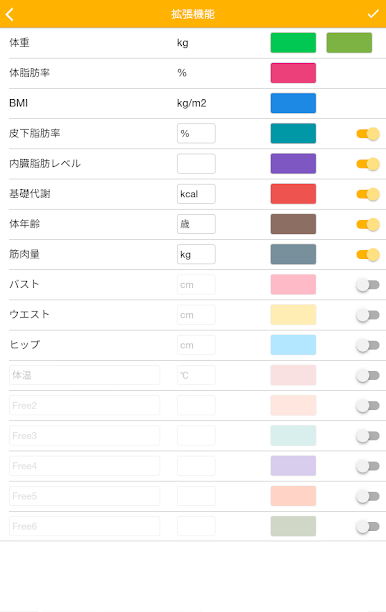
- Subcutaneous fat percentage, visceral fat level, basal metabolism, body age, muscle mass, bust, waist, hips, and blood pressure input.
- Up to 6 items can be freely set. You can also manage your child's body temperature and weight.
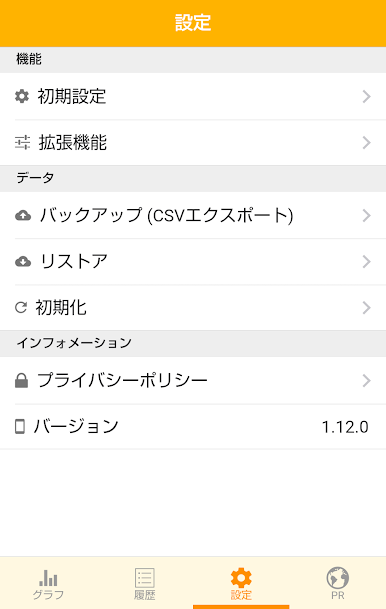
・CSV export function. Turn on Settings - Backup - CSV export and press the Execute button.
·others
*Compatible with measurement items common to OMRON, Tanita, and Panasonic.
If you have any comments or requests, please email us.
We would also appreciate it if you could rate and review this app.
I think that by recording your results and viewing them in graph form, you will be able to realize the changes in your body even more.
All functions such as morning and evening input and blood pressure input can be used for free, so let's try it for two weeks first.
■How to register
Enter your height on the initial settings screen when you first launch the app.
If necessary, enter your target date, target weight, and body fat percentage.
On the history entry screen, enter the registration date, registration time, weight, body fat percentage, and memo to register.
The weight (upper part), body fat percentage, and BMI (lower part) on the registration date you entered will be reflected in the line graph.
*If you register multiple times in a day, the average value will be reflected in the graph.
■Function
・Graph display switching.
・Backup/recovery function.
- Target date, target weight, and body fat percentage input function.
・Passcode input function. (Enter your 4-digit passcode.)
-Language selection function. (Japanese, Chinese (traditional), Chinese (simplified))
・Enter weight with two decimal places. (Enter your weight to two decimal places.)
- Automatic decimal point input. (The decimal point will be automatically entered a few seconds after entering the number.)
・Continuous entry of items. (Click the [Next] button to enter weight → body fat percentage → memo in succession.)
・Graph BMI level display. (Displays BMI level on the graph.)
・Graph maximum and minimum weight display. (The maximum and minimum weight of the day will be displayed on the graph.)
・Average value display. (The average value for 7, 14, and 28 days is displayed in the graph and history list.)
・Morning and evening input. (Enter information separately in the morning and evening.)
・Graph morning/evening weight display. (The graph shows your weight in the morning and evening of the day.)
・LINE/Twitter function.
- Color setting function.
- Subcutaneous fat percentage, visceral fat level, basal metabolism, body age, muscle mass, bust, waist, hips, and blood pressure input.
- Up to 6 items can be freely set. You can also manage your child's body temperature and weight.
・CSV export function. Turn on Settings - Backup - CSV export and press the Execute button.
·others
*Compatible with measurement items common to OMRON, Tanita, and Panasonic.
If you have any comments or requests, please email us.
We would also appreciate it if you could rate and review this app.
PC에서 シンプル体重管理 플레이해보세요.
-
BlueStacks 다운로드하고 설치
-
Google Play 스토어에 로그인 하기(나중에 진행가능)
-
오른쪽 상단 코너에 シンプル体重管理 검색
-
검색 결과 중 シンプル体重管理 선택하여 설치
-
구글 로그인 진행(만약 2단계를 지나갔을 경우) 후 シンプル体重管理 설치
-
메인 홈화면에서 シンプル体重管理 선택하여 실행

