


E1오렌지카드
라이프스타일 | E1 Corporation
5억명 이상의 게이머가 신뢰하는 안드로이드 게임 플랫폼 BlueStacks으로 PC에서 플레이하세요.

E1오렌지카드 PC에서 즐겨보세요
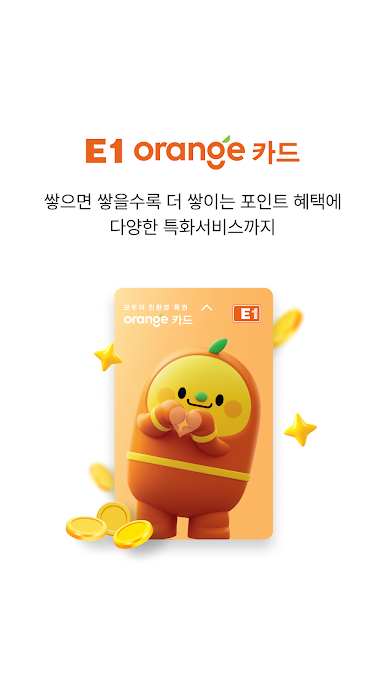
오렌지카드 고객만의 특별한 특권! 오렌지카드를 이제 앱으로도 만나보세요.
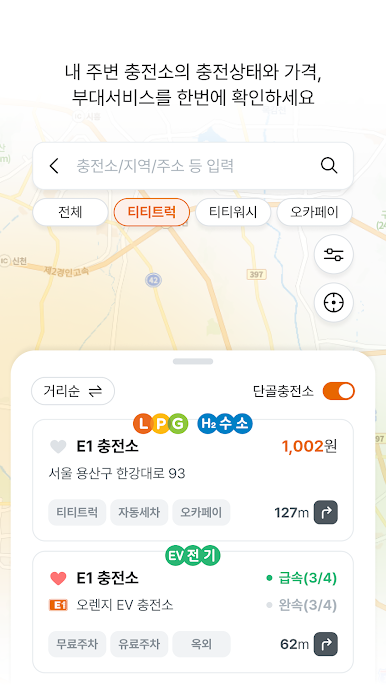
E1오렌지카드 고객만을 위한 다양한 쿠폰 및 서비스는 물론, 모바일 오렌지카드, LPG 및 수소 차량을 이용하시는 분이라면 누구나 차량관리 및 충전소 길찾기 등 유용하고 다양한 정보를 손쉽게 이용하실 수 있습니다.
※앱 접근권한 안내
정보통신망법 제22조의 2(접근권한에 대한 동의)규정 시행에 따라 서비스 이용에 필요한 접근권한을 아래와 같이 안내해 드립니다.
[필수적 접근권한]
• 저장공간 : 기기 내 저장공간 사용
[선택적 접근권한]
해당 기능 사용시 허용이 필요하며, 선택적 접근권한의 허용에 동의하지 않아도 서비스의 이용이 가능합니다.
• 알림 : 푸시 알림 발송 수신에 대한 사용자의 허용
• 위치정보 : 충전소,제휴가맹점 위치 조회 및 혜택 안내
• 사진 및 동영상 : 이벤트 참여를 위한 사진 및 동영상 업로드
OS에서 제공하는 권한 설정을 통해 동의 및 철회가 가능합니다.
※E1오렌지카드 앱 접근권한 동의 또는 철회 방법:
휴대폰 설정 > 애플리케이션 > E1오렌지카드 > 권한
E1오렌지카드 고객만을 위한 다양한 쿠폰 및 서비스는 물론, 모바일 오렌지카드, LPG 및 수소 차량을 이용하시는 분이라면 누구나 차량관리 및 충전소 길찾기 등 유용하고 다양한 정보를 손쉽게 이용하실 수 있습니다.
※앱 접근권한 안내
정보통신망법 제22조의 2(접근권한에 대한 동의)규정 시행에 따라 서비스 이용에 필요한 접근권한을 아래와 같이 안내해 드립니다.
[필수적 접근권한]
• 저장공간 : 기기 내 저장공간 사용
[선택적 접근권한]
해당 기능 사용시 허용이 필요하며, 선택적 접근권한의 허용에 동의하지 않아도 서비스의 이용이 가능합니다.
• 알림 : 푸시 알림 발송 수신에 대한 사용자의 허용
• 위치정보 : 충전소,제휴가맹점 위치 조회 및 혜택 안내
• 사진 및 동영상 : 이벤트 참여를 위한 사진 및 동영상 업로드
OS에서 제공하는 권한 설정을 통해 동의 및 철회가 가능합니다.
※E1오렌지카드 앱 접근권한 동의 또는 철회 방법:
휴대폰 설정 > 애플리케이션 > E1오렌지카드 > 권한


PC에서 E1오렌지카드 플레이해보세요.
-
BlueStacks 다운로드하고 설치
-
Google Play 스토어에 로그인 하기(나중에 진행가능)
-
오른쪽 상단 코너에 E1오렌지카드 검색
-
검색 결과 중 E1오렌지카드 선택하여 설치
-
구글 로그인 진행(만약 2단계를 지나갔을 경우) 후 E1오렌지카드 설치
-
메인 홈화면에서 E1오렌지카드 선택하여 실행

