


Reading Lamp (Non-Profit)
工具 | Matthias Kollmer
在電腦上使用BlueStacks –受到5億以上的遊戲玩家所信任的Android遊戲平台。

暢玩 Reading Lamp (Non-Profit) 電腦版
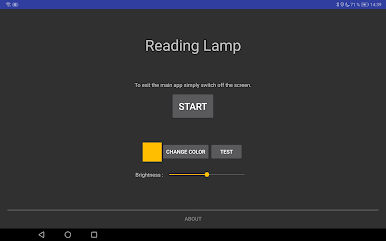
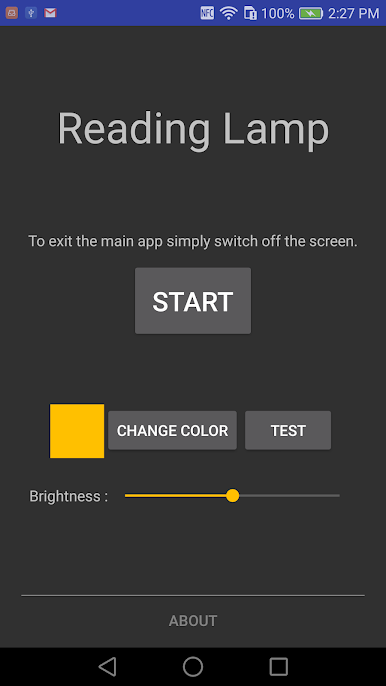
提供光閱讀,如果沒有合適的光或太亮。
允許您更改顏色和光線的亮度。
設置在主應用程序,以便更改不會被事故由外部訪問。
個人說明:
我使用的是不同的應用具有光而讀,是由廣告惹惱顯示。
然後我創建了自己的應用程序,我想我還可以與他人分享。
有些事情不需要賺不到錢...
允許您更改顏色和光線的亮度。
設置在主應用程序,以便更改不會被事故由外部訪問。
個人說明:
我使用的是不同的應用具有光而讀,是由廣告惹惱顯示。
然後我創建了自己的應用程序,我想我還可以與他人分享。
有些事情不需要賺不到錢...


在電腦上遊玩Reading Lamp (Non-Profit) . 輕易上手.
-
在您的電腦上下載並安裝BlueStacks
-
完成Google登入後即可訪問Play商店,或等你需要訪問Play商店十再登入
-
在右上角的搜索欄中尋找 Reading Lamp (Non-Profit)
-
點擊以從搜索結果中安裝 Reading Lamp (Non-Profit)
-
完成Google登入(如果您跳過了步驟2),以安裝 Reading Lamp (Non-Profit)
-
在首頁畫面中點擊 Reading Lamp (Non-Profit) 圖標來啟動遊戲

