


English Verbs Pro
العب على الكمبيوتر الشخصي مع BlueStacks - نظام أندرويد للألعاب ، موثوق به من قبل أكثر من 500 مليون لاعب.

Run English Verbs Pro on PC or Mac
Upgrade your experience. Try English Verbs Pro, the fantastic Education app from Appicenter LLC, from the comfort of your laptop, PC, or Mac, only on BlueStacks.
About the App
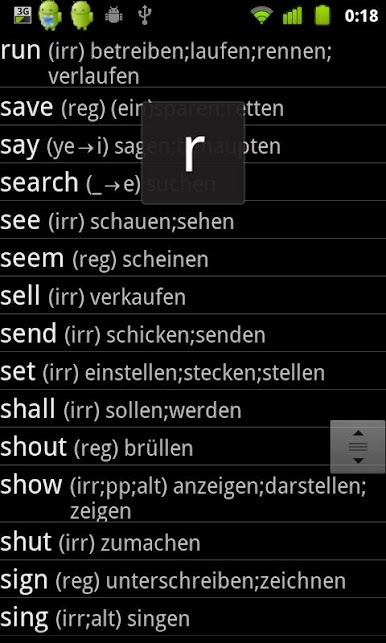
Ever wish you had a quick way to check how to use tricky English verbs, no matter where you are? English Verbs Pro, created by Appicenter LLC, packs thousands of verb conjugations right into your pocket. Whether you’re learning English for school, travel, or just because you want to master the language, this Education app is a handy resource to have close by—especially when you’re offline or on the go.
App Features
-
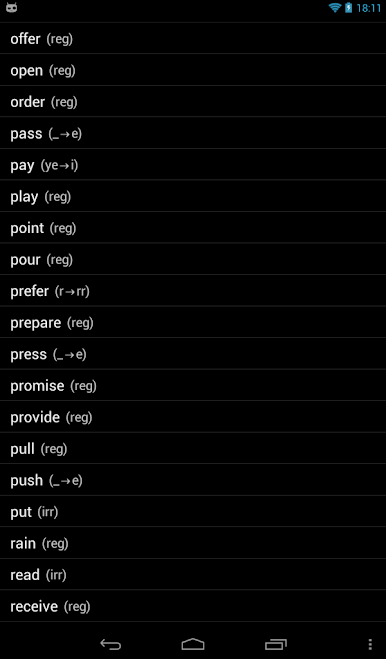
Huge Verb Library
Scroll through or search among 2,000+ verbs. Regular, irregular, you name it—they’re all here, ready whenever you get stuck or curious. -
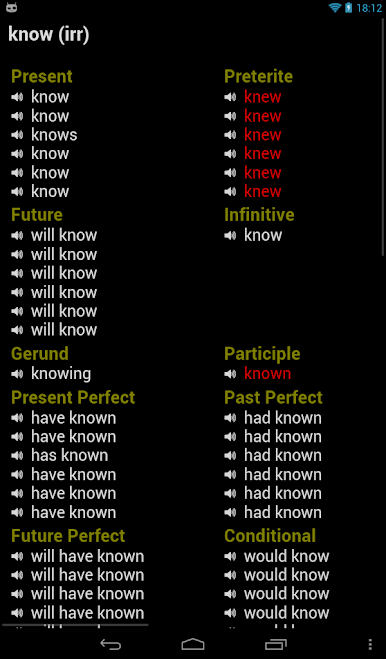
Full Conjugations
Not just the basics! You’ll find every verb form (simple, past, future, plus all those composite tenses that sometimes throw you for a loop). -
Offline Access
No connection? No worries. English Verbs Pro is fully functional offline, perfect for study sessions or travels, whether you’re in the UK, USA, Canada, or elsewhere. -
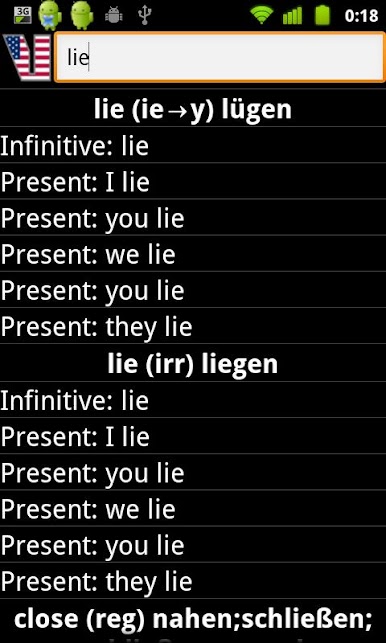
Smart Search Options
Know part of a verb? Use the wildcard search to figure out the rest. You can also search by translations or dive into details about forms. -
Favorites & Customization
Mark verbs you look up a lot as favorites for quick access. Choose different color themes to make it feel more like yours. -
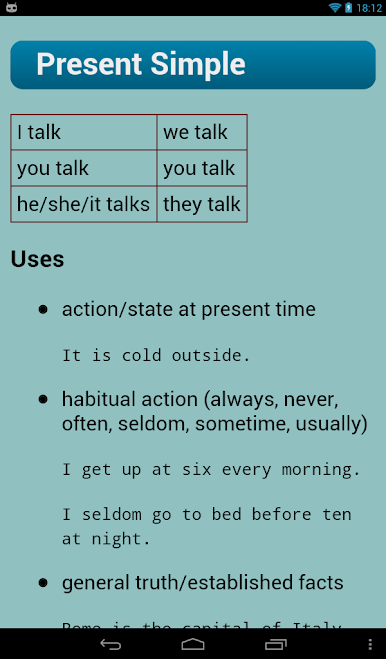
Built-In Grammar Help
There’s a dedicated grammar section for those moments when you want a quick brush-up on the rules. -
Voice Output Support
Want to hear how a verb sounds? The app uses your device’s TTS (text-to-speech) so you can listen to the pronunciations. -
Tablet Ready & Tiny Footprint
Runs smoothly on tablets and won’t take up much storage space. You can even move it to your SD card if you want to free up room. -
BlueStacks Friendly
Like learning on a bigger screen? English Verbs Pro works great on BlueStacks—so you can use the app on your computer seamlessly.
BlueStacks brings your apps to life on a bigger screen—seamless and straightforward.

العب English Verbs Pro على جهاز الكمبيوتر. من السهل البدء.
-
قم بتنزيل BlueStacks وتثبيته على جهاز الكمبيوتر الخاص بك
-
أكمل تسجيل الدخول إلى Google للوصول إلى متجر Play ، أو قم بذلك لاحقًا
-
ابحث عن English Verbs Pro في شريط البحث أعلى الزاوية اليمنى
-
انقر لتثبيت English Verbs Pro من نتائج البحث
-
أكمل تسجيل الدخول إلى Google (إذا تخطيت الخطوة 2) لتثبيت English Verbs Pro
-
انقر على أيقونة English Verbs Pro على الشاشة الرئيسية لبدء اللعب

