


SPEEDCHECK 인터넷 속도 측정
5억명 이상의 게이머가 신뢰하는 안드로이드 게임 플랫폼 BlueStacks으로 PC에서 플레이하세요.

Run Internet Speed Test SPEEDCHECK on PC or Mac
Upgrade your experience. Try Internet Speed Test SPEEDCHECK, the fantastic Tools app from Internet Speed Test, Etrality, from the comfort of your laptop, PC, or Mac, only on BlueStacks.
About the App
Ever wondered how fast your internet really is, or if your provider’s living up to their promises? Internet Speed Test SPEEDCHECK by Internet Speed Test, Etrality makes it super easy to test your connection—at home, at work, or on the go. With a few quick taps, you’ll see download, upload, and ping results in seconds, with clear info that’s easy to understand. Whether you’re a casual surfer or someone who needs every bit of bandwidth, SPEEDCHECK lets you keep tabs on your internet—no strings attached. If you want to get even more detailed, you can run tests as often as you like, for free.
App Features
-
Quick & Easy Speed Tests
Instantly check your internet speed—including download, upload, and ping—without any confusing steps or paywalls slowing you down. It’s just tap and go. -
Works with Any Connection
Got WiFi? Rocking 5G, LTE, or even classic DSL or satellite? This app can measure it all. No matter how you get online, SPEEDCHECK is ready to test. -
Worldwide Accuracy
With a network of super-fast 10Gbps servers around the globe, you’ll get reliable speed results wherever you are. Even those high-speed 5G connections are covered. -
Automatic Scheduled Tests
Curious if your internet slows down every evening? You can set up SPEEDCHECK to run tests automatically at times you choose, so you can see how your speeds change. -
WiFi Analyzer & Advanced Stats
Toggle on advanced WiFi stats to see how your wireless signal stands up. It helps you spot if your router or your provider is to blame for slowdowns. -
Connection Diagnosis Tools
Ever had to guess where your router works best? Use diagnostic tools to help find the ideal spot for your WiFi or to troubleshoot annoying issues. -
History & Sharing
Keep track of every test, complete with detailed info. Want to call out your ISP, brag to your friends, or just keep records? Share custom test results straight from the app. -
Simple Results Breakdown
Not a tech expert? No stress. The app breaks down what your numbers actually mean for real-world activities like gaming, streaming, and video calls.
And if you prefer running your speed tests on a bigger screen, you can use BlueStacks to try SPEEDCHECK right from your computer.
Switch to BlueStacks and make the most of your apps on your PC or Mac.
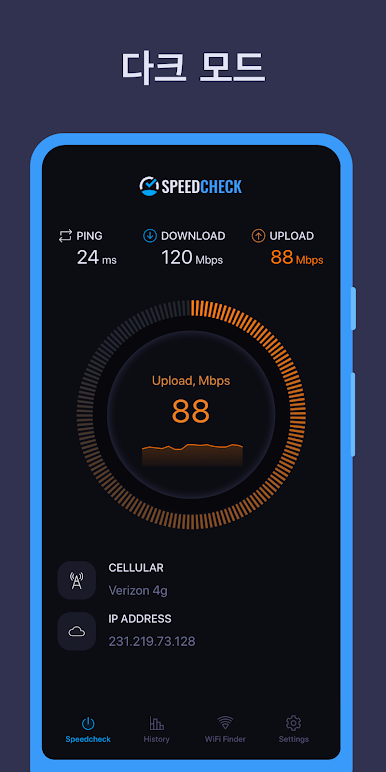
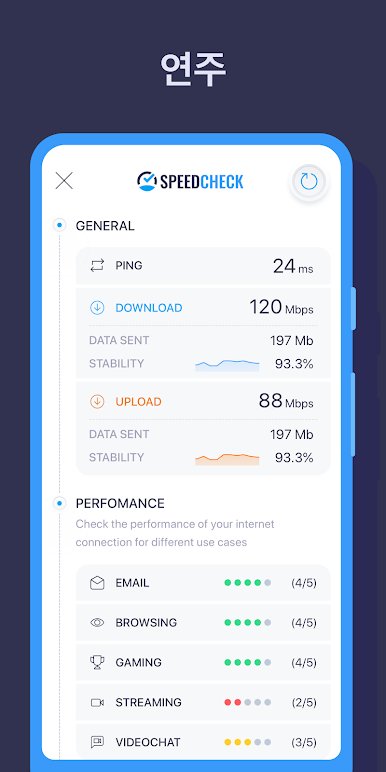
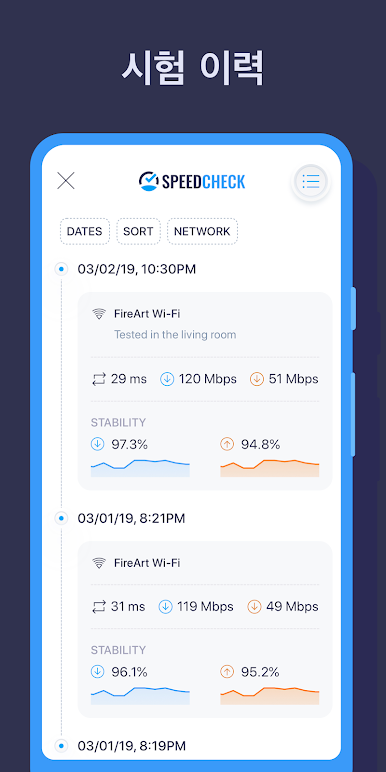
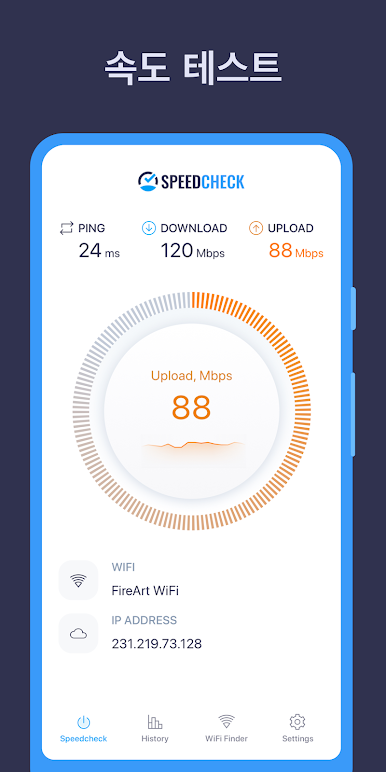
PC에서 SPEEDCHECK 인터넷 속도 측정 플레이해보세요.
-
BlueStacks 다운로드하고 설치
-
Google Play 스토어에 로그인 하기(나중에 진행가능)
-
오른쪽 상단 코너에 SPEEDCHECK 인터넷 속도 측정 검색
-
검색 결과 중 SPEEDCHECK 인터넷 속도 측정 선택하여 설치
-
구글 로그인 진행(만약 2단계를 지나갔을 경우) 후 SPEEDCHECK 인터넷 속도 측정 설치
-
메인 홈화면에서 SPEEDCHECK 인터넷 속도 측정 선택하여 실행

