


貓 記事本 筆記本 備忘錄 便條 便利貼 筆記
個人化 | engsoft.tc
在電腦上使用BlueStacks –受到5億以上的遊戲玩家所信任的Android遊戲平台。

Play Cat Sticky Memo Notepad on PC
Please tab HERE to view the details of our new app 'Memo Premium'
Please tab HERE to view the details of our new app 'Memo Cats and Dogs'
Please tab HERE to view the details of our new app 'Memo Seasons'
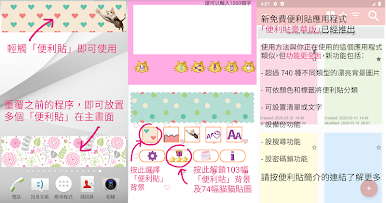
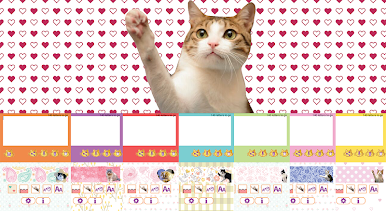
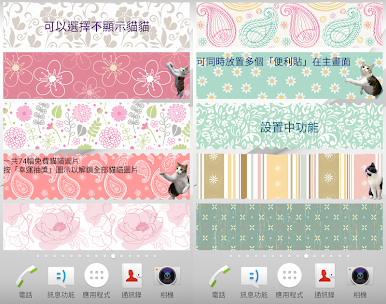
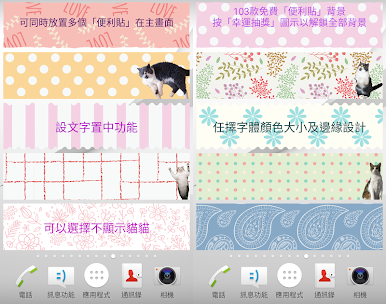
FREE Sticky Notes widget of different sizes and designs for your home screen!
[Features]
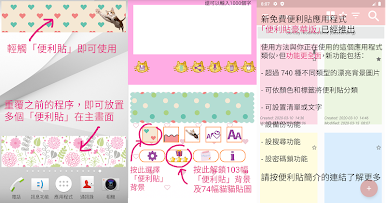
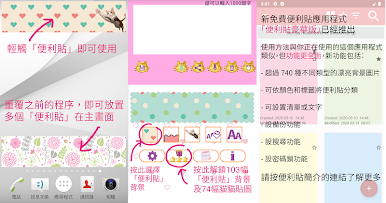
- Write notes with your voice without typing (of course, you can input by typing)
- Alarm
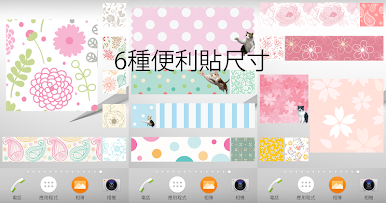
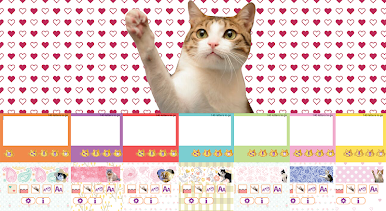
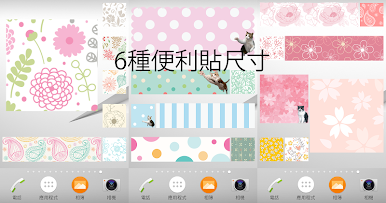
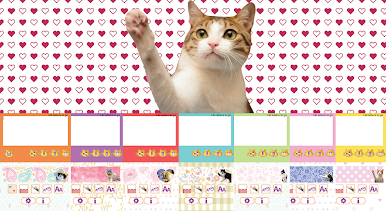
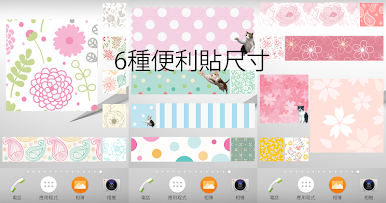
- 6 memo sizes
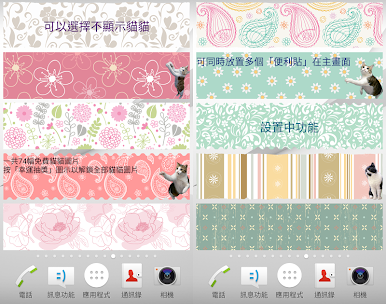
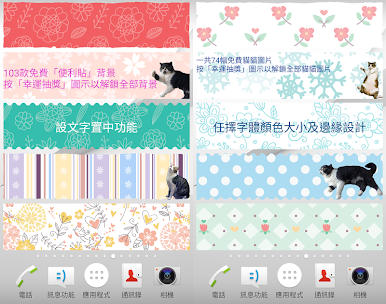
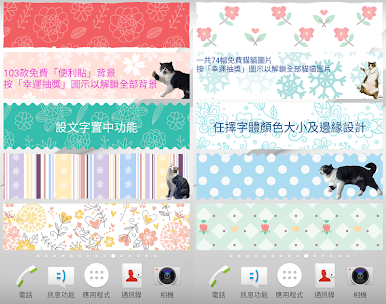
- More than 70 cute cat stickers (all FREE!)
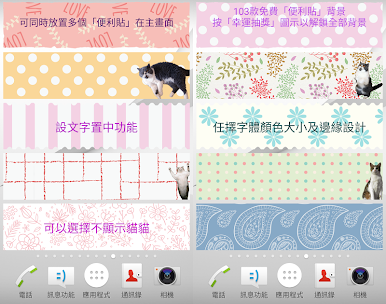
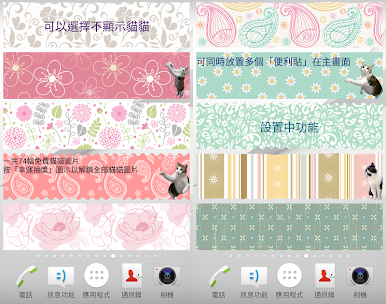
- More than 110 beautiful background images (all FREE!)
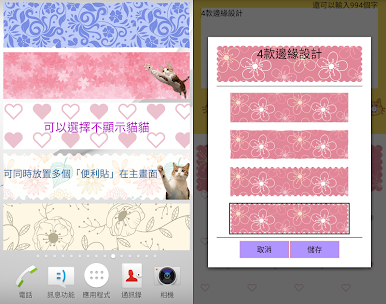
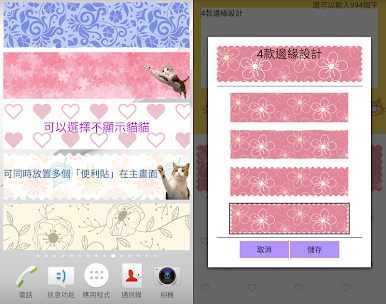
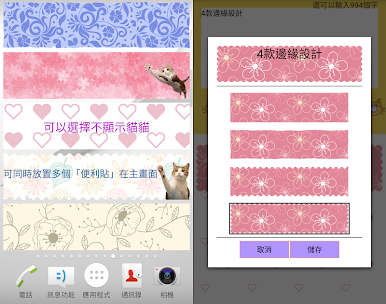
- 4 kinds of edge designs
- Different font sizes and colors
- Center alignment function
- 1 tap to share your notes
- Multiple notes can be stuck on home screen
- Language support: English, Chinese, Japanese, French and Korean
[How to unlock cat stickers and background images]
Tap the Lucky Draw (present box with stars) icon (with ad)
or
Get paid version to unlock ALL background images IMMEDIATELY!
https://goo.gl/JHGw5v
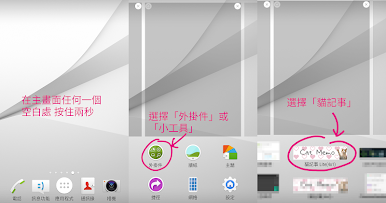
[How to add this Sticky Notes widget to your Home screen]
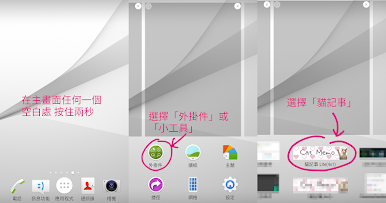
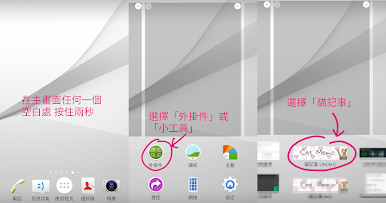
1. Touch and hold any empty space on a Home screen.
2. Touch Widgets.
3. Touch and hold the widget "Cat Memo Free". You'll see images of each Home screen.
4. Slide the widget to a Home screen image, then lift your finger.
- The display of memo may differ among devices.
- Not compatible with some Oppo phone models.
Some graphics are designed by Freepik (www.freepik.com).
Please tab HERE to view the details of our new app 'Memo Cats and Dogs'
Please tab HERE to view the details of our new app 'Memo Seasons'
FREE Sticky Notes widget of different sizes and designs for your home screen!
[Features]
- Write notes with your voice without typing (of course, you can input by typing)
- Alarm
- 6 memo sizes
- More than 70 cute cat stickers (all FREE!)
- More than 110 beautiful background images (all FREE!)
- 4 kinds of edge designs
- Different font sizes and colors
- Center alignment function
- 1 tap to share your notes
- Multiple notes can be stuck on home screen
- Language support: English, Chinese, Japanese, French and Korean
[How to unlock cat stickers and background images]
Tap the Lucky Draw (present box with stars) icon (with ad)
or
Get paid version to unlock ALL background images IMMEDIATELY!
https://goo.gl/JHGw5v
[How to add this Sticky Notes widget to your Home screen]
1. Touch and hold any empty space on a Home screen.
2. Touch Widgets.
3. Touch and hold the widget "Cat Memo Free". You'll see images of each Home screen.
4. Slide the widget to a Home screen image, then lift your finger.
- The display of memo may differ among devices.
- Not compatible with some Oppo phone models.
Some graphics are designed by Freepik (www.freepik.com).


在電腦上遊玩貓 記事本 筆記本 備忘錄 便條 便利貼 筆記 . 輕易上手.
-
在您的電腦上下載並安裝BlueStacks
-
完成Google登入後即可訪問Play商店,或等你需要訪問Play商店十再登入
-
在右上角的搜索欄中尋找 貓 記事本 筆記本 備忘錄 便條 便利貼 筆記
-
點擊以從搜索結果中安裝 貓 記事本 筆記本 備忘錄 便條 便利貼 筆記
-
完成Google登入(如果您跳過了步驟2),以安裝 貓 記事本 筆記本 備忘錄 便條 便利貼 筆記
-
在首頁畫面中點擊 貓 記事本 筆記本 備忘錄 便條 便利貼 筆記 圖標來啟動遊戲

