

상태바 초시계
5억명 이상의 게이머가 신뢰하는 안드로이드 게임 플랫폼 BlueStacks으로 PC에서 플레이하세요.

Run Seconds Clock on Status Bar on PC or Mac
Multitask effortlessly on your PC or Mac as you try out Seconds Clock on Status Bar, a Tools app by Wansoft on BlueStacks.
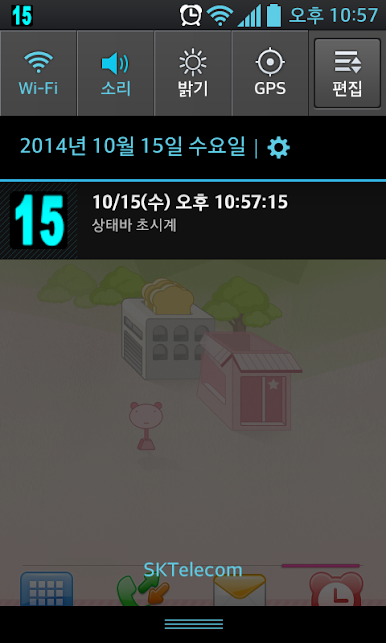
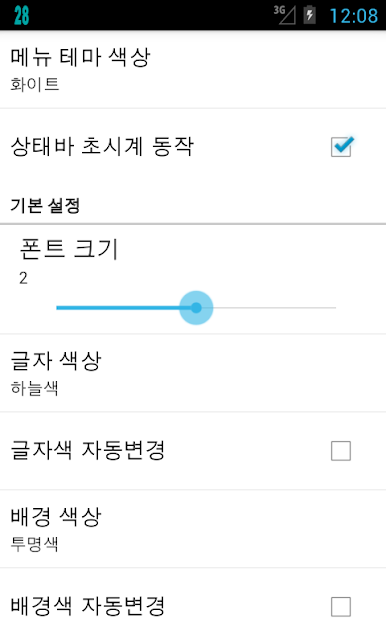
Seconds Clock on Status Bar is one of those tiny utilities that does exactly what the name says and somehow feels oddly satisfying. It puts a live seconds counter right up in the notification area, so the time is always ticking in clear view. There is a simple setting to line up the seconds precisely, which is handy for anyone who cares about exact timing, whether that is for meetings, speedruns, or just keeping things synced. The look is not locked either. The color can be changed, so the digits pop against whatever theme is on the phone or emulator.
What stands out is how quick it is to turn the clock on or off. There is a small widget for the home screen that acts like a light switch, and there is a shake gesture that can toggle it too. On PC with BlueStacks, it still shows up along the top just like a normal Android status item, so it is easy to glance at while working in other windows. BlueStacks even has a shake control, so that gesture is still usable when the phone is not in hand. No fluff, no cluttered menus, just a clean seconds display that anyone who likes exact timekeeping will appreciate. It feels lightweight and stays out of the way until it is needed.
BlueStacks gives you the much-needed freedom to experience your favorite apps on a bigger screen. Get it now.

PC에서 상태바 초시계 플레이해보세요.
-
BlueStacks 다운로드하고 설치
-
Google Play 스토어에 로그인 하기(나중에 진행가능)
-
오른쪽 상단 코너에 상태바 초시계 검색
-
검색 결과 중 상태바 초시계 선택하여 설치
-
구글 로그인 진행(만약 2단계를 지나갔을 경우) 후 상태바 초시계 설치
-
메인 홈화면에서 상태바 초시계 선택하여 실행

