


Ham Contest | Radio Calendar
เล่นบน PC ผ่าน BlueStacks - Android Gaming Platform ที่ได้รับความไว้วางใจจากเกมเมอร์ 500 ล้านคนทั่วโลก

Page Modified on: Jul 21, 2024
Run Ham Contest | Radio Calendar on PC or Mac
What’s better than using Ham Contest | Radio Calendar by Muhammad Zakwan? Well, try it on a big screen, on your PC or Mac, with BlueStacks to see the difference.
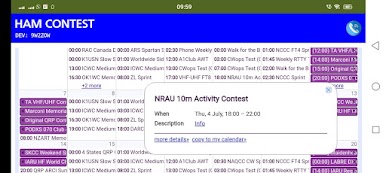
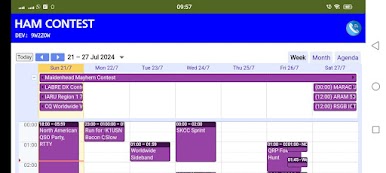
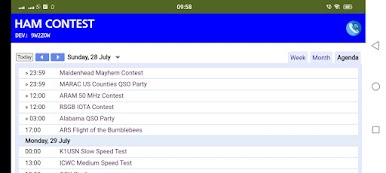
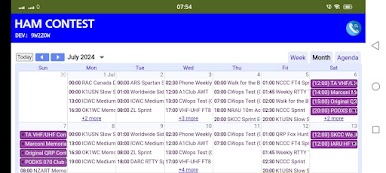
Ham Contest | Radio Calendar is basically a clean, no-drama way to keep track of ham radio contests. It pulls in events from a public calendar that splits everything by mode, so users can toggle CW, Phone, Digital, or a Mixed option for contests that offer more than one mode. Each event lives in only one list, so there is no messy duplication. It does need an internet connection, and it is very much a calendar first, not a bloated app pretending to be one.
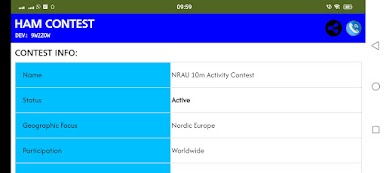
Navigation is simple. There are quick view switches for agenda, week, or month, and a little picker to choose which calendars to show. Click a contest and it shows the sponsor link, though the actual clickable link shows after tapping more details. A small quirk, but easy to live with. Some rule pages are not in English, so a translator might be needed. The design is straightforward and a bit old school, which honestly helps. No clutter, just dates, times, and links that matter to operators.
On BlueStacks, the layout scales nicely, and the mouse makes hopping between weeks and filtering modes very easy. It is great for planning a contest weekend or just keeping an eye on what is coming up without scrolling forums. Nothing flashy, just reliable calendar info that stays out of the way.
BlueStacks gives you the much-needed freedom to experience your favorite apps on a bigger screen. Get it now.
เล่น Ham Contest | Radio Calendar บน PC ได้ง่ายกว่า
-
ดาวน์โหลดและติดตั้ง BlueStacks บน PC ของคุณ
-
ลงชื่อเข้าใช้แอคเคาท์ Google เพื่อเข้าสู่ Play Store หรือทำในภายหลัง
-
ค้นหา Ham Contest | Radio Calendar ในช่องค้นหาด้านขวาบนของโปรแกรม
-
คลิกเพื่อติดตั้ง Ham Contest | Radio Calendar จากผลการค้นหา
-
ลงชื่อเข้าใช้บัญชี Google Account (หากยังไม่ได้ทำในขั้นที่ 2) เพื่อติดตั้ง Ham Contest | Radio Calendar
-
คลิกที่ไอคอน Ham Contest | Radio Calendar ในหน้าจอเพื่อเริ่มเล่น

