


OnTrack - For school and staff
Jouez sur PC avec BlueStacks - la plate-forme de jeu Android, approuvée par + 500M de joueurs.

Page Modifiée le: Nov 19, 2025
Play OnTrack - For school and staff on PC
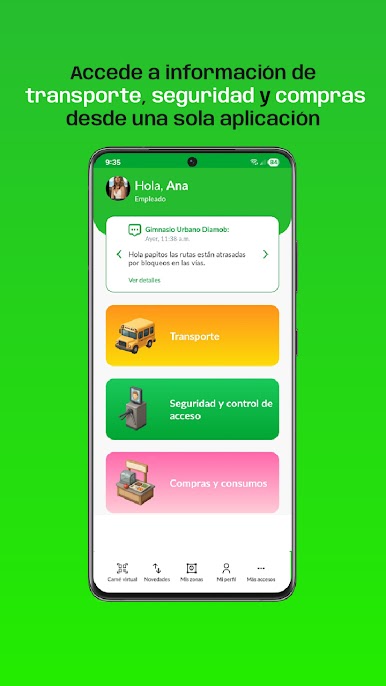
For parents and caretakers, we provide the following features:
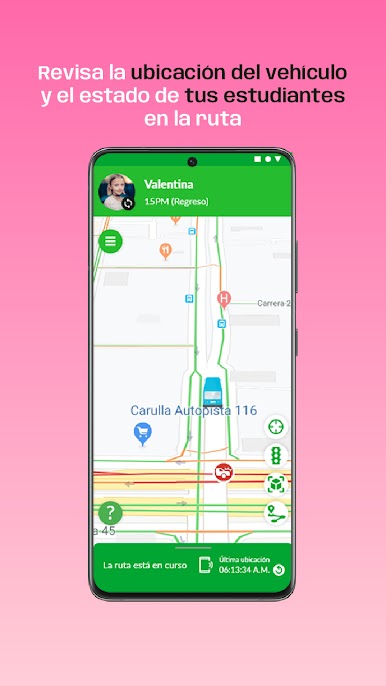
• You can see in real time the location of the vehicle during the scheduled route.
• You can manage permissions to change your children's route or stop and receive an answer by means of the application.
• You can receive notifications to be aware of the vehicle's arrival to the student stop.
• You can see the information related with the vehicle, driver and monitor of the route.
Jouez à OnTrack - For school and staff sur PC. C'est facile de commencer.
-
Téléchargez et installez BlueStacks sur votre PC
-
Connectez-vous à Google pour accéder au Play Store ou faites-le plus tard
-
Recherchez OnTrack - For school and staff dans la barre de recherche dans le coin supérieur droit
-
Cliquez pour installer OnTrack - For school and staff à partir des résultats de la recherche
-
Connectez-vous à Google (si vous avez ignoré l'étape 2) pour installer OnTrack - For school and staff
-
Cliquez sur l'icône OnTrack - For school and staff sur l'écran d'accueil pour commencer à jouer

