


Wake On Lan
Jouez sur PC avec BlueStacks - la plate-forme de jeu Android, approuvée par + 500M de joueurs.

Page Modifiée le: Jan 7, 2025
Run Wake On Lan on PC or Mac
Upgrade your experience. Try Wake On Lan, the fantastic Tools app from MR-Webb, from the comfort of your laptop, PC, or Mac, only on BlueStacks.
About the App
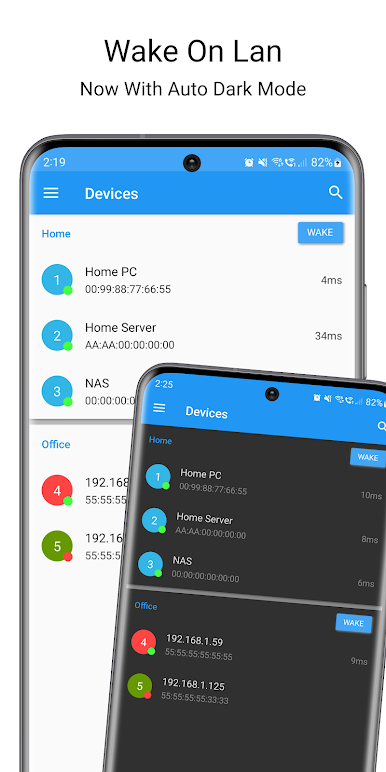
Ever wished you could turn on your computer from your phone without even moving from the couch? Wake On Lan makes that possible. This handy tool from MR-Webb lets you wake up your PC, laptop, or any network device with just a tap, right from your Android device. Whether you’re multitasking from another room or prepping your work setup in advance, it takes the hassle out of booting up your machines.
App Features
-
Simple Device Wakeups
Fire up any computer on your home or office network using your Android device. No tech headaches—just one tap, and you’re good to go. -
Automate with Tasker & More
Want to link wakeups to your routines? Wake On Lan works with apps like Tasker and Llama, so you can trigger devices automatically. Plus, Tasker plugin support keeps things smooth for those who love automation. -
Groups & Easy Access
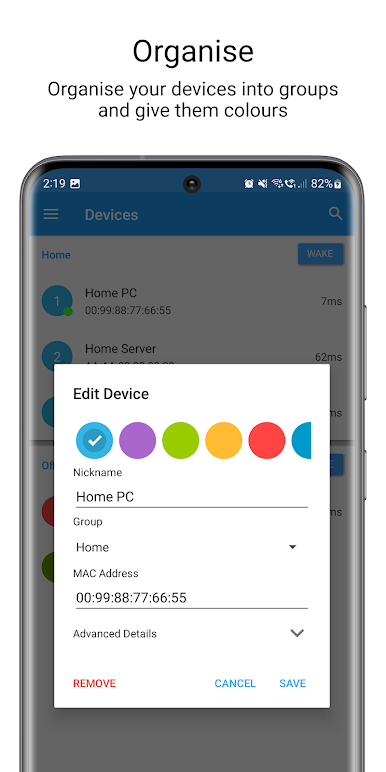
Organize your computers into groups. Perfect for IT folks or anyone managing a bunch of devices. Need to wake up all your workstations at once? No problem. -
One-Tap Widgets
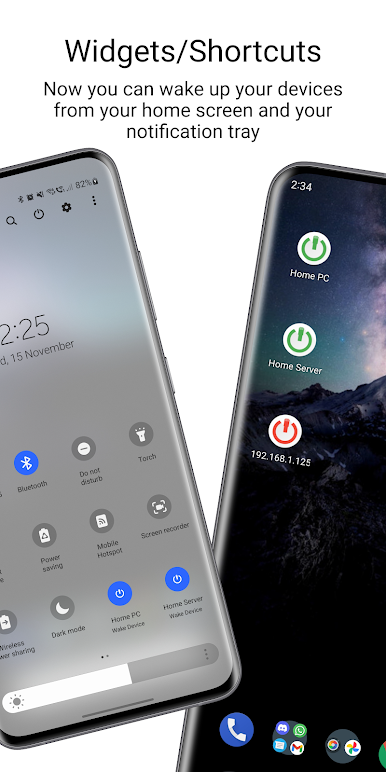
Place a widget on your home screen for quick device or group wakeups right from your phone. Super convenient when you’re in a hurry. -
Network Search Made Easy
Find and add devices on your network without having to hunt down MAC addresses. It’s all handled for you—just search and pick. -
CSV Import/Export
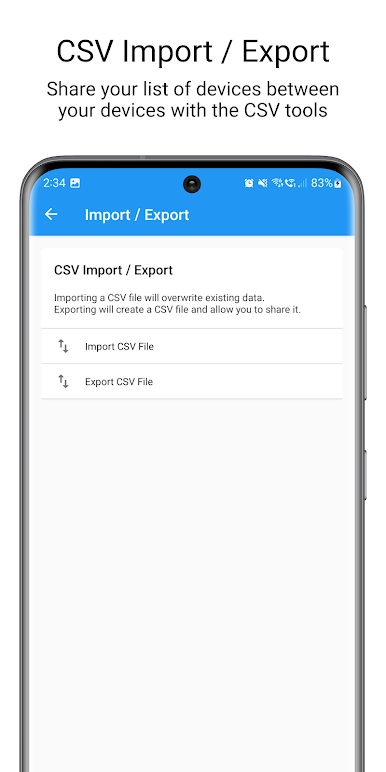
Share your device lists, backup your configurations, or move them to a new phone with simple CSV file support. -
Device Status Monitoring
Stay in the know: auto-refreshing let’s you see which devices are online vs asleep, with updates using both port and ping checks. -
Wake On Wan & SecureOn
Support for waking up devices over the internet—just tweak your remote settings. SecureOn codes are there for that extra layer, if you need them. -
Material Design Interface
The app keeps things looking modern and clean, and the developer’s open to suggestions if there’s something you’d like tweaked. -
Multi-Language Support
Wake On Lan speaks several languages—English, Italian, Vietnamese, and more—making things easier wherever you are.
The app pairs smoothly with BlueStacks if you want to manage your devices right from your PC. If you’re someone who likes a streamlined tech setup, this app’s got the tools to make it happen.
Big screen. Bigger performance. Use BlueStacks on your PC or Mac to run your favorite apps.
Jouez à Wake On Lan sur PC. C'est facile de commencer.
-
Téléchargez et installez BlueStacks sur votre PC
-
Connectez-vous à Google pour accéder au Play Store ou faites-le plus tard
-
Recherchez Wake On Lan dans la barre de recherche dans le coin supérieur droit
-
Cliquez pour installer Wake On Lan à partir des résultats de la recherche
-
Connectez-vous à Google (si vous avez ignoré l'étape 2) pour installer Wake On Lan
-
Cliquez sur l'icône Wake On Lan sur l'écran d'accueil pour commencer à jouer

