


Floating Minimizer Tube
เล่นบน PC ผ่าน BlueStacks - Android Gaming Platform ที่ได้รับความไว้วางใจจากเกมเมอร์ 500 ล้านคนทั่วโลก

Page Modified on: Sep 22, 2025
Run Floating Minimizer Tube - Picture in Picture on PC or Mac
What’s better than using Floating Minimizer Tube – Picture in Picture by Red music player for youtube? Well, try it on a big screen, on your PC or Mac, with BlueStacks to see the difference.
About the App
Tired of your music stopping every time you switch apps? Floating Minimizer Tube – Picture in Picture lets you keep your favorite music and videos going in a handy little window while you text, scroll, or get things done. Designed by Red music player for youtube, this Music & Audio app keeps things light so your phone isn’t overloaded, and your playlists are always within reach. Want to search for new jams or just multitask like a pro? Here’s an easy way to do both without any interruptions or ads getting in the way.
App Features
-
Ad-Free Listening
No interruptions while your music or videos play—no mid-song ads, so you get continuous playback every time. -
Super Lightweight Build
The app takes up barely any space (under 2 MB), so it loads fast, keeps things smooth, and won’t bog down your device. -
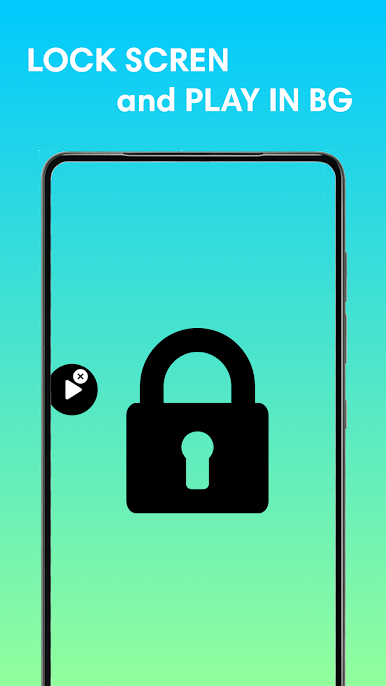
Background Play
Turn on background mode and keep your music going even after you hop out of the app—great for messaging, browsing, or checking emails. -
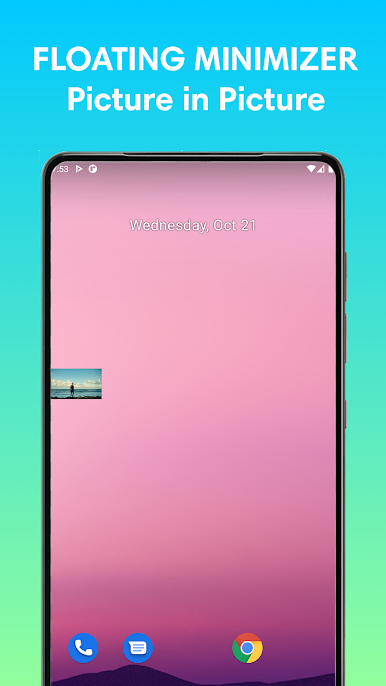
Floating Pop-Up Player
Shrink your video into a moveable, floating window that sits on top as you use other apps. You can drag it wherever you want, so your music stays visible but out of the way. -
Search Anything
Quickly search for videos, channels, or playlists—all from inside the app. It’s simple to find exactly what you want to hear or watch. -
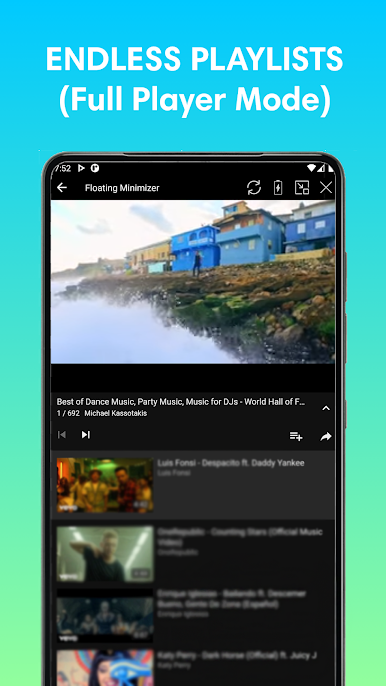
Continuous Music Playback
Enjoy endless playlists with non-stop audio, so you don’t have to keep clicking for the next song.
You can even get that multitasking magic on your computer using BlueStacks for an even bigger picture-in-picture experience.
Switch to BlueStacks and make the most of your apps on your PC or Mac.

เล่น Floating Minimizer Tube บน PC ได้ง่ายกว่า
-
ดาวน์โหลดและติดตั้ง BlueStacks บน PC ของคุณ
-
ลงชื่อเข้าใช้แอคเคาท์ Google เพื่อเข้าสู่ Play Store หรือทำในภายหลัง
-
ค้นหา Floating Minimizer Tube ในช่องค้นหาด้านขวาบนของโปรแกรม
-
คลิกเพื่อติดตั้ง Floating Minimizer Tube จากผลการค้นหา
-
ลงชื่อเข้าใช้บัญชี Google Account (หากยังไม่ได้ทำในขั้นที่ 2) เพื่อติดตั้ง Floating Minimizer Tube
-
คลิกที่ไอคอน Floating Minimizer Tube ในหน้าจอเพื่อเริ่มเล่น

