


Guns of Glory: L’Île perdue
Jouez sur PC avec BlueStacks - la plate-forme de jeu Android, approuvée par + 500M de joueurs.

Page Modifiée le: Sep 29, 2026
Joue à Guns of Glory: L’Île perdue sur PC ou Mac
Guns of Glory: L’Île perdue est un jeu de stratégie développé par FunPlus International AG, mêlant gestion de royaume, exploration et combats tactiques dans un univers inspiré de l’époque des mousquetaires. Grâce à BlueStacks, profitez d’une expérience plus fluide sur PC ou Mac avec des commandes optimisées et un affichage immersif.
Dans Guns of Glory: L’Île perdue, vous devez bâtir et développer votre royaume tout en explorant une île mystérieuse remplie de ressources, de dangers et de secrets. En tant que dirigeant, votre mission est de renforcer votre armée, protéger votre territoire et affronter d’autres joueurs dans des batailles stratégiques à grande échelle.
Construction et gestion de royaume
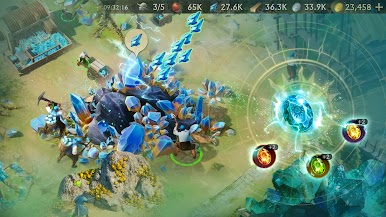
Développez votre cité en construisant des bâtiments, en améliorant vos infrastructures et en produisant des ressources essentielles à votre progression.
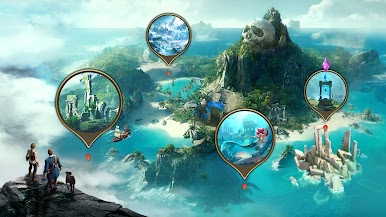
Exploration d’une île mystérieuse
Partez à la découverte de nouvelles zones, récupérez des trésors rares et débloquez des récompenses qui renforceront votre puissance militaire et économique.
Combats stratégiques et coopération
Participez à des affrontements contre d’autres joueurs et formez des alliances pour coordonner vos stratégies. La coopération avec vos alliés est essentielle pour dominer les territoires.
Héros et progression avancée
Recrutez des héros aux compétences uniques et améliorez leurs capacités pour optimiser vos performances en combat et accélérer votre développement.
Guns of Glory: L’Île perdue propose une expérience complète mêlant stratégie, gestion et exploration dans un univers riche et compétitif. Que vous aimiez bâtir un empire ou participer à des batailles multijoueurs, ce jeu offre de nombreux défis captivants.

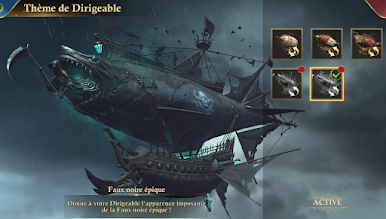

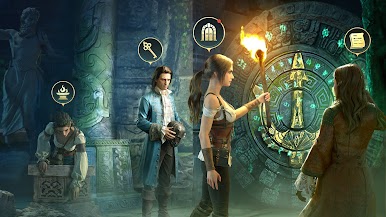

Jouez à Guns of Glory: L’Île perdue sur PC. C'est facile de commencer.
-
Téléchargez et installez BlueStacks sur votre PC
-
Connectez-vous à Google pour accéder au Play Store ou faites-le plus tard
-
Recherchez Guns of Glory: L’Île perdue dans la barre de recherche dans le coin supérieur droit
-
Cliquez pour installer Guns of Glory: L’Île perdue à partir des résultats de la recherche
-
Connectez-vous à Google (si vous avez ignoré l'étape 2) pour installer Guns of Glory: L’Île perdue
-
Cliquez sur l'icône Guns of Glory: L’Île perdue sur l'écran d'accueil pour commencer à jouer

