


Abonnés et likes par insta tag
Jouez sur PC avec BlueStacks - la plate-forme de jeu Android, approuvée par + 500M de joueurs.

Page Modifiée le: Oct 11, 2024
Run Likes and Followers by tags on PC or Mac
Multitask effortlessly on your PC or Mac as you try out Likes and Followers by tags, a Social app by Popular tags profile dev on BlueStacks.
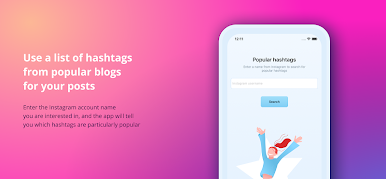
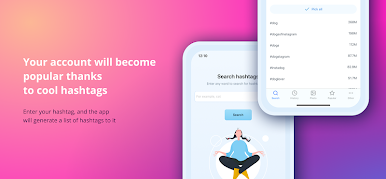
Likes and Followers by tags feels like a small utility for Instagram that focuses on one job, finding useful hashtags fast. Someone types a word or topic, the app spits out a bunch of related tags, and they copy the whole batch into a post. That is basically the loop. It is simple and a bit bare bones, which is kind of the point, because there is no maze of menus. The idea is to help posts get discovered a little more without fiddling for half an hour. It will not magically make an account blow up, but for anyone who wants quick tag ideas that are not totally random, it does the trick.
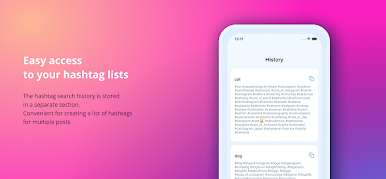
What stands out is how it keeps a history of the tags it suggested before, so a person can reuse sets that worked instead of starting from scratch every time. There is also a section that looks at popular accounts and pulls the kinds of hashtags they lean on, which can spark new combos. On a PC with BlueStacks, it is easier to type longer keywords, copy large tag lists with a keyboard, and organize sets in a notes app side by side. The whole thing is straightforward, fast, and practical, like a companion tool people open for 30 seconds before hitting post.
Eager to take your app experience to the next level? Start right away by downloading BlueStacks on your PC or Mac.

Jouez à Abonnés et likes par insta tag sur PC. C'est facile de commencer.
-
Téléchargez et installez BlueStacks sur votre PC
-
Connectez-vous à Google pour accéder au Play Store ou faites-le plus tard
-
Recherchez Abonnés et likes par insta tag dans la barre de recherche dans le coin supérieur droit
-
Cliquez pour installer Abonnés et likes par insta tag à partir des résultats de la recherche
-
Connectez-vous à Google (si vous avez ignoré l'étape 2) pour installer Abonnés et likes par insta tag
-
Cliquez sur l'icône Abonnés et likes par insta tag sur l'écran d'accueil pour commencer à jouer

