


NagmaLive - Lehra & Tabla
Jouez sur PC avec BlueStacks - la plate-forme de jeu Android, approuvée par + 500M de joueurs.

Page Modifiée le: Oct 14, 2025
Play NagmaLive - Lehra & Tabla on PC
NagmaLive is the leading lehra app for authentic tabla and Kathak practice.
Every lehra in NagmaLive is recorded by real musicians — not computer-generated loops — giving your riyaz the natural feel of a live performance.
Whether you’re a tabla player, Kathak dancer, or classical music student, NagmaLive provides a growing library of live-sounding lehras in popular raags and taals for every practice session.
🪘 Why Musicians Love NagmaLive
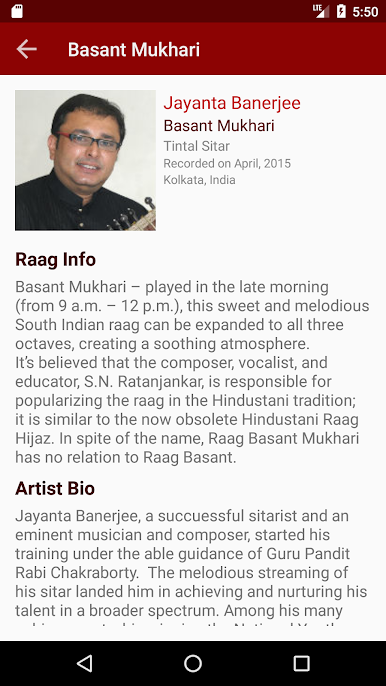
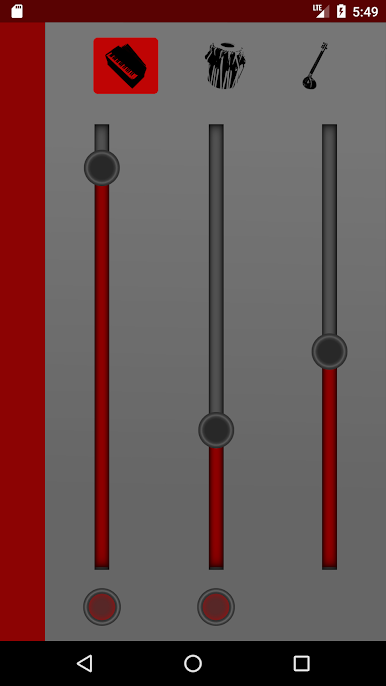
🎶 Real Lehra Recordings – Each lehra is performed on sitar, sarangi, or harmonium by expert artists.
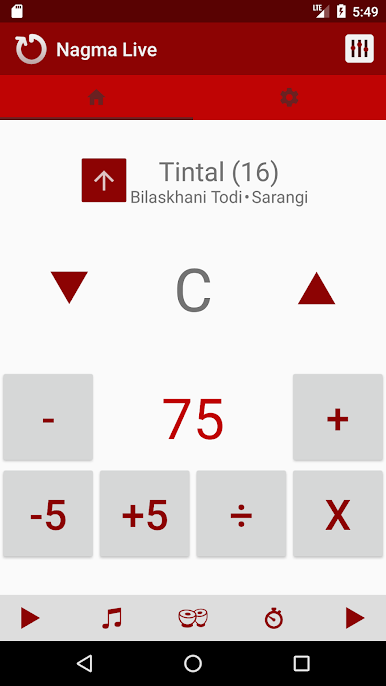
⚡ Tempo Control – Adjust lehra speed from slow practice to fast performance tempo.
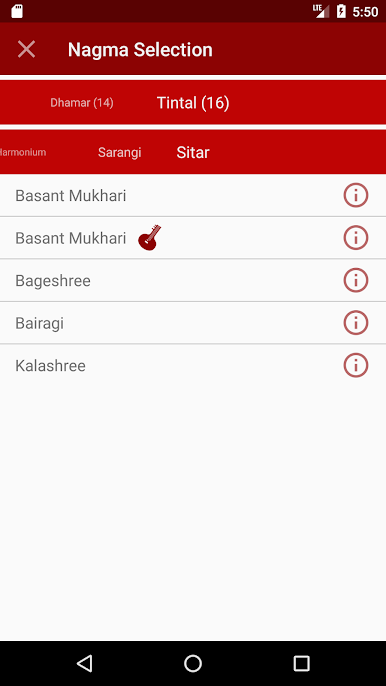
📚 Lehra Library by Raag & Taal – Choose from deep sets like Teentaal, Ektaal, Jhaptaal, Dadra, and more.
💾 Offline Lehra Playback – Download your favorite lehra and practice anytime, anywhere.
💫 Who NagmaLive is For
Tabla players seeking authentic lehra accompaniment for solo riyaz
Kathak dancers needing real lehra tracks for practice and choreography
Music teachers and students exploring traditional taal and raag combinations
Musicians who want natural-sounding lehra instead of digital loops
🎧 Feel the Real Lehra
Unlike typical lehra apps that use MIDI or synthetic samples, NagmaLive features the rich sound of real instruments — recorded in studio conditions.
Each lehra track breathes and flows like a live artist accompanying you.
Experience how real lehra transforms your focus, timing, and layakari.
🌍 Join Thousands of Artists Worldwide
Used daily by tabla and Kathak practitioners across India, the US, and UK, NagmaLive has become the go-to lehra app for serious practice.
Start your free trial today and bring real lehra into your daily riyaz.

Jouez à NagmaLive - Lehra & Tabla sur PC. C'est facile de commencer.
-
Téléchargez et installez BlueStacks sur votre PC
-
Connectez-vous à Google pour accéder au Play Store ou faites-le plus tard
-
Recherchez NagmaLive - Lehra & Tabla dans la barre de recherche dans le coin supérieur droit
-
Cliquez pour installer NagmaLive - Lehra & Tabla à partir des résultats de la recherche
-
Connectez-vous à Google (si vous avez ignoré l'étape 2) pour installer NagmaLive - Lehra & Tabla
-
Cliquez sur l'icône NagmaLive - Lehra & Tabla sur l'écran d'accueil pour commencer à jouer

