


A-Score Music Notation
Jouez sur PC avec BlueStacks - la plate-forme de jeu Android, approuvée par + 500M de joueurs.

Page Modifiée le: Jun 16, 2025
Play A-Score Music Notation on PC
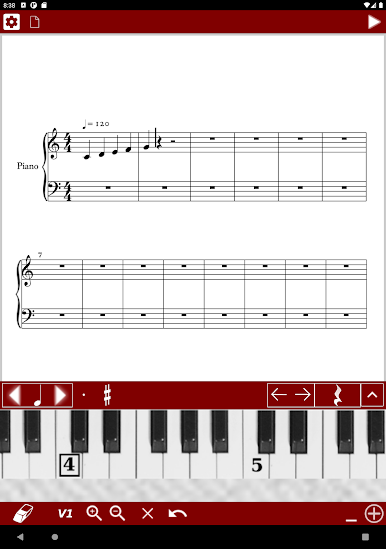
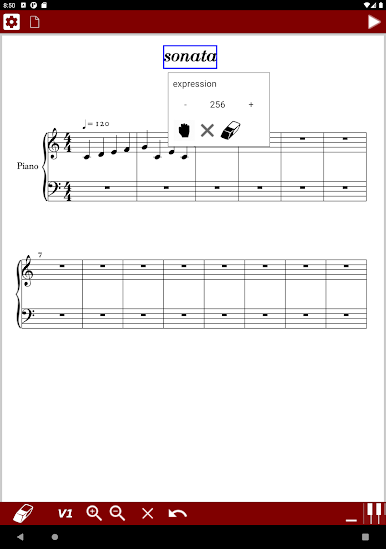
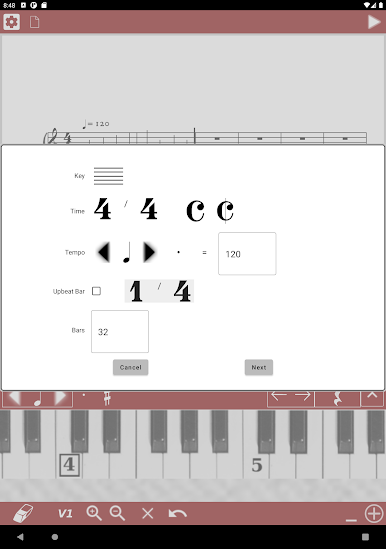
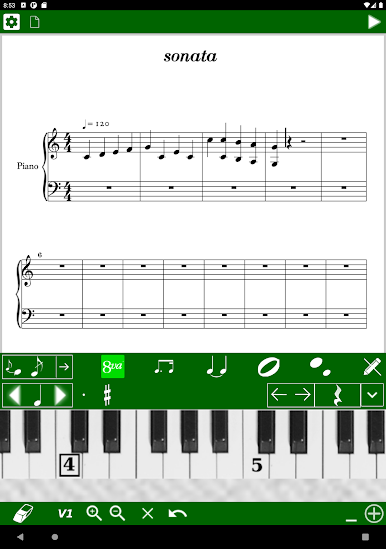
A-Score is the only music notation app designed for effortless note entry on mobile & tablet.
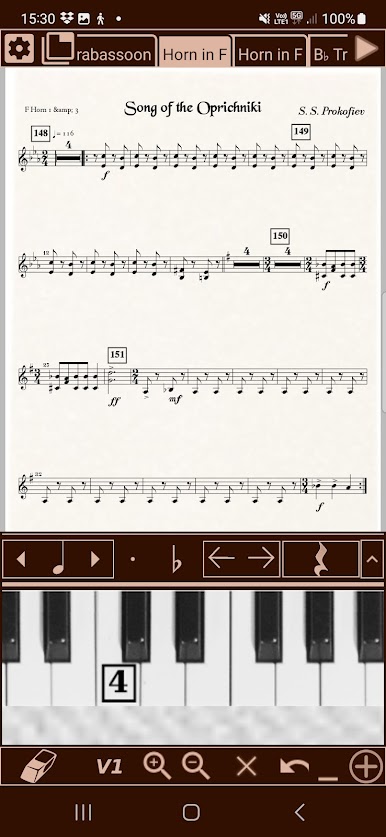
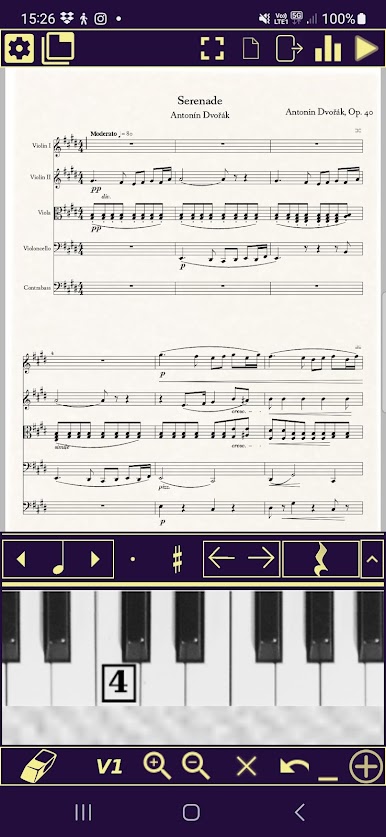
Simply tap the built-in piano keyboard to instantly add notes—no setup, no learning curve.
Unlike Sibelius, MuseScore, or Finale, A-Score is lightweight, intuitive, and designed for mobile-first composition.
* Compose instantly—open the app and start writing music immediately
* Intuitive note entry—tap notes directly on the piano keyboard
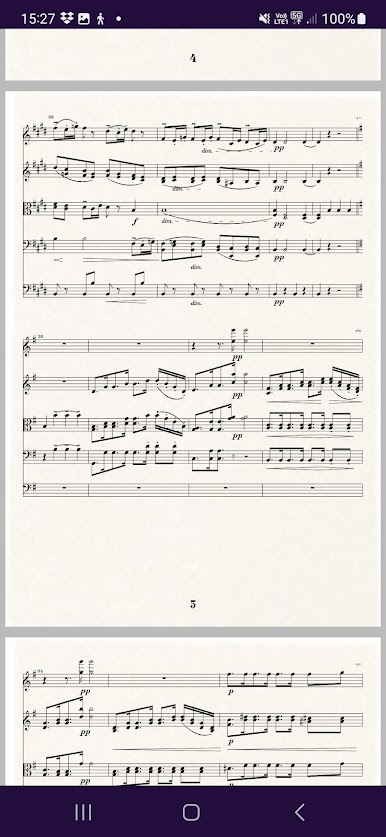
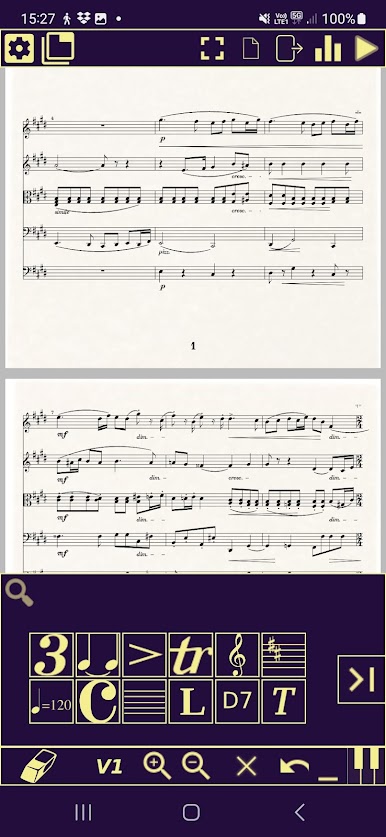
* Work on individual parts or full scores
* Full Autosave - never lose your work!
* Scrolling page view—never get lost in your music
* Custom Soundfont support for playback
* Import & Export: PDF, MIDI (coming soon), MusicXML
* Flexible, dynamic layout—notes and symbols adjust automatically
* Advanced notation tools—tuplets, cross-rhythms, ornaments, grace notes, and more
* Full playback support—hear your composition instantly
* Easy selection & editing—copy, paste, undo, and redo with ease
* Professional sheet music formatting—dynamics, slurs, repeats, articulations, and more
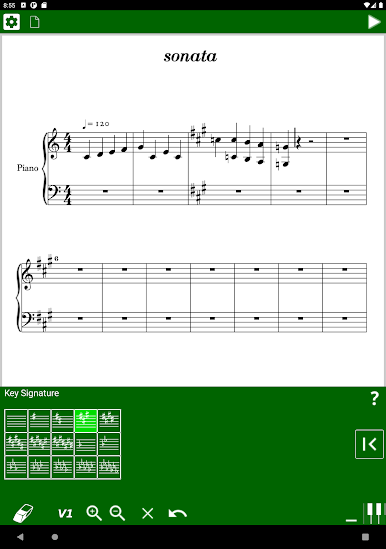
* Supports all clefs, key/time signatures, transposition, and tempo changes
* Autosave and cloud sync support (coming soon)
Whether you're sketching a quick melody, writing a piano score, or composing for an ensemble, A-Score makes notation fast, simple, and frustration-free.
Ready to compose effortlessly? Download A-Score now.
Jouez à A-Score Music Notation sur PC. C'est facile de commencer.
-
Téléchargez et installez BlueStacks sur votre PC
-
Connectez-vous à Google pour accéder au Play Store ou faites-le plus tard
-
Recherchez A-Score Music Notation dans la barre de recherche dans le coin supérieur droit
-
Cliquez pour installer A-Score Music Notation à partir des résultats de la recherche
-
Connectez-vous à Google (si vous avez ignoré l'étape 2) pour installer A-Score Music Notation
-
Cliquez sur l'icône A-Score Music Notation sur l'écran d'accueil pour commencer à jouer

