


Ragnarok X: Together
Jouez sur PC avec BlueStacks - la plate-forme de jeu Android, approuvée par + 500M de joueurs.

Page Modifiée le: Jan 6, 2026
Jouez Ragnarok X: Together sur PC
Un nouveau départ, une nouvelle aventure ! Aventuriers, anciens comme nouveaux, rassemblez-vous et plongez dans une ère d'aventure inédite !
Officiellement autorisé par Gravity (Corée du Sud) ! Une version revisitée du chef-d'œuvre classique ! Aventuriers, embarquez pour une aventure fantastique nouvelle génération !
======Fonctionnalités du jeu======
◆ Nouvelle classe : Lien d'âmes
Des âmes jumelles dansent à l'unisson, transcendant les frontières
Brisez toutes les limites grâce à vos deux formes, pour une expérience de combat inédite
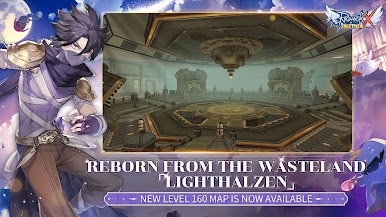
◆ Nouvelle carte de niveau 160 : Lighthalzen
Renaissance des terres désolées, avec de nouveaux monstres MVP et MINI éveillés
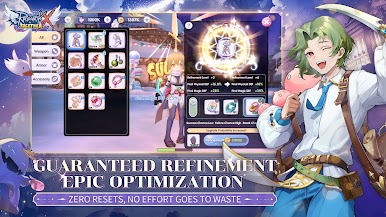
Mise à jour majeure de la ville principale : Rachel, avec la nouvelle fonctionnalité d'enchantement
◆ Nouveau serveur principal : Link Region sera disponible le 24 novembre
Connectez-vous avec des aventuriers du monde entier
Événements exclusifs sur le nouveau serveur et Hyper Return
◆ Échanges inter-serveurs : le marché ne dort jamais
Le centre d'échange est désormais entièrement connecté : le commerce bat son plein 24 h/24 et 7 j/7
De nombreux événements et récompenses vous attendent pour booster votre retour
◆ Restez fidèles, partons à l'aventure ensemble
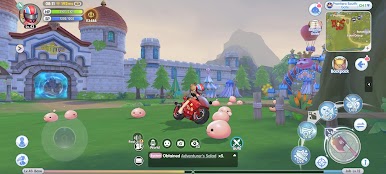
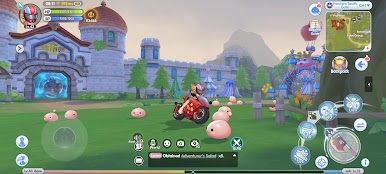
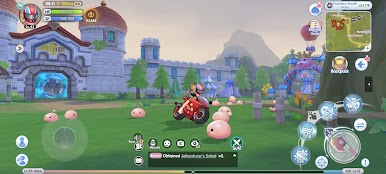
Recréez le vaste monde PC en 3D, avec une multitude d'histoires à explorer !
De Prontera aux îles maritimes, le continent de Midgard n'attend que vous ! ※Ce jeu est gratuit (F2P) et propose des achats intégrés (monnaie virtuelle et objets). Dépensez judicieusement en fonction de vos envies et de votre budget.
======Nous contacter======
Site officiel : http://www.ragnarokx.com
Groupe Facebook : https://www.facebook.com/RagnarokXNextGeneration
Service client : cs@roxnextgeneration.com




Jouez à Ragnarok X: Together sur PC. C'est facile de commencer.
-
Téléchargez et installez BlueStacks sur votre PC
-
Connectez-vous à Google pour accéder au Play Store ou faites-le plus tard
-
Recherchez Ragnarok X: Together dans la barre de recherche dans le coin supérieur droit
-
Cliquez pour installer Ragnarok X: Together à partir des résultats de la recherche
-
Connectez-vous à Google (si vous avez ignoré l'étape 2) pour installer Ragnarok X: Together
-
Cliquez sur l'icône Ragnarok X: Together sur l'écran d'accueil pour commencer à jouer

