


Sandblox: City sandbox
Jouez sur PC avec BlueStacks - la plate-forme de jeu Android, approuvée par + 500M de joueurs.

Page Modifiée le: Jul 29, 2024
Aperçu
🏙️ Construisez la ville de vos rêves :
Créez un paysage urbain dynamique de A à Z ! Concevez des gratte-ciels qui frôlent les nuages, créez de charmants quartiers résidentiels et développez des quartiers commerciaux dynamiques. Le pouvoir de façonner votre ville est entre vos mains – êtes-vous prêt à relever le défi ?
🌐 Connectivité et exploration :
Connectez votre ville au monde grâce à des réseaux de transport complexes. Construisez des ponts, des tunnels et des routes efficaces pour favoriser la croissance et l'exploration.
🎮 Commandes faciles à prendre en main :
Profitez d'une interface tactile intuitive qui simplifie la construction de votre ville. Que vous soyez un stratège chevronné ou un maire novice, Sandblox accueille tous les joueurs avec des commandes faciles à prendre en main et une expérience conviviale.
🌟 Libérez votre créativité :
Sandblox n'est pas qu'un jeu ; c'est un terrain de jeu pour votre imagination. Expérimentez différents aménagements urbains, créez des paysages époustouflants et admirez votre monde virtuel prendre vie.
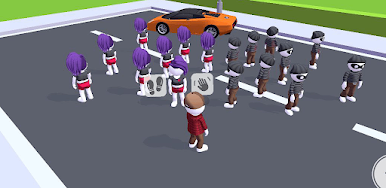
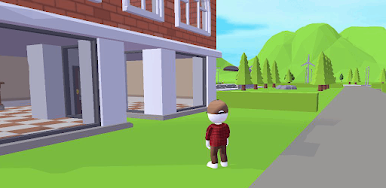
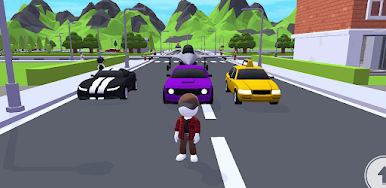
Jouez à Sandblox: City sandbox sur PC. C'est facile de commencer.
-
Téléchargez et installez BlueStacks sur votre PC
-
Connectez-vous à Google pour accéder au Play Store ou faites-le plus tard
-
Recherchez Sandblox: City sandbox dans la barre de recherche dans le coin supérieur droit
-
Cliquez pour installer Sandblox: City sandbox à partir des résultats de la recherche
-
Connectez-vous à Google (si vous avez ignoré l'étape 2) pour installer Sandblox: City sandbox
-
Cliquez sur l'icône Sandblox: City sandbox sur l'écran d'accueil pour commencer à jouer

