


MECCHA CHAMELEON
Jouez sur PC avec BlueStacks - la plate-forme de jeu Android, approuvée par + 500M de joueurs.

Page Modifiée le: Jul 6, 2026
Aperçu
yeah! Mechcha "Hide and Seek"
The rules are simple. Split into the Seeker team and the Hider team to play hide-and-seek. The Seekers win if they find everyone within the time limit.
yeah! Mechcha "Paint"
The way you hide is a bit special. Paint your pure white body to blend into the stage. Just like a chameleon. The hiding spot, the pose, and above all, your artistic skills are the key! Deceive the Seekers' eyes with a mimicry that would even surprise a chameleon.
yeah! Mechcha "Matching"
Of course you can play with friends, but you can also play with people you don't know. (If you create a server that is not set to private, anyone can join freely.) Game streamers can easily host viewer participation games. The maximum number of players depends on the host's network environment. (2–10 players recommended. This may increase or decrease based on future playtests.)


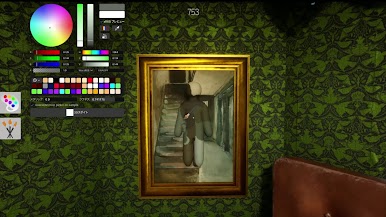

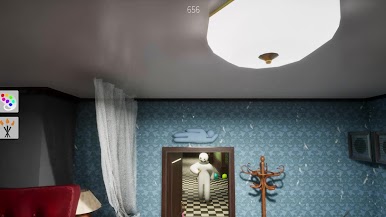
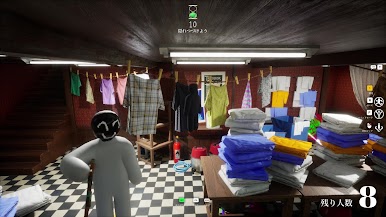
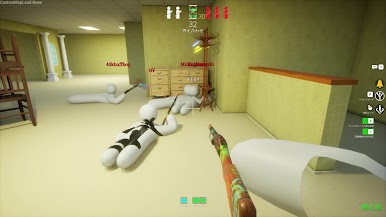
Jouez à MECCHA CHAMELEON sur PC. C'est facile de commencer.
-
Téléchargez et installez BlueStacks sur votre PC
-
Connectez-vous à Google pour accéder au Play Store ou faites-le plus tard
-
Recherchez MECCHA CHAMELEON dans la barre de recherche dans le coin supérieur droit
-
Cliquez pour installer MECCHA CHAMELEON à partir des résultats de la recherche
-
Connectez-vous à Google (si vous avez ignoré l'étape 2) pour installer MECCHA CHAMELEON
-
Cliquez sur l'icône MECCHA CHAMELEON sur l'écran d'accueil pour commencer à jouer

