


Habitodo: lists, habits & todo
เล่นบน PC ผ่าน BlueStacks - Android Gaming Platform ที่ได้รับความไว้วางใจจากเกมเมอร์ 500 ล้านคนทั่วโลก

Page Modified on: Dec 16, 2025
Run Habitodo - easy habit tracker on PC or Mac
Get freedom from your phone’s obvious limitations. Use Habitodo – easy habit tracker, made by Pocket Brilliance Limited, a Productivity app on your PC or Mac with BlueStacks, and level up your experience.
Habitodo feels like a straight-up habit and task buddy that does not try to be clever for no reason. Someone adds the habits or chores they care about, picks a daily, weekly, or monthly schedule, sets a reminder, and that is it. When the time comes, it nudges, they mark it done, and move on. It is built around simple repeating tasks and quick notes, so it fits both goals like drink more water or finish a short workout and also little to-dos that tend to slip. The layout keeps things clean and calm, which helps a lot when the plan for the day is already noisy. There is a nice rhythm to it, set it once and let it quietly keep things on track.
On PC with BlueStacks, the whole routine gets easier to manage. Bigger screen, faster typing, and the reminders pop up while other apps are open, so it stays visible without feeling pushy. It suits someone who wants a tidy list that rolls over on a schedule, not a complicated planner with a hundred knobs. The best part is how low-friction it is to check off stuff and see what remains, no hunting through menus, no weird jargon, just the next thing and the little nudge that says it is time.
Switch to BlueStacks and make the most of your apps on your PC or Mac.
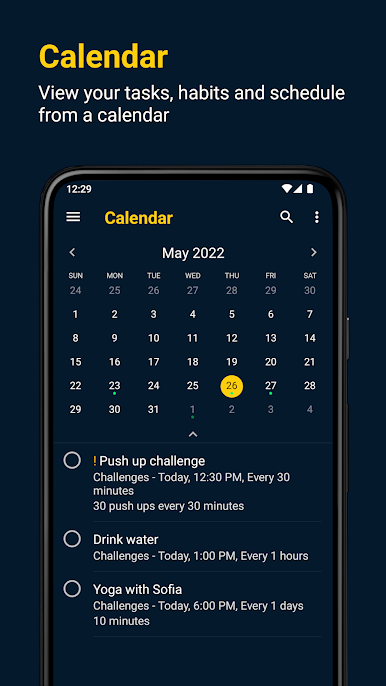
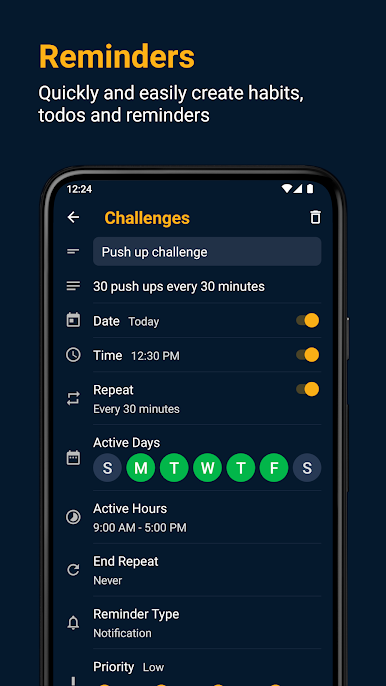
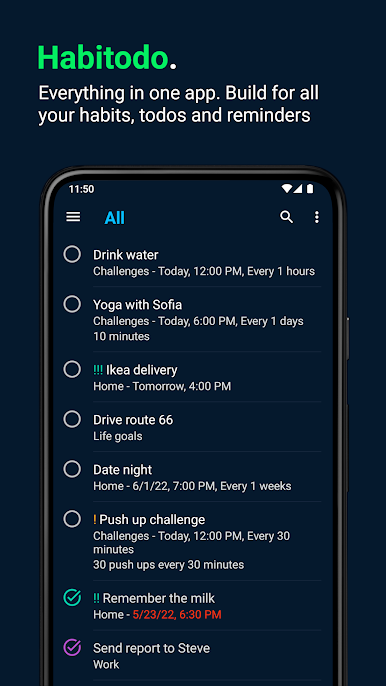
เล่น Habitodo: lists, habits & todo บน PC ได้ง่ายกว่า
-
ดาวน์โหลดและติดตั้ง BlueStacks บน PC ของคุณ
-
ลงชื่อเข้าใช้แอคเคาท์ Google เพื่อเข้าสู่ Play Store หรือทำในภายหลัง
-
ค้นหา Habitodo: lists, habits & todo ในช่องค้นหาด้านขวาบนของโปรแกรม
-
คลิกเพื่อติดตั้ง Habitodo: lists, habits & todo จากผลการค้นหา
-
ลงชื่อเข้าใช้บัญชี Google Account (หากยังไม่ได้ทำในขั้นที่ 2) เพื่อติดตั้ง Habitodo: lists, habits & todo
-
คลิกที่ไอคอน Habitodo: lists, habits & todo ในหน้าจอเพื่อเริ่มเล่น

